npm and Package Management Interview Questions for Frontend Developers
npm package manager interview questions rarely appear by name. Here is what lockfiles, npm ci, semver ranges and install scripts really do, with worked examples.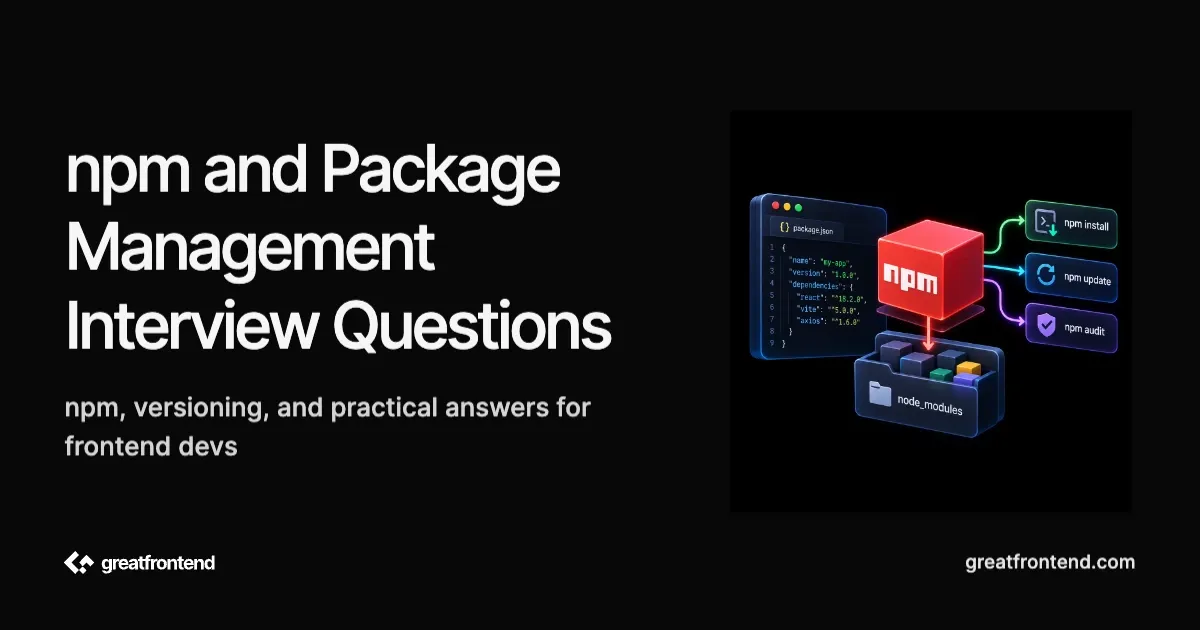
Here is an uncomfortable starting point. The most widely used community question list for frontend interviews, h5bp/Front-end-Developer-Interview-Questions (https://github.com/h5bp/Front-end-Developer-Interview-Questions), has nine question files covering HTML, CSS, JavaScript, network, performance, testing, coding and general topics. A case-insensitive grep across all nine for "npm", "package manager", "package.json", "lockfile" and "yarn" returns zero hits.
So this guide is not a list of npm package manager interview questions you should expect to be asked by name. Package management is rarely a standalone interview topic. It surfaces inside other conversations: a CI/CD question, a build-tooling question, a monorepo question, or the moment an interviewer says "walk me through your repo" and your answer has to explain why package-lock.json is committed and what npm ci is doing in your pipeline. What follows is what you should actually understand, why it matters in practice, and where a shallow answer stops short.
One framing note, because it shapes most of the answers below. For the mechanics questions, the useful axis is not junior versus senior. It is whether you can name a behaviour versus explain its consequence, and that tends to track what you have personally debugged rather than your years of experience. A backend-leaning staff engineer can miss the lockfile question, while a two-year frontend developer who once lost an afternoon to a phantom dependency may answer it cold. The last question is different in kind, since it asks for a judgment rather than a mechanism.
Where npm package manager interview questions actually surface
When these questions do come up, they generally arrive attached to something else. The four contexts worth preparing for are continuous integration ("why does the build pass locally and fail in CI"), build tooling ("what happens when you run this install command"), monorepos ("how do workspaces resolve a shared dependency"), and code review ("should we add this library"). That last one has changed character recently, which the final question covers.
Below are sixteen questions in that shape, each with a worked answer grounded in the primary documentation.
Question 1: What does package-lock.json actually guarantee?
How to approach it
The shallow answer is "it locks versions". That is true and incomplete. npm's own documentation is more specific: the lockfile "describes the exact tree that was generated, such that subsequent installs are able to generate identical trees, regardless of intermediate dependency updates" (package-lock.json docs (https://docs.npmjs.com/cli/v12/configuring-npm/package-lock-json)). The unit being locked is the shape of the tree, not just a map of names to resolved versions.
That distinction is why lockfiles are not interchangeable between package managers, and npm's own v7 blog series stated the contrast directly: "The npm tree building contract is entirely specified by the package-lock.json file", while "The Yarn tree building contract is split between the yarn.lock file and the implementation of Yarn itself" (npm blog archive (https://blog.npmjs.org/post/621733939456933888/npm-v7-series-why-keep-package-lockjson.html)). If part of the contract lives in the tool rather than the file, converting the file alone cannot preserve the result.
Now the limits, which is where a thorough answer separates itself.
A dependency's own lockfile does not travel to you. npm's v11 documentation states plainly that package-lock.json "cannot be published, and it will be ignored if found in any place other than the root project" (npm v11 docs (https://docs.npmjs.com/cli/v11/configuring-npm/package-lock-json)). The v12 documentation drops that sentence but documents the equivalent for the file that used to serve this purpose: as of npm v12, npm-shrinkwrap.json is no longer read or written, and a copy shipped inside a dependency's tarball is ignored, with bundleDependencies given as the supported way to ship a locked tree.
A lockfile also does not guarantee an identical install on every machine. Platform-specific optional dependencies were a documented hole. npm/cli issue 4828 (https://github.com/npm/cli/issues/4828), opened in April 2022, describes a lockfile regenerated on an arm64 Mac that silently omitted the x64 binaries a CI runner needed. It was fixed by pull request 8184 (https://github.com/npm/cli/pull/8184), merged on 2025-04-03 and shipped in npm 11.3.0, but a long-lived repository can still be carrying a lockfile written before that fix.
You can see the shape of this yourself. In a project with esbuild as a dev dependency, the lockfile carries every platform variant while only one lands on disk:
$ npm install$ node -e "const l=require('./package-lock.json');console.log(Object.keys(l.packages).filter(k=>k.includes('@esbuild/')).length)"26$ ls node_modules/@esbuild/darwin-arm64
The last limit is the one most worth saying out loud: a lockfile records what you installed, not whether it was safe. If a compromised version is installed and then committed, the lockfile will faithfully reinstall that exact version on every machine, forever, until someone changes it. Reproducibility and trustworthiness are different properties.
Question 2: When would you use npm ci instead of npm install?
How to approach it
"It is faster" is the answer that stops too early. Speed is a side effect. The npm ci documentation (https://docs.npmjs.com/cli/v12/commands/npm-ci) lists five behaviours that differ from npm install:
- the project must have an existing
package-lock.json - if dependencies in the lock do not match those in
package.json, it exits with an error instead of updating the lock - it can only install entire projects, so individual dependencies cannot be added with it
- if
node_modulesis already present, it is removed before the install begins - it will never write to
package.jsonorpackage-lock.json
The second one is the answer worth leading with. Drift between the manifest and the lockfile becomes a build failure rather than a silent difference between what you tested and what you shipped.
Here is that behaviour traced, not described. Start from a project whose lockfile resolved clsx to 2.1.1, then edit package.json to request a range the lockfile cannot satisfy:
{"name": "drift-demo","version": "1.0.0","private": true,"dependencies": { "clsx": "^1.2.0" },"devDependencies": { "esbuild": "^0.25.0" }}
npm ci against that pair, on npm 11.13.0:npm error code EUSAGEnpm errornpm error `npm ci` can only install packages when your package.json andnpm error package-lock.json or npm-shrinkwrap.json are in sync. Please updatenpm error your lock file with `npm install` before continuing.npm errornpm error Invalid: lock file's clsx@2.1.1 does not satisfy clsx@1.2.1
The command exits 1 and, checked afterwards, the lockfile still reads 2.1.1. Nothing was reconciled. npm install in the same situation would have quietly rewritten the lockfile and carried on, which is the correct behaviour on a developer machine and the wrong one in a pipeline.
One caveat for the interview: the error text above is from npm 11. npm 12 removed npm-shrinkwrap.json support entirely, so the wording differs on a current release even though the behaviour does not.
Question 3: The build works locally and fails in CI. Where do you look first?
How to approach it
This is the most frontend-specific trap in package management, and it comes from a default nobody sets deliberately.
npm's omit config controls which dependency types are left off disk. Its documented default is "'dev' if the NODE_ENV environment variable is set to 'production'; otherwise, empty" (npm config docs (https://docs.npmjs.com/cli/v12/using-npm/config)). If anything in your pipeline sets NODE_ENV=production, which CI images and deployment platforms often do, dev dependencies stop being installed. Your bundler, your TypeScript compiler and your PostCSS plugins typically live in devDependencies, so the build then fails on a missing binary that is present on every developer machine.
What makes this genuinely confusing is what the lockfile does in the meantime. The same documentation notes that omitted dependencies "are still resolved and added to the package-lock.json file. They are just not physically installed on disk." So the lockfile looks complete, npm ls on your laptop looks fine, and the only signal is a module-not-found error in CI.
Demonstrated end to end on the same project:
$ npm ci --omit=devadded 1 package in 226ms$ ls node_modules | grep -c esbuild0$ NODE_ENV=production npm installadded 1 package in 97ms$ ls node_modules | grep -c esbuild0
esbuild absent from disk in both, and still recorded in the lockfile as version 0.25.12 with "dev": true. Note that the second run never passed --omit at all. The environment variable did it.A good answer names the fix rather than the symptom: build-time tooling such as bundlers, TypeScript, and PostCSS plugins should normally remain in devDependencies, and the CI build stage must install dev dependencies before running the build. Only packages required by the deployed application at runtime belong in dependencies. Note also that the relationship runs both ways, since npm sets NODE_ENV to 'production' for lifecycle scripts whenever the resulting omit list includes 'dev'.
Question 4: What is a phantom dependency and how does it break a frontend build?
How to approach it
Narrate the failure rather than defining the term.
npm installs a flat node_modules to avoid duplicating shared packages, so transitive dependencies end up as siblings of your direct ones. Node's resolution algorithm then walks up parent node_modules directories looking for a match. The combination means a file can import a package that appears nowhere in its package.json and it will resolve. Rush's write-up defines the result precisely: a phantom dependency "occurs when a project uses a package that is not defined in its package.json file" (Rush documentation (https://rushjs.io/pages/advanced/phantom_deps/)).
The failure is deferred, which is what makes it expensive. Your code works for months. Then a direct dependency bumps its own dependency to a new major version, or drops it, and the import breaks in a file that never declared it. Nothing in your own manifest changed, so the diff gives no clue.
Yarn's documentation confirms the same problem from the other direction. Its Plug'n'Play page observes that a project which works under PnP should work anywhere, but that "the opposite isn't always true", because npm and pnpm installs can carry undeclared dependencies that only surface as errors under PnP's stricter resolution (Yarn PnP docs (https://yarnpkg.com/features/pnp)). Strict linkers do not create phantom dependencies. They reveal ones you already had.
Question 5: What does ^1.2.3 actually allow?
How to approach it
"It allows minor and patch updates" is correct for versions at 1.0.0 and above, and wrong below it. The carve-out applies to a lot of small frontend packages.
From node-semver (https://github.com/npm/node-semver#caret-ranges-123-025-004), caret ranges allow changes that do not modify the left-most non-zero element of the version tuple:
^1.2.3is>=1.2.3 <2.0.0-0^0.2.3is>=0.2.3 <0.3.0-0^0.0.3is>=0.0.3 <0.0.4-0
So below 1.0.0 the caret tightens by itself, and for 0.0.x packages it pins exactly. Prereleases have their own rule: ^1.2.3-beta.2 admits 1.2.3-beta.4 but not 1.2.4-beta.2, because that is a prerelease of a different tuple.
The point worth making in an interview is that you probably did not choose your range. npm's save-prefix config defaults to ^, so every npm install writes a caret unless you configured otherwise. A team that wants exact pins has to opt in with save-exact or change save-prefix. If you say "we use carets", the useful follow-up you should be ready for is whether that was a decision or a default.
Question 6: Explain the dependency types, and what actually changes between them
How to approach it
Listing the four types is a recall answer. Explaining the consequence of each is the real one.
devDependencies is the one that bites frontend builds, for the reasons in question 3. The interesting behaviour is in the other two.
peerDependencies changed meaningfully at npm v7, and the pre-v7 behaviour is what a lot of older material describes. npm's documentation states that "In npm versions 3 through 6, peerDependencies were not automatically installed", and that "As of npm v7, peerDependencies are installed by default" (package.json docs (https://docs.npmjs.com/cli/v12/configuring-npm/package-json)). If you maintain a component library, npm now tries to ensure that a compatible React version exists in the consumer's dependency tree rather than merely warning about a missing peer. If the consumer already has a compatible React installation, that installation can satisfy the peer requirement. peerDependenciesMeta can mark a peer as optional so npm will not automatically install it when it is absent.
optionalDependencies differs in a way that is easy to state precisely: "The difference is that build failures do not cause installation to fail." That is why platform-specific binaries ship this way, and it is also why a broken optional dependency can produce a green install and a broken runtime. Handling the absence is left to your code.
Question 7: Have the defaults changed recently, and does npm audit tell you whether your app is vulnerable?
How to approach it
Both halves of this are worth knowing because the honest answers cut against common assumptions.
The defaults did change, and substantially. The npm 12.0.0 release, on 2026-07-08, lists these among its breaking changes (npm CLI changelog (https://github.com/npm/cli/blob/latest/CHANGELOG.md)):
- dependency lifecycle scripts are blocked by default unless allowed by the root package's
allowScriptspolicy allow-gitandallow-remotedefault to"none"npm-shrinkwrap.json,npm adduser, and thestar,starsandunstarcommands are removed- unknown CLI flags now throw instead of warning
- supported Node.js versions are
^22.22.2 || ^24.15.0 || >=26.0.0
The script-blocking change is the one that alters day-to-day work. npm's own wording is unambiguous: "Dependency install scripts are blocked by default", and approvals are recorded in an allowScripts field maintained with npm approve-scripts (https://docs.npmjs.com/cli/v12/commands/npm-approve-scripts), which by default writes version-pinned entries. npm also has a min-release-age config that delays installing freshly published versions, documented from the v11 line onward, but its default is null, so npm's cooldown is opt-in.
pnpm reached the same conclusions earlier and lands on different defaults, which makes it a useful contrast rather than a competitor comparison. Its minimumReleaseAge defaults to 1440 minutes, so a 24 hour cooldown is on by default from v11 onward, where npm's equivalent is off (pnpm settings (https://pnpm.io/settings/dependency-resolution)). Build scripts follow the same pattern: packages not listed in allowBuilds are disallowed by default, and strictDepBuilds, which defaults to true from pnpm 11 onward, turns unapproved dependency builds into an install failure rather than merely warning (pnpm build settings (https://pnpm.io/settings/build)).
Now npm audit. It tells you that a dependency in your tree matches a known security advisory; it does not tell you by itself whether that vulnerability is exploitable in your specific application or environment. A vulnerability in a browser-runtime dependency and one in a build-only dependency have different exposure, so findings need context. But devDependencies should not automatically be dismissed: build tools execute on developer machines and CI runners, may have access to credentials and source code, and can potentially affect generated output. The useful question is not simply whether the dependency ships to the browser, but where the vulnerable code executes and what it can access.
npm's documentation concedes the edges too. Some vulnerabilities "cannot be fixed automatically and will require manual intervention or review", and --audit-level "does not filter the report output, it simply changes the command's failure threshold" (npm audit docs (https://docs.npmjs.com/cli/v12/commands/npm-audit)). Worth keeping straight for the interview: npm audit checks known advisories. It is not malware detection. Verifying registry signatures and provenance attestations is a separate command, npm audit signatures.
Question 8: Should we add this dependency?
How to approach it
Bundle size used to be the main axis for this question. Supply chain risk now belongs alongside it, and the evidence for that is specific rather than atmospheric.
In September 2025, CISA published an alert on a self-replicating worm known as Shai-Hulud, stating that it "compromised over 500 packages" and spread "by authenticating to the npm registry as the compromised developer, injecting code into other packages, and publishing compromised versions" (CISA alert (https://www.cisa.gov/news-events/alerts/2025/09/23/widespread-supply-chain-compromise-impacting-npm-ecosystem)). A 2026 successor, reported by Microsoft Threat Intelligence on 2026-08-04 under the name ChainDrop, affected more than 400 packages across unrelated publishers including keyv, flat-cache and cache-manager, propagating by republishing packages with an incremented patch version and a preinstall script.
GitHub has published a plan for npm publishing in response, which as announced restricts publishing to local publishing with required two-factor authentication, granular tokens with a seven day lifetime, or trusted publishing, and deprecates legacy classic tokens (GitHub blog (https://github.blog/security/supply-chain-security/our-plan-for-a-more-secure-npm-supply-chain/)). That post describes a gradual rollout rather than a completed migration, so treat it as the direction of travel rather than the current state of every account.
A defensible answer to "should we add this" names checks rather than vibes: whether the functionality is small enough to own outright, whether the package runs install scripts and whether you would approve them, how many transitive dependencies come with it, whether a cooldown window would have protected you from the last incident, and whether your pipeline would even notice a patch-level republish. That last one is the sharp end of question 1: npm ci faithfully reinstalls whatever the lockfile says, so if the poisoned version is what got committed, the command designed to make builds reproducible will reproduce the compromise exactly.
Question 9: How do npm workspaces actually resolve a shared dependency?
How to approach it
Monorepo questions usually arrive as "have you worked in one", and the answer that lands explains the linking rather than naming a tool.
npm's workspaces documentation (https://docs.npmjs.com/cli/v12/using-npm/workspaces) defines the term as "the set of features in the npm cli that provides support for managing multiple packages from your local file system from within a singular top-level, root package". The mechanism is a symlink: workspace packages are "auto-symlinked during npm install" into the root node_modules, so a workspace at packages/a becomes node_modules/a -> ../packages/a. That is what lets one workspace import another by package name instead of a relative path, and it is why the docs say workspaces "removes the need to manually use npm link".
Two consequences are worth naming.
The first is that shared third-party dependencies end up hoisted to the root node_modules. That is what makes the install efficient, and it is also what makes Question 4's phantom dependency problem worse rather than better. A workspace that imports a package it never declared resolves happily, because Node's resolution walks up and finds it at the root. It breaks on the day the sibling that actually declared it drops or bumps it.
The second is script execution. The --workspaces flag runs a command "in the context of all configured workspaces", and the docs note the ordering precisely: "Commands will be run in each workspace in the order they appear in your package.json." That is declaration order, not dependency order, so npm workspaces on its own does not give you a build graph. Naming that gap is the senior signal, because it is the specific reason teams add a task runner on top, rather than a general preference for more tooling.
Question 10: A transitive dependency has a known vulnerability and the maintainer has not shipped a fix. What are your options?
How to approach it
A judgment question with a documented mechanism behind it, and a strong answer covers both halves.
npm's overrides field exists for this. The package.json documentation (https://docs.npmjs.com/cli/v12/configuring-npm/package-json) lists the use cases in one breath: "replacing the version of a dependency with a known security issue, replacing an existing dependency with a fork, or making sure that the same version of a package is used everywhere". An override forces a version throughout the tree regardless of what the intermediate package asked for.
There is a documented restriction worth knowing before an interviewer asks why an override is being ignored: "You may not set an override for a package that you directly depend on unless both the dependency and the override itself share the exact same spec." Overrides are for other people's dependencies. For your own, you change your own range.
The senior half is what an override costs. You are overruling a version constraint somebody else wrote, and nothing checks that their package still works against the version you forced. If it depended on behaviour that changed, you now own that break, and it surfaces at runtime rather than at install. That makes an override a deliberate and ideally temporary measure, with a note saying what it is waiting on, rather than a fix.
It is also worth separating the question from the alarm, which is Question 7's point. For a build-only dependency, first determine the actual exposure. The vulnerable code may never reach the browser, but it can still matter if it executes in development or CI, processes untrusted input, accesses secrets, or can influence the generated artifact. Whether an override is justified depends on that threat model as well as the compatibility risk it introduces.
Question 11: What actually ends up in the published tarball?
How to approach it
Most people have never looked, which is what makes this a good question. The gap between what is in the repository and what is in the package stays invisible until it causes a problem.
npm's package.json documentation (https://docs.npmjs.com/cli/v12/configuring-npm/package-json) lists files included no matter how you configure things: "package.json, README, LICENSE / LICENCE, The file in the 'main' field, The file(s) in the 'bin' field." Those rules mean package.json and any existing files referenced by main or bin cannot be accidentally excluded by normal packing filters. They do not guarantee that the declared entry point actually exists, so a missing build artifact can still produce a package that publishes successfully but fails when consumed.
There is a matching always-excluded list, and it is the more interesting one: .git, .npmrc, node_modules, package-lock.json, pnpm-lock.yaml, yarn.lock and bun.lockb, documented with the note that these "cannot be included". Two of those are worth being able to explain. .npmrc is excluded because it can hold an auth token, so the rule is a guard against publishing a credential. And the lockfile exclusion is the same fact Question 1 covers from the consuming side: a dependency's lockfile is not merely ignored on install, it never ships in the first place.
The failure modes run in both directions. Shipping too much means source maps, tests, fixtures or a stray environment file reaching the registry, which is a disclosure problem rather than a size problem. Shipping too little usually means a build output directory that was listed in .gitignore and therefore never made it into the tarball, producing a package that installs cleanly and fails on import.
The senior habit is to look rather than reason: pack the tarball locally and read the file list before publishing. Checking once is faster than the version bump you would otherwise need to correct it.
Question 12: How do you ship a beta without breaking everyone on the stable version?
How to approach it
A release-management question, and the mechanism is dist-tags.
npm's dist-tag documentation (https://docs.npmjs.com/cli/v12/commands/npm-dist-tag) states the default that makes tags matter at all: "By default, npm install <pkg> (without any @<version> or @<tag> specifier) installs the latest tag." latest is not a computed maximum version. It is a pointer somebody set.
Modern npm adds guardrails around two mistakes older versions allowed. Since npm 11, publishing a prerelease version without an explicit tag is rejected rather than silently moving latest to the prerelease, so a beta should be published explicitly with something like npm publish --tag beta. npm also avoids implicitly moving latest backward when publishing a version below the package's current latest stable version. The underlying lesson is still the same: use dist-tags deliberately to represent release channels rather than assuming npm will infer whether a version is stable, beta, canary, or maintenance-only.
The normal release pattern is to publish the beta under its own tag, so it is installable on purpose and invisible to users following latest until you promote it.
One naming rule catches people out, and it is documented: "tags that can be interpreted as valid semver ranges will be rejected. For example, v1.4 cannot be used as a tag, because it is interpreted by semver as >=1.4.0 <1.5.0." The guidance is to use tags that do not begin with a number or the letter v, which is why the conventional names are words like next, beta and canary.
The senior framing is that a dist-tag is a release channel, and the channel is a product decision rather than a publishing detail. Who gets this version by default, and who has to ask for it, is the question --tag answers.
Question 13: An install fails with a peer dependency conflict. What are your options, and what does each cost?
How to approach it
The common answer is --legacy-peer-deps. The senior version knows what that flag actually switches off.
Since npm v7, peer dependencies are installed automatically and conflicts are surfaced rather than ignored. The config reference (https://docs.npmjs.com/cli/v12/using-npm/config) documents the two relevant switches, both defaulting to false. strict-peer-deps makes things stricter: set it and "any conflicting peerDependencies will be treated as an install failure, even if npm could reasonably guess the appropriate resolution." legacy-peer-deps goes the other way, and "causes npm to completely ignore peerDependencies when building a package tree, as in npm versions 3 through 6."
That phrasing is the whole answer. --legacy-peer-deps does not resolve a conflict, it stops npm having an opinion about it. The two incompatible expectations still exist. They move from install time, where you would have seen them, to runtime, where they surface as a component library talking to a different copy of React than the one your application renders with. That is the same two-copies failure as the library-build and Module Federation cases, reached by a third route.
So the honest order is to understand the conflict first. Read which package is asking for what, and whether the peer range is merely stale, meaning a library that has not updated a range for a version it works fine against, or genuinely incompatible. A stale range is a reasonable case for a temporary flag or an override while an upstream issue is open. A genuine incompatibility means one of the two has to move.
Worth stating plainly, because it is the part that reads as experience: reaching for --legacy-peer-deps by reflex and then leaving it in the CI command forever is how a team stops hearing about real conflicts.
Question 14: What does npx actually run?
How to approach it
Worth asking because nearly everyone uses it daily and the resolution order surprises people.
npm's exec documentation (https://docs.npmjs.com/cli/v12/commands/npm-exec) gives the matching rule: "Package names provided without a specifier will be matched with whatever version exists in the local project. Package names with a specifier will only be considered a match if they have the exact same name and version as the local dependency." So a bare npx tsc runs your project's TypeScript when it is installed, which is usually what you want, while asking for a specific version only reuses the local copy when the version matches exactly.
When the package is not present locally, npm fetches it: "The requested packages are installed to a folder in the npm cache, which is added to the PATH environment variable in the executed process." It is not added to your project, which is the property that makes one-off scaffolding commands useful.
The detail that matters most is the prompt, and specifically when it disappears: "If any requested packages are not present in the local project dependencies, then a prompt is printed, which can be suppressed by providing either --yes or --no. When standard input is not a TTY or a CI environment is detected, --yes is assumed."
Read that against Question 8. In CI there is no prompt. A mistyped or squatted package name is fetched from the registry and executed, with no confirmation and nothing in the lockfile recording what ran. That makes an unpinned npx call in a pipeline a genuine supply-chain surface, and the answer is to pin the version or install the tool as a real dev dependency.
One historical note explains the naming: since the rewrite in npm v7, "npx uses the npm exec command instead of a separate argument parser and install process."
Question 15: What should you cache in CI?
How to approach it
The trap is caching the thing that is about to be deleted.
Question 2 listed npm ci's documented behaviours, and one of them settles this: if node_modules is already present, it is removed before the install begins. So a pipeline that restores a node_modules cache and then runs npm ci has paid to download and unpack a directory that the next command throws away.
The thing worth keeping is the package cache. npm's own npm ci documentation (https://docs.npmjs.com/cli/v12/commands/npm-ci) includes a continuous integration example that caches $HOME/.npm, with the comment "keep the npm cache around to speed up installs". That is the tarball store, so a warm cache turns most of an install into local extraction rather than network fetches, and it survives the node_modules wipe because it lives somewhere else entirely.
The senior detail is the cache key. Keying on the lockfile means the cache is reused whenever dependencies have not changed and refreshed exactly when they have, which is the behaviour you want from a cache. Keying on a branch name or a date gives you one that is either stale or pointless, and the failure is quiet either way.
The same trap generalises, which is worth saying if the conversation is really about slow pipelines. Several build tools now keep a persistent cache on disk as well, and a cache directory that CI never restores between runs is a cache in name only, whatever tool wrote it.
And the same discipline as everywhere else applies: measure first. If installs are already fast and the build is the slow part, a perfect install cache buys nothing.
Question 16: What does npm provenance prove, and what does it not?
How to approach it
The natural follow-up to Question 8, and the value is almost entirely in the second half of the question.
npm's provenance documentation (https://docs.npmjs.com/generating-provenance-statements) describes what an attestation is: "The provenance attestation is established by publicly providing a link to a package's source code and build instructions from the build environment." You publish with npm publish --provenance, or set it through publishConfig, an environment variable or .npmrc, and it currently works from GitHub Actions and GitLab CI/CD. A consumer checks it with npm audit signatures.
The underlying machinery is Sigstore, described there as "a collection of tools and services aimed at making it easy to use short-lived, ephemeral certificates to sign software", writing to "a public, verifiable, tamper-evident ledger of signed attestations". Short-lived certificates are the point: there is no long-lived signing key sitting somewhere waiting to be stolen.
Now the half that makes it a senior answer, and npm's own docs say it: provenance "does not guarantee the package has no malicious code". It establishes that this tarball was built from that source in that workflow. If the source itself contains the malicious code, the attestation is entirely valid and tells you nothing about safety.
So provenance closes one specific gap, an artifact that does not match the source it claims to come from, which is exactly the gap a stolen publishing token opens. It does not close the gap where a maintainer account is taken over and a malicious commit is pushed first, which is closer to how the worms in Question 8 actually spread.
The framing that lands: provenance tells you where a package came from, not whether it is safe. It belongs in the same mental category as npm audit, a useful signal answering a narrower question than its name suggests.
What to know about the other package managers
You do not need a ranking. You do need to not be wrong about the current state, and there is one trap that explains why a lot of published content is.
The yarn package on the npm registry still resolves latest to 1.22.22, published in March 2024. That is Yarn Classic. Modern Yarn ships as @yarnpkg/cli, currently 4.18.0, and its installs work differently: "Yarn uses PnP installs by default, but the pnpm and node-modules linkers are first-class citizens as well" (Yarn linkers (https://yarnpkg.com/features/linkers)). Yarn's own documentation flags the exception you are most likely to meet in frontend work: "A notable exception is React Native / Expo, which require using typical node_modules installs."
pnpm 12, released 2026-08-26, is a rewrite in Rust, and its announcement says the commands, flags, settings and lockfile format of pnpm 11 all carry over (pnpm 12 release post (https://pnpm.io/blog/releases/12.0)). One gotcha is worth carrying into a migration conversation: pnpm reads only auth and registry settings from .npmrc, and everything else belongs in pnpm-workspace.yaml (pnpm settings (https://pnpm.io/settings)).
Bun changed its lockfile format: "Bun v1.2 changed the default lockfile format to the text-based bun.lock", replacing the binary bun.lockb (Bun lockfile docs (https://bun.com/docs/pm/lockfile)). Its linker default is conditional rather than fixed, with isolated installs the default "for new workspace/monorepo projects" while "Existing projects continue using hoisted installs unless explicitly configured" (Bun isolated installs (https://bun.com/docs/pm/isolated-installs)).
Deno is a useful contrast case rather than a mainstream frontend choice. It reads package.json and npm: specifiers, but "By default, Deno instead resolves npm packages from a central global cache and does not create a node_modules directory" (Deno docs (https://docs.deno.com/runtime/fundamentals/node/)).
One last fact that catches people out on setup questions: Corepack is no longer bundled with current Node.js. Its README states that "Corepack is distributed with Node.js from version 14.19.0 up to (but not including) 25.0.0" (Corepack (https://github.com/nodejs/corepack)). The packageManager field in package.json survives regardless, and pnpm reads it independently.
Practising npm package manager interview questions and examples
Reading a documented behaviour is not the same as being able to explain it under time pressure, and a memorised one-line answer here tends to hold up only until the first follow-up. The fastest way to find your own gaps is to work through the mechanism out loud: delete node_modules, break your lockfile on purpose, run npm ci, and see whether you can predict the error before it prints.
For the recall half, quiz-style practice is the efficient format, since these are knowledge questions rather than coding problems. GreatFrontEnd's front end quiz interview questions (https://www.greatfrontend.com/questions/formats/quiz) cover the trivia-shaped layer of frontend interviews with answers written by engineers who have run interview loops, which is the layer where a question like "what is the difference between npm ci and npm install" would land if it comes up at all.
If package management showed up in your last loop attached to a Node.js or tooling conversation, the senior Node.js developer interview questions (https://www.greatfrontend.com/blog/senior-nodejs-developer-interview-questions-advanced-topics-and-answers) guide covers the runtime side of that boundary.
Conclusion
The honest summary of npm package manager interview questions is that a set of them in a row is not what you should prepare for. What is worth preparing is one of these answers surfacing inside a question about something else, where the answer that lands is the one that explains a consequence rather than names a behaviour.
If you only carry four things: package-lock.json locks the tree shape, not just resolutions; npm ci errors on drift rather than reconciling it; --omit=dev and a stray NODE_ENV=production still write dev dependencies into your lockfile while leaving them off disk; and install scripts no longer run by default on npm 12 or on pnpm. Each of those is a sentence you can defend from the documentation, which is a better position than a confident claim you cannot source.
Related articles
 Senior Node.js developer interview questions and answers: event loop internals, worker threads vs cluster, stream backpressure, and real production diagnosis.
 Master TypeScript React best practices by avoiding these 12 common mistakes. Learn proper component typing, hooks patterns, and API integration techniques.