REST API Interview Questions for Frontend Devs: 30 Questions (2026)
Prepare for REST API interview questions as a frontend fresher with answers on HTTP methods, status codes, fetch, CORS, auth, caching, pagination, errors, and API contracts.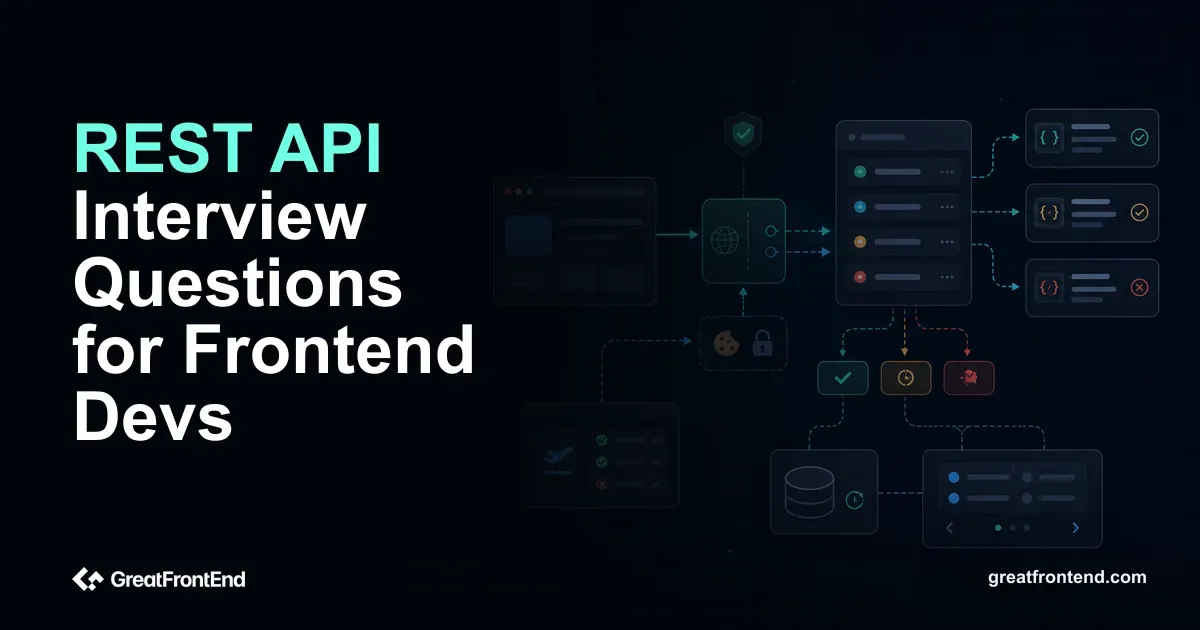
REST API interview questions for frontend devs test whether you can turn an API contract into a reliable UI. The interview checks which method you call, how you handle status codes, what the loading and error states look like, how auth is sent, why CORS fails in the browser, and how you avoid duplicate or stale requests.
Freshers do not need to design a large backend system. You should know how a browser sends requests, what fetch() actually resolves or rejects on, why GET should not mutate data, and how frontend UI should respond to common API states.
If you want more practice around async JavaScript, pair this guide with GreatFrontEnd's JavaScript interview questions.
How frontend REST interviews are different
Backend interviews may go deep into resource modeling and database consistency. Frontend interviews care about the client contract:
- Which method and URL should the UI call?
- What status code should the UI expect?
- What should happen during loading, empty, success, validation error, auth error, and server error states?
- How should the client avoid duplicate submissions, stale data, and unsafe handling of secrets?
What actually gets asked in a fresher REST API interview
| Interview prompt | What the interviewer is checking | Common fresher mistake |
|---|---|---|
| "Implement save profile." | PATCH, validation errors, disabled submit, stale UI update | Treating all failures as "Something went wrong" |
"Why didn't fetch() go to catch on 404?" | Fetch API behavior | Assuming HTTP errors reject the promise |
| "The request works in Postman but fails in the browser." | CORS and credentials | Debugging React code before checking CORS headers |
| "Should search use GET or POST?" | Method semantics, URL shareability, body size/privacy | Saying "POST is more secure" without explaining URLs |
| "User double-clicks Pay. What protects us?" | Duplicate submission and idempotency | Only disabling the button and ignoring backend guarantees |
5 scenario questions to practice before the definitions
Scenario 1: Save profile form
"The user edits display name and timezone. Which API call and UI states do you handle?"
Use a partial update if the API supports it:
PATCH /api/meContent-Type: application/json{ "displayName": "Ada", "timezone": "Asia/Kolkata" }
Handle: idle, dirty, submitting, success, field validation error, auth error, conflict, and server error. Include UI behavior: disable duplicate submit, preserve user input on failure, map field errors beside fields, and refetch or update cached user data after success.
Scenario 2: fetch() wrapper that does not lie
async function requestJSON<T>(url: string,init?: RequestInit,): Promise<T | null> {const response = await fetch(url, init);const contentType = response.headers.get('content-type') ?? '';const hasBody = response.status !== 204;const body = hasBody? contentType.includes('application/json')? await response.json(): await response.text(): null;if (!response.ok) {throw new APIError(response.status, body);}return body as T | null;}
The point is not that every app needs this exact helper. The point is that HTTP error statuses need explicit handling, and the response body may be JSON, plain text, or empty.
Scenario 3: Works in Postman, fails in browser
"The API returns data in Postman, but the frontend sees a CORS error."
Postman is not a browser and does not enforce browser CORS rules. The server must allow the frontend origin with the right CORS headers. If cookies or auth credentials are involved, the response must also satisfy credential rules; Access-Control-Allow-Origin: * cannot satisfy credentialed browser requests.
Scenario 4: Search URL design
"Build product search with filters and sorting. What should the URL look like?"
For shareable, bookmarkable search, use query params:
GET /api/products?query=shoes&category=men&sort=price_asc&cursor=abc
If the filter object becomes too large or contains sensitive data, discuss a POST /search style endpoint, but name the tradeoff: URL shareability and HTTP caching become less straightforward.
Scenario 5: Duplicate payment click
"A user double-clicks Pay. Is disabling the button enough?"
No. Disabling the button improves the UI, but the backend should still protect the operation. Use an idempotency key or server-side duplicate protection for operations such as payments and order creation.
Frontend-only prevention fails when the user refreshes, retries, has two tabs open, or the network repeats a request.
REST API interview questions and answers
1. What is a REST API?
A REST API exposes resources through URLs and uses HTTP semantics to operate on those resources. A frontend might call GET /products to list products, GET /products/123 to read one product, or POST /orders to create an order.
REST is an architectural style, not a single JavaScript library. In interviews, keep the answer tied to HTTP methods, resources, stateless requests, status codes, and representations such as JSON.
Interview-ready add-on: Explain one concrete resource. "Products are resources, so reading one product is GET /products/:id; creating an order is POST /orders; updating my profile can be PATCH /me."
2. What is the difference between REST and HTTP?
HTTP is the protocol: methods, headers, status codes, request bodies, response bodies, caching, and authentication headers. REST is a style for designing APIs that commonly uses HTTP well.
A REST-like API should make resources and actions understandable through HTTP instead of hiding everything behind one generic endpoint.
3. What are common HTTP methods used in REST APIs?
GET reads data. POST creates or triggers processing. PUT replaces a resource. PATCH partially updates a resource. DELETE removes a resource. OPTIONS is used by browsers for CORS preflight checks.
Official reference: HTTP request methods on MDN.
4. What is the difference between GET and POST?
GET retrieves a resource and should be safe, meaning it should not intentionally change server state. Query parameters are part of the URL and can be cached, bookmarked, logged, and shared.
POST sends data for the server to process, such as creating a resource or performing an action. Use POST for form submissions, login attempts, and operations with bodies that should not be placed in the URL.
Frontend trap: Do not say "POST is secure and GET is not." Security depends on HTTPS, auth, server handling, logs, and what data is exposed. The key distinction is method semantics and URL visibility.
5. What is the difference between PUT and PATCH?
PUT replaces the full resource at the target URL when the API follows standard REST semantics. If you send a user object with PUT /users/1, the server treats that representation as the new full state.
PATCH applies a partial update. For example, PATCH /users/1 with { "timezone": "Asia/Kolkata" } updates only that field if the API contract says so.
6. What does idempotent mean?
An operation is idempotent if repeating the same request has the same intended effect as sending it once.
GET, PUT, and DELETE are idempotent by HTTP semantics. POST is not idempotent by default because sending it twice may create two orders, two payments, or two records.
7. What does safe mean in HTTP?
A safe method is intended only to retrieve information and not change server state. GET and HEAD are safe.
Safe does not mean "no logs or analytics happen." It means the client did not request a state-changing operation.
8. What are HTTP status code classes?
Status codes are grouped by first digit:
1xx: informational2xx: success3xx: redirection4xx: client error5xx: server error
Official reference: HTTP response status codes on MDN.
9. What is the difference between 200, 201, and 204?
200 OK means the request succeeded and returns a response body in most JSON API flows.
201 Created means a resource was created. APIs may include a Location header or response body with the created resource.
204 No Content means the request succeeded but there is no response body, commonly after delete or update operations.
10. What is the difference between 400, 401, and 403?
400 Bad Request means the request is invalid, such as malformed JSON or missing required data.
401 Unauthorized means authentication is missing or invalid. Despite the name, it is about authentication.
403 Forbidden means the server understood who you are, but you do not have permission for that resource or action.
UI mapping: 400 maps to form or request correction in many APIs. 401 may trigger login. 403 should show a permission message or hide the action if the user truly cannot perform it.
11. When should an API return 404?
Return 404 Not Found when the requested resource does not exist or should not be revealed to the current user.
For frontend UI, 404 maps to an empty detail state, a not-found page, or a redirect to a safer listing page.
12. What is 409 Conflict?
409 Conflict means the request conflicts with the current state of the resource. Examples include duplicate usernames, editing an outdated version of a document, or trying to reserve an already-booked slot.
The frontend should show a specific message and ask the user to refresh, change input, or retry with updated data.
13. What is 429 Too Many Requests?
429 means the client has hit a rate limit. APIs may include a Retry-After header telling the client when to try again.
The frontend should slow down, disable repeated actions, show a helpful message, or schedule a retry only when appropriate.
14. How does fetch() handle HTTP errors?
fetch() rejects for network-level failures, not for HTTP error status codes like 404 or 500. If the server responds, the promise resolves with a Response.
Check response.ok or response.status before reading the body as success.
const response = await fetch('/api/products');if (!response.ok) {throw new Error(`Request failed: ${response.status}`);}const data = await response.json();
Official reference: Using the Fetch API.
What to say in the room: "I handle two failure classes: network/request failures through catch, and HTTP failures through response.ok or response.status."
15. What does response.ok mean?
response.ok is true when the HTTP status is in the 200 to 299 range. It is false for redirects that are not followed, client errors, and server errors.
Official reference: Response.ok.
16. What are HTTP headers?
Headers are metadata sent with requests and responses. Common request headers include Content-Type, Accept, and Authorization. Common response headers include Cache-Control, ETag, Set-Cookie, and CORS headers.
Frontend developers should know which headers are safe to set from browser JavaScript and which are controlled by the browser.
17. What is Content-Type?
Content-Type tells the receiver the media type of the body. JSON requests use Content-Type: application/json.
Without the right Content-Type, the server may not parse the body correctly.
18. What is the Accept header?
Accept tells the server which response formats the client can handle. For a JSON API, the client may send Accept: application/json.
Many APIs return JSON by default, but naming the expected format makes the contract clearer.
19. What is CORS?
CORS is a browser security mechanism that lets a server decide which origins can read its responses from frontend JavaScript.
If a React app on https://app.example.com calls https://api.example.com, the API must send the right CORS headers. Otherwise the browser blocks JavaScript from reading the response.
Official reference: CORS on MDN.
Debug signal: If the browser console says CORS, changing React state management will not fix it. Check request origin, method, custom headers, credentials mode, and server response headers.
20. What is a CORS preflight request?
A preflight is an OPTIONS request the browser sends before some cross-origin requests. It asks the server whether the actual method and headers are allowed.
You see preflights for requests with methods like PUT or DELETE, custom headers, or non-simple content types.
21. How does authentication work with REST APIs?
Common approaches include cookies with server sessions and tokens sent through the Authorization header. In browser apps, secure cookie-based auth is common because cookies can be HttpOnly, which prevents JavaScript from reading them.
If using bearer tokens, avoid storing long-lived secrets in unsafe places. The frontend can send a token, but it cannot truly hide one from the user if JavaScript can read it.
Official reference: Authorization header on MDN.
22. What is the difference between cookies and bearer tokens?
Cookies are sent automatically on same-origin browser requests. For cross-origin fetch() calls, the request also needs the right credentials option, cookie attributes, and CORS response headers.
Bearer tokens are sent manually in an Authorization: Bearer ... header. They are flexible for APIs, but frontend storage choices matter because XSS can steal tokens available to JavaScript.
23. What is pagination?
Pagination splits large lists into smaller responses. Page-based pagination uses page and limit. Cursor-based pagination uses a pointer such as nextCursor.
Cursor pagination fits feeds and frequently changing data because it avoids missing or duplicating items when records are inserted between page requests.
Frontend behavior to mention: Keep previous items while loading more, prevent duplicate "load more" clicks, handle the end of the list, and make refresh behavior explicit.
24. What is filtering and sorting in a REST API?
Filtering narrows the result set, and sorting controls order. A frontend might call:
GET /products?category=shoes&sort=price_asc
Keep query parameter names stable and predictable. The UI should encode user choices into the URL when those choices are shareable.
25. What is API versioning?
API versioning lets the backend change contracts without breaking existing clients. Common strategies include /v1/products, custom headers, or compatibility windows.
Frontend developers should know which version they call and what migration plan exists before relying on new fields.
26. What is HTTP caching?
HTTP caching stores responses so future requests can reuse them. Important headers include Cache-Control, ETag, and conditional request headers such as If-None-Match.
Caching can happen in the browser, CDN, framework, or application data layer. Stale UI bugs come from checking the wrong cache.
Official reference: HTTP caching on MDN.
27. What are ETag and 304 Not Modified?
An ETag is a validator for a specific representation of a resource. The browser or client can send it back with If-None-Match.
If the resource has not changed, the server can return 304 Not Modified, allowing the client to reuse its cached copy.
28. How should the frontend handle API errors?
Handle errors by category. Validation errors should show field messages. Auth errors should route to login or show permission messaging. Rate limits should slow retries. Server errors should show a retry option or fallback state.
Do not show raw backend stack traces. Do log enough context for debugging, such as endpoint, status code, and request ID if available.
Useful error map:
| Status | UI response |
|---|---|
400 / 422 | Show field-level validation messages when available |
401 | Ask the user to sign in again |
403 | Explain missing permission or hide the restricted action |
404 | Show not-found or empty detail state |
409 | Ask user to refresh, choose another value, or resolve conflict |
429 | Slow down retries and show rate-limit messaging |
500 | Show retry/fallback and log request context |
29. How do you prevent duplicate form submissions?
Disable the submit button while the request is in flight, show progress, debounce repeated clicks when appropriate, and make the backend operation idempotent when duplicate requests are dangerous.
For payments and order creation, the API should still support idempotency keys or another duplicate-protection strategy.
30. What makes a frontend-friendly API contract?
A frontend-friendly API contract has stable field names, clear status codes, predictable error shapes, pagination metadata, documented nullability, and enough data to render the UI without extra avoidable requests.
For mutations, it should define what the response returns, whether the client should refetch, and how validation errors map to fields.
Ask this in interviews: "Can I assume this endpoint returns the updated resource after mutation, or should the client refetch?" That one question prevents many stale UI bugs.
Common mistakes freshers make
Treating every failed response as a rejected fetch()
fetch() resolves for many HTTP error responses. Always check response.ok or response.status.
Sending sensitive data in query strings
URLs can be logged, cached, shared, and stored in browser history. Use request bodies and secure auth mechanisms for sensitive data.
Using GET for mutations
GET should be safe. Do not create orders, delete items, or trigger payment actions through GET.
Showing one generic error for every status
Validation, auth, permission, not-found, conflict, rate-limit, and server errors need different UI responses.
A 45-minute practice drill
Design the frontend contract for a profile settings page:
GET /api/meloads the current profile.PATCH /api/meupdatesdisplayName,timezone, andavatarUrl.400or422returns field errors.401means the session expired.409means the display name is taken.- The UI disables submit while saving and preserves edited values on failure.
Then write a small fetch() helper that checks response.ok, parses JSON only when the response is JSON, handles empty responses such as 204, and throws an error object with status and body. That exercise covers more interview value than memorizing every status code.
Official docs worth reading
REST API interviews for frontend freshers are about contracts and UI behavior. Explain the HTTP concept, then say how the browser UI should respond.
Related articles
 Brush up on fundamental JavaScript skills with these essential interview questions and answers. Perfect for freshers preparing for junior developer roles.
 Explore a list of JavaScript interview questions and answers tailored for engineers with 2 years of experience, curated by big tech senior engineers.
 A frontend-focused guide to machine coding round questions, including what is machine coding round, how to prepare for machine coding round interviews, and how to practice in React.