Node.js Interview Questions for 3 Years Experience (With Answers)
Node.js interview questions for 3 years experience: ESM vs CommonJS, async errors, Express 5, fetch timeouts, env config, testing and safe child_process, in code.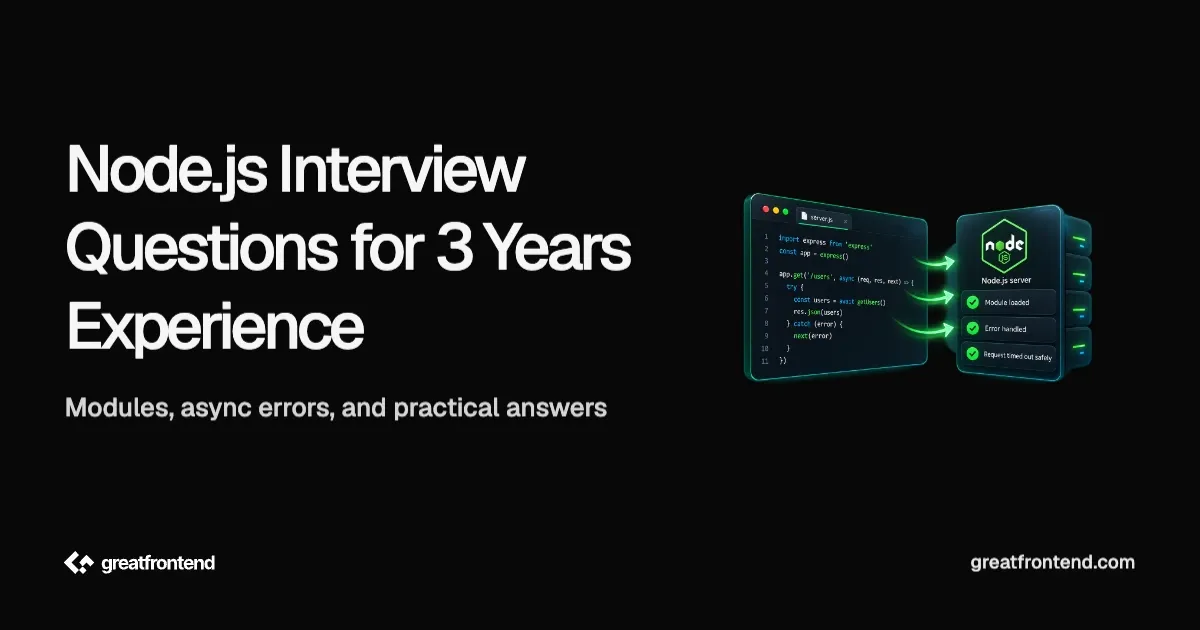
Node.js interview questions for 3 years experience are a different set from the senior ones. This guide deliberately leaves the event loop phases to GreatFrontEnd's senior Node.js interview questions guide, along with worker threads, stream backpressure, memory leaks and graceful shutdown. At 3 years, a round can reasonably probe whether the everyday Node you write is correct: modules that load, errors that reach a handler instead of crashing the process, outbound requests that time out, configuration that is parsed rather than assumed, and APIs that cannot be tricked into running a shell command. This guide works through 12 of those questions, each with code and the mistake behind it.
A version baseline, because several answers depend on it. As of October 2026, Node.js v26 is the Current release and is scheduled to become Active LTS on 28 October 2026, while v24 and v22 are the LTS lines, per Node's release schedule. Release lines move on fixed dates, so check that page before quoting a version in an interview. Most answers below behave the same on any supported line, and where a feature arrived recently, the version is stated.
What Node.js interview questions for 3 years experience actually test
The useful axis is not "knows the API" versus "does not". It is whether you can predict what happens when something goes wrong. A fresher can write an Express route. A 3 year developer should know what happens when that route's database call rejects, what the client receives when an upstream service hangs, and why a feature flag set to false in a .env file still turns the feature on. Every question below is built around one of those failure cases.
Question 1: "SyntaxError: Cannot use import statement outside a module". How does Node decide which module system a file uses?
How to approach it
Node runs both ES modules and CommonJS, and it decides per file. .mjs files are always ES modules and .cjs files are always CommonJS. For .js files, an explicit "type" field in the nearest package.json decides the module system: "type": "module" means ESM and "type": "commonjs" means CommonJS. If there is no controlling package.json, or it has no "type" field, the file is ambiguous. On current Node versions, syntax detection is enabled by default, so a file containing ESM-only syntax can be treated as an ES module; otherwise it is treated as CommonJS. Declaring "type" explicitly is still preferable because it makes the behavior independent of the file's contents.
Once a file is ESM, a few CommonJS habits stop working:
// package.json: { "type": "module" }import { readFile } from 'node:fs/promises';import { join } from 'node:path';import { formatUser } from './utils.js'; // the extension is required in ESMimport pkg from './package.json' with { type: 'json' };// __dirname does not exist in ESMconst configPath = join(import.meta.dirname, 'config.json');const config = JSON.parse(await readFile(configPath, 'utf8')); // top-level await works in ESM
Three things to say while writing it. Relative imports need the full file extension, because ESM resolution does not guess, per the ESM documentation. JSON imports need the with { type: 'json' } import attribute. And __dirname and __filename are CommonJS module variables, so ESM code uses import.meta.dirname and import.meta.filename, which were added in v21.2.0 and v20.11.0 and are stable from v24.0.0 and v22.16.0.
The fix for the original error is often one line: either the file is meant to be ESM and the package needs "type": "module" (or a .mjs extension), or the file is CommonJS and should use require.
Question 2: A CommonJS service calls require() on an ESM-only library and gets ERR_REQUIRE_ASYNC_MODULE. What is going on?
How to approach it
For years the answer to "can CommonJS load ESM" was "only through dynamic import()". That changed. Per the modules documentation, require() of an ES module was added in v22.0.0 and v20.17.0, works without a flag from v23.0.0, v22.12.0 and v20.19.0, and is no longer marked experimental as of v25.4.0. So on a current LTS line, require('esm-only-lib') often just works.
It has one hard limit. require() is synchronous, so it can only load a module graph that is fully synchronous. If the ESM library, or anything it imports, uses top-level await, Node throws ERR_REQUIRE_ASYNC_MODULE. The fix is to load that module asynchronously:
// CommonJS fileasync function getClient() {const { createClient } = await import('esm-only-lib');return createClient();}
A second detail worth knowing: when require() loads an ES module, it returns the module namespace object, so a default export is on .default rather than being the return value itself. The same documentation describes an escape hatch for library authors who want require() to return something else, but as a consumer, expect .default.
The mid-level answer names the version boundary rather than a blanket rule. "CommonJS cannot require ESM" was true on older lines and is outdated on current ones; "CommonJS can require any ESM" is wrong whenever top-level await is involved.
Question 3: The process crashed with an error from a promise nobody awaited. Why does that crash Node, and how do you prevent it?
How to approach it
Since v15.0.0, Node's default for an unhandled promise rejection is --unhandled-rejections=throw, per the CLI documentation. Node emits the unhandledRejection event, and if nothing handles it, the rejection is raised as an uncaught exception and the process exits. Before v15 it only printed a warning, which is why older code can be full of this bug without anyone having noticed.
One cause is a fire-and-forget call:
app.post('/orders', async (req, res) => {const order = await createOrder(req.body);sendConfirmationEmail(order); // not awaited, no .catch(): a rejection here can crash the processres.status(201).json(order);});
If the email is genuinely allowed to fail without failing the request, say so in code: sendConfirmationEmail(order).catch((err) => logger.error(err)). If it must succeed, await it.
A related trap is returning a promise from inside try without awaiting it:
async function loadUser(id) {try {return db.findUser(id); // the rejection happens after loadUser has left the try block} catch (err) {throw new NotFoundError(id); // never runs for a rejected findUser}}
Because the function returns the pending promise, the rejection settles later, outside the try, and propagates to the caller untouched. Writing return await db.findUser(id) keeps the rejection inside the try, so the catch can translate it.
Be careful with process.on('unhandledRejection', ...): under Node's default throw mode, registering that handler prevents the rejection from automatically being raised as an uncaught exception. It can be useful for centralized logging, but if your policy is to treat an unhandled rejection as fatal, the handler must explicitly preserve that behavior rather than simply logging and continuing. It should never replace handling promise failures where they originate.
Question 4: An endpoint aggregates data from five services and fails completely when one of them is down. What would you change?
How to approach it
This is a Promise.all versus Promise.allSettled question. Per MDN, Promise.all rejects as soon as any input rejects, while Promise.allSettled waits for every input and reports each outcome as { status: 'fulfilled', value } or { status: 'rejected', reason }.
app.get('/dashboard', async (req, res) => {const sources = [getProfile, getOrders, getRecommendations, getNotifications, getBalance];const results = await Promise.allSettled(sources.map((load) => load(req.user.id)));const [profile, orders, recommendations, notifications, balance] = results.map((r) =>r.status === 'fulfilled' ? r.value : null,);const failed = results.filter((r) => r.status === 'rejected');if (failed.length > 0) logger.warn({ failures: failed.map((r) => r.reason.message) });res.json({ profile, orders, recommendations, notifications, balance });});
The mid-level part is the decision, not the method name. If the response is meaningless without one of the pieces, such as a checkout that needs both the cart and the price, Promise.all and failing fast is correct. If the pieces are independent widgets on a page, allSettled with partial data is better, as long as the client can render a missing section. Saying which situation you are in, and how the client learns that a section is missing, is the substance of the answer.
One more detail: neither method cancels the other requests when one fails. If slow upstream calls are the real problem, the fix is a timeout per call, which is Question 6.
Question 5: An async route handler throws and the request hangs. What changed between Express 4 and Express 5?
How to approach it
Express 5 is the current major version: 5.0.0 was published in September 2024, and 5.1.0 became the default latest release on npm in March 2025, per the Express release announcement. The change that matters most for this question is in the error handling guide: in Express 5, route handlers and middleware that return a promise call next(err) automatically when that promise rejects or throws. In Express 4 they did not, so an unhandled rejection in an async handler never reached the error middleware, and depending on the Node version, the request hung or the process crashed.
// Express 5: a rejection here reaches the error handler belowapp.get('/users/:id', async (req, res) => {const user = await getUserById(req.params.id);if (!user) return res.status(404).json({ error: 'Not found' });res.json(user);});// Error middleware: exactly four arguments, registered after the routesapp.use((err, req, res, next) => {if (res.headersSent) return next(err);logger.error(err);res.status(err.status ?? 500).json({ error: 'Internal error' });});
Two details from the same guide. Error-handling middleware must take four arguments, (err, req, res, next), because Express identifies it by its arity. A handler written with three arguments is treated as normal middleware and never receives errors. And errors from callback-based APIs still have to be passed to next() yourself, because there is no promise for Express to observe.
If the codebase is still on Express 4, the safe pattern is to wrap async handlers so rejections go to next, for example (req, res, next) => handler(req, res, next).catch(next). The migration guide also lists other changes worth knowing before an upgrade, such as req.body being undefined rather than {} when no body parser ran.
Question 6: A call to a third-party API sometimes hangs for a minute, and a 500 from it never reaches the catch block. Fix both.
How to approach it
These are two separate fetch behaviors. Node has had a built-in fetch without a flag since v18.0.0, and it is no longer experimental from v21.0.0, per the globals documentation.
async function getExchangeRate(currency) {try {const res = await fetch(`https://rates.example.com/v1/${currency}`, {signal: AbortSignal.timeout(5000),});if (!res.ok) {throw new Error(`Rates API responded ${res.status}`);}return await res.json();} catch (err) {if (err.name === 'TimeoutError') {throw new UpstreamTimeoutError('rates', { cause: err });}throw err;}}
First, fetch does not reject on HTTP error statuses. Per MDN, the promise rejects on network failures, and a 404 or 500 resolves normally with res.ok set to false. That is why the 500 never reached the catch: the code has to check res.ok and throw.
Second, there is no default timeout you should rely on. AbortSignal.timeout(ms), available since v17.3.0, aborts the request after the delay. Per MDN's AbortSignal.timeout page, the resulting error is a DOMException named TimeoutError, not AbortError. Code that checks only for AbortError will never match a timeout, which is a small but real bug.
The follow-up is what to do after a timeout. For a request that changes nothing on the other side, a single retry with a short delay can be reasonable. For one that might have been processed, such as a payment, retrying blindly risks doing it twice, so it needs an idempotency key or a status check first.
Question 7: FEATURE_NEW_CHECKOUT=false is in the .env file, yet the new checkout is enabled in production. Why?
How to approach it
Because every value in process.env is a string, per the process documentation, and the non-empty string 'false' is truthy:
if (process.env.FEATURE_NEW_CHECKOUT) {// runs for 'false', '0' and 'no', because they are all non-empty strings}
Parse configuration once, at startup, into typed values, and fail loudly on anything invalid:
function readConfig(env = process.env) {const port = Number.parseInt(env.PORT ?? '3000', 10);if (Number.isNaN(port)) throw new Error(`Invalid PORT: ${env.PORT}`);return {port,newCheckout: env.FEATURE_NEW_CHECKOUT === 'true',databaseUrl: env.DATABASE_URL ?? (() => { throw new Error('DATABASE_URL is required'); })(),};}export const config = readConfig();
The same applies to numbers: process.env.PORT + 1 is string concatenation, not addition.
On loading the file: Node can read .env files itself with node --env-file=.env server.js. The flag was added in v20.6.0 and is no longer experimental from v24.10.0 and v22.21.0, per the CLI documentation. Two behaviors are worth knowing: a variable already set in the real environment takes precedence over the file, and the flag throws if the file is missing, which is what --env-file-if-exists is for. There is also process.loadEnvFile() for loading from code. Either way, the parsing and validation step above is still yours to write.
Question 8: A service crashes with "Unhandled 'error' event". What is special about 'error' on an EventEmitter?
How to approach it
Most events on an EventEmitter are ignored when nobody listens. 'error' is the exception. Per the events documentation, if an emitter emits 'error' and has no listener for it, the error is thrown, the stack trace is printed and the process exits. Sockets, streams and many client libraries are emitters, so a connection error on an object with no 'error' listener can take the whole service down.
import { EventEmitter, once } from 'node:events';const queue = new QueueClient(); // extends EventEmitterqueue.on('error', (err) => {logger.error({ err }, 'queue connection error');// decide here: reconnect, mark unhealthy, or exit deliberately});// Wait for a single event as a promiseconst [connection] = await once(queue, 'ready'); // note the array destructuring
events.once(emitter, name) returns a promise that resolves with an array of the event's arguments, which is why the destructuring matters. Writing const connection = await once(queue, 'ready') gives you the array, not the connection. The same documentation notes that the promise rejects if the emitter emits 'error' while waiting, so a failed connection surfaces as a rejection instead of a hang.
The mid-level point is that "add an error listener" is the start, not the whole answer. The listener has to decide what the service does next: retry, report itself unhealthy, or exit cleanly so an orchestrator restarts it.
Question 9: Design the validation and error responses for a "create user" endpoint. Which status codes, and why?
How to approach it
Validate the request body at the boundary, cap its size, and return status codes that tell the client whether retrying could ever work:
import { z } from 'zod';const CreateUser = z.object({email: z.email(),age: z.number().int().min(13),});app.post('/users', express.json({ limit: '100kb' }), async (req, res) => {const parsed = CreateUser.safeParse(req.body);if (!parsed.success) {return res.status(422).json({ errors: parsed.error.issues });}const user = await createUser(parsed.data);res.status(201).json(user);});
The status codes, per MDN's HTTP reference:
| Code | Meaning | Example |
|---|---|---|
| 400 | the request is malformed, such as invalid JSON | body is not parseable |
| 422 | the syntax is valid but the content cannot be processed | age is 9 |
| 401 | valid authentication credentials are missing | no or expired token |
| 403 | the server knows who you are, but you lack permission | a user creating an admin |
MDN notes that for both 400 and 422, sending the same request again unchanged will fail again, which is exactly what the client needs to know. The two common mistakes are returning 500 for bad input, which tells the client the server is broken, and returning 403 for a missing token, which should be 401. Some APIs return 400 for validation failures as well, so whichever you choose, document it and use it consistently.
The body size limit matters too. The OWASP Node.js security cheat sheet recommends limiting request size so one client cannot exhaust memory with a huge payload. Zod is one example of a schema library here; the point is validating at the boundary, not the specific tool.
Question 10: Two pieces of code take user input: one runs a shell command, one reads a file from an uploads folder. What is wrong, and how do you fix it?
How to approach it
Both are classic injection bugs:
// Vulnerable: user input reaches a shellexec(`git log --oneline -n ${req.query.count}`, callback);// Vulnerable: path traversalconst file = await readFile(path.join(UPLOADS_DIR, req.params.name));
For the first, the child_process documentation is explicit that exec spawns a shell and that unsanitized user input should never be passed to it. A count of 5; rm -rf ~ runs both commands. Use execFile or spawn with an argument array, which do not use a shell by default:
execFile('git', ['log', '--oneline', '-n', String(Number.parseInt(req.query.count, 10) || 10)], callback);
Setting shell: true on execFile or spawn brings the same risk back.
For the second, path.join only normalizes the path, so a name of ../../etc/passwd still climbs out of the uploads directory, per the path documentation. Resolve the path, then check that it stays inside the base directory:
const BASE = path.resolve(UPLOADS_DIR);const target = path.resolve(BASE, req.params.name);if (!target.startsWith(BASE + path.sep)) {return res.status(400).json({ error: 'Invalid file name' });}const file = await readFile(target);
Note the path.sep in the check. Without it, a sibling directory such as /srv/uploads-old would pass a startsWith('/srv/uploads') test. For more on the browser side of the same threat model, see GreatFrontEnd's frontend web security interview questions.
Question 11: How would you test a function that retries a failing HTTP call, without a test framework dependency?
How to approach it
Node ships a test runner. The node:test module and the node --test command have been stable since v20.0.0, per the test runner documentation, and it includes mocking.
// fetch-user.test.jsimport { test } from 'node:test';import assert from 'node:assert/strict';import { client, fetchUserWithRetry } from './fetch-user.js';test('retries once, then gives up', async (t) => {const get = t.mock.method(client, 'get', async () => {throw new Error('connection reset');});await assert.rejects(fetchUserWithRetry(1), /connection reset/);assert.equal(get.mock.callCount(), 2);});
Run it with node --test. Three points to explain. The module must be imported as node:test, with the prefix, because there is no bare test built-in. Using the test context's t.mock restores the mocked method automatically when the test finishes, while mocks created with the top-level mock object need mock.restoreAll(), or they leak into later tests. And the assertion checks behavior, the number of attempts, rather than the internals of how the retry was written, so the test survives a refactor.
If a team already uses Jest or Vitest, keeping it is reasonable. The value of knowing node:test is being able to test a small service or a script without adding dependencies. For broader testing strategy, GreatFrontEnd's senior testing interview questions go deeper.
Question 12: How do you debug a Node service locally, and what is risky about exposing the debugger from a container?
How to approach it
Two built-in flags cover most local work. node --watch restarts the process when the entry file or anything it imports changes, and it has been stable since v22.0.0 and v20.13.0, per the CLI documentation. node --inspect opens a debugging port that Chrome DevTools (through chrome://inspect) or an editor can attach to, and --inspect-brk pauses on the first line so you can set breakpoints before any code runs:
node --watch --env-file=.env src/server.jsnode --inspect-brk src/server.js
The security point is the part that separates a careful answer. By default, the inspector listens on 127.0.0.1:9229, so only the local machine can reach it. The CLI documentation warns that binding it to a public address, such as --inspect=0.0.0.0, is insecure, because anyone who can reach the port can run arbitrary code in the process. In a container that publishes that port, or on a shared network, that is remote code execution. If you need to debug a remote process, reach it through an SSH tunnel or a port forward to localhost rather than exposing the port.
The broader habit: reproduce locally first, use structured logs to narrow down where a production problem happens, and treat a debugger attached to production as an exceptional step with a plan for turning it off.
Common mistakes in Node.js interview questions for 3 years experience
- Naming a rule without its version. "CommonJS cannot require ESM" and "fetch is experimental" were true once and are outdated now.
- Fire-and-forget promises. An un-awaited rejection crashes the process by default.
- Trusting
process.envtypes. Every value is a string, including'false'. - Expecting
fetchto throw on a 500, or checking forAbortErrorwhen a timeout producesTimeoutError. - Three-argument error middleware in Express, which never receives errors.
- Passing user input to
exec, or checking a joined path without resolving it first.
Frequently asked questions
Do I need to know the event loop phases at 3 years? Knowing that I/O callbacks, timers and promise callbacks run at different points is useful. The detailed phase-by-phase ordering is what GreatFrontEnd's senior Node.js guide works through.
Should I learn Express 5 or a newer framework? Learn the concepts that transfer: middleware order, async error propagation, validation at the boundary and correct status codes. Express 5 is a good way to learn them because the async error behavior in Question 5 is explicit in its documentation.
Is Node.js relevant for a frontend interview? For full-stack roles and for frontend roles that own a backend-for-frontend layer or server-side rendering, yes. For the JavaScript language questions that apply on both sides, see GreatFrontEnd's JavaScript interview questions for 5 years experience.
How to prepare
Take a small Node service you have written and audit it against the 12 questions: check package.json for "type", search for promises that are not awaited, add a timeout to every outbound fetch, move process.env reads into one parsed config module, add an 'error' listener to every long-lived emitter, and grep for exec(. Being able to describe a bug you found in your own code is stronger than a memorized answer. For JavaScript fundamentals that come up alongside Node questions, GreatFrontEnd's JavaScript interview questions has practice problems with solutions.
Conclusion
Node.js interview questions for 3 years experience test whether your everyday Node behaves correctly when something fails: modules that load under the right system, rejections that reach a handler, aggregations that degrade instead of collapsing, async route errors that reach Express's error middleware, requests that time out, configuration that is parsed, emitters that cannot crash the process, inputs that cannot reach a shell or escape a directory, and tests and debugging setups that do not open new risks. If you can explain the failure, the fix and the condition behind it for each of these 12 questions, you are answering at the level a mid-level round is looking for.
Related articles
 Senior Node.js developer interview questions and answers: event loop internals, worker threads vs cluster, stream backpressure, and real production diagnosis.
 Prepare for REST API interview questions as a frontend fresher with answers on HTTP methods, status codes, fetch, CORS, auth, caching, pagination, errors, and API contracts.
 Explore advanced JavaScript interview questions and answers designed for engineers with 5+ years of experience, curated by big tech senior engineers.