Senior Browser Fundamentals Developer Interview Questions: Advanced Topics and Answers
Senior browser fundamentals developer interview questions on the rendering pipeline, event loop, layout thrashing, storage, caching, and CORS, with worked answers.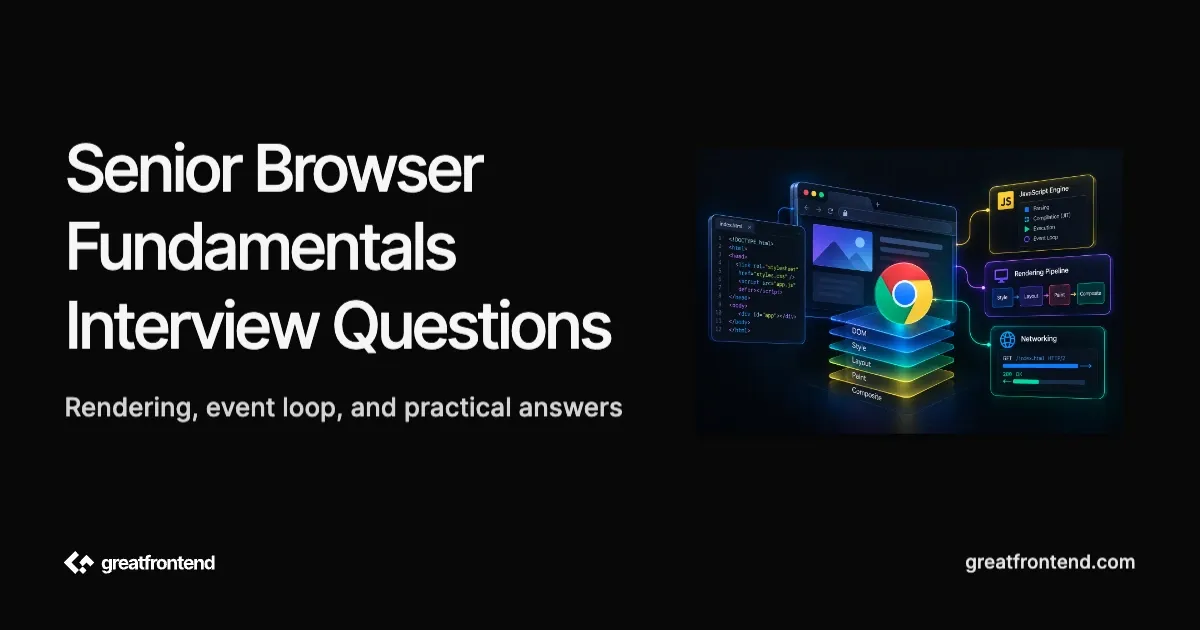
Senior browser fundamentals developer interview questions rarely ask you to define the DOM or name the layers of the OSI model. They ask you to trace what the browser actually does between a script executing and pixels changing on screen, and to reason about the tradeoffs baked into storage, caching, and security mechanisms used every day without thinking about their internals. Verified public transcripts of these rounds are thin, most of what prep resources describe as "commonly asked" is inferred from aggregator content rather than confirmed candidate reports, so this guide leans on primary technical sources instead: the HTML spec, MDN (https://developer.mozilla.org/), web.dev, and the Chromium project's own documentation. Each of the 8 questions below includes a worked answer with real code where the mechanism is the point, not a description of what kinds of questions exist.
What separates senior from mid-level browser fundamentals candidates
A mid-level candidate can name the rendering pipeline stages or say "microtasks run before macrotasks." A senior candidate can trace the actual mechanism: why a specific line of code forces a synchronous layout recalculation, why the microtask queue draining exhaustively matters for a real bug, or why a library's storage choice has a specific performance consequence rather than just a size limit. The questions below are deliberately mechanism questions, not vocabulary questions, because that is where the senior signal actually shows up.
Question 1: Walk through what happens between the browser receiving HTML and pixels appearing on screen
How to approach it
This is the critical rendering path, and a strong answer names the stages in order and explains why each one depends on the one before it. Per MDN's guide to the critical rendering path (https://developer.mozilla.org/en-US/docs/Web/Performance/Guides/Critical_rendering_path), the browser first builds the DOM incrementally as HTML bytes arrive, turning bytes into tokens, tokens into nodes, and nodes into the DOM tree. In parallel, it builds the CSSOM from any CSS it has received, and CSS is render blocking: the browser will not paint anything until it has received and processed all of the CSS discovered so far, because a style rule that arrives late could change how already-parsed elements should look.
Once both trees exist, the browser combines them into the render tree by walking the DOM from the root and attaching the computed styles that apply to each node, which is also where elements with display: none drop out, since they contribute no boxes to what gets rendered. Layout comes next: the browser calculates the exact size and position of every box in the render tree, which is why layout is viewport dependent, the same DOM and CSSOM can produce different box geometry at a different viewport width. Paint is the final step, filling in the actual pixels, text, colors, and images for each box. On the first load, the whole screen paints; after that, the browser tries to repaint only the areas that actually changed, since a full repaint on every small update would be wasteful.
The senior-level layer on top of naming these stages is knowing which of your own changes trigger which stage. A change that only affects paint, like background-color, is cheaper than one that affects layout, like width or top on a non-transformed element, because a layout-affecting change forces the browser to recompute geometry for the changed element and potentially its neighbors before it can reach painting. GreatFrontEnd's senior CSS interview questions guide (https://www.greatfrontend.com/blog/senior-css-developer-interview-questions-advanced-topics-and-answers) is worth reading alongside this one: properties such as transform and opacity can often avoid layout and paint when their updates are handled on a compositor layer, which is why they are generally preferred for animations. Whether an update is actually compositor-only should be verified in DevTools rather than assumed.
Question 2: Trace the exact execution order of this snippet, including where requestAnimationFrame fits
How to approach it
This is the event loop question, and the mid-level answer stops at "microtasks run before macrotasks." The senior answer explains two things the mid-level answer misses: the microtask queue drains exhaustively, including microtasks scheduled by other microtasks, before the event loop moves on, and requestAnimationFrame is not a macrotask at all, it runs as part of the browser's separate rendering step.
console.log("1: script start");setTimeout(() => {console.log("5: setTimeout callback (a macrotask)");}, 0);Promise.resolve().then(() => {console.log("3: first microtask");Promise.resolve().then(() => {console.log("4: microtask scheduled by a microtask, still runs before the timeout");});});requestAnimationFrame(() => {console.log("rAF callback, tied to the render step, not the task queue");});console.log("2: script end");
requestAnimationFrame happen "strictly after all microtasks are executed," so the rAF callback cannot fire until the microtask queue is fully empty.Where a precise answer has to stay conditional rather than absolute: whether the rAF callback or the setTimeout callback logs next is not fixed by a simple rule the way "microtasks before the next task" is. rAF callbacks run as part of the browser's "update the rendering" step, tied to a rendering opportunity, roughly the display's refresh rate, while a zero-delay setTimeout is queued as an ordinary macrotask the event loop picks up on a later iteration. The one guarantee the same MDN guide gives is directional: neither callback can run before the microtask queue is empty. Worth naming explicitly: a long chain of microtasks that keep scheduling more microtasks can starve rendering entirely, since the browser cannot reach the render step, and therefore the rAF callback, until that chain stops.
Question 3: What is layout thrashing, why is it slow, and how do you fix it?
How to approach it
Layout thrashing happens when code alternates between writing to the DOM and reading a layout-dependent property in a loop, and each read forces the browser to recalculate layout immediately instead of batching it. web.dev's guide to avoiding layout thrashing (https://web.dev/articles/avoid-large-complex-layouts-and-layout-thrashing) explains the mechanism: normally the browser can queue up style and layout changes and apply them once, in a single batch, right before the next paint. But if your code reads a property like offsetHeight right after writing a style, the browser cannot answer that read with stale, unflushed layout information, so it has to perform what's called a forced synchronous layout, running the full layout calculation immediately, on the spot, before your script can continue. Do that inside a loop over many elements and the same forced recalculation happens on every iteration.
// Thrashing: this reads a layout property immediately after a write, on every// iteration, so each loop turn forces its own synchronous layout recalculation.const boxes = document.querySelectorAll(".box");boxes.forEach((box) => {const height = box.offsetHeight; // read: forces layout if a prior write is pendingbox.style.height = `${height * 2}px`; // write: invalidates layout again});
// Batched: all reads happen first, in one pass, then all writes happen in a// second pass, so a write never sits between two reads that would each force// their own layout recalculation.const boxes = document.querySelectorAll(".box");const heights = Array.from(boxes, (box) => box.offsetHeight); // batch 1: read onlyboxes.forEach((box, i) => {box.style.height = `${heights[i] * 2}px`; // batch 2: write only});
offsetWidth, offsetHeight, getBoundingClientRect(), and similar geometry APIs can trigger a forced synchronous layout when style or layout has already been invalidated and the browser needs an up-to-date value. The read itself is not inherently expensive if the browser already has current layout information. getComputedStyle() can also require style recalculation, and some requested values may additionally require layout. The fix, in the batched example above and in a library like FastDOM, is the same principle: separate every read from every write, and defer writes that need to happen on a rendering-aligned schedule to a requestAnimationFrame callback rather than running them inline with unrelated reads. The senior-level answer is not just naming the fix, it's saying why the naive version is slow: reading offsetHeight is not inherently expensive, but reading it right after a write invalidates whatever layout work the browser had queued and forces it to happen early, once per iteration instead of once per frame.Question 4: Cookies, localStorage, sessionStorage, or IndexedDB, and what actually decides which one?
How to approach it
The mid-level answer lists the size limits. The senior answer connects each mechanism's design to the consequence of using it in the wrong place.
| Mechanism | Sent with every matching HTTP request? | API | Rough size ceiling |
|---|---|---|---|
| Cookies | Yes, automatically | Synchronous | About 4KB per cookie |
localStorage | No | Synchronous, blocks the main thread | About 5MB |
sessionStorage | No | Synchronous, blocks the main thread | About 5MB |
| IndexedDB | No | Asynchronous | Quota-based, varies by browser and available disk space |
Per MDN's guide to HTTP cookies (https://developer.mozilla.org/en-US/docs/Web/HTTP/Cookies), the browser "usually sends previously stored cookies for the current domain back to the server within a Cookie HTTP header" on every matching request, automatically, without any application code asking for it. That is the actual reason an auth token sometimes belongs in a cookie rather than localStorage: it is the one storage mechanism the browser attaches to requests on its own, which is also why MDN recommends the HttpOnly attribute for session-persisting cookies specifically, so that document.cookie in the page's own JavaScript cannot read them, which helps limit what a cross-site scripting bug could steal, and the Secure attribute, so the cookie is only ever sent over HTTPS.
web.dev's storage guide (https://web.dev/articles/storage-for-the-web) states the localStorage tradeoff directly: it "should be avoided because it is synchronous and will block the main thread." Every read and every write happens on the same thread your application's rendering and event handling run on, so a localStorage call on a large value, or a burst of small ones, can visibly stall interaction. sessionStorage shares the same synchronous API and the same caveat, scoped to a single tab instead of persisting across sessions. IndexedDB trades API simplicity for an asynchronous interface that does not block the main thread, which is why it is the better fit once storage needs grow past a handful of small string values, the tradeoff being a considerably more verbose API to work with directly, which is why most non-trivial usage goes through a wrapper library rather than the raw IndexedDB API. For a state-management angle on where client-side data actually lives once it is out of storage and back in memory, GreatFrontEnd's senior Redux interview questions guide (https://www.greatfrontend.com/blog/senior-redux-developer-interview-questions-advanced-topics-and-answers) covers the adjacent question of how that in-memory state is structured.
Question 5: Design a caching strategy across the browser cache, a service worker, and a CDN
How to approach it
This is commonly framed as a system-design-style question at the senior level, and a strong answer starts with the directive vocabulary rather than jumping straight to an architecture diagram. Per MDN's Cache-Control reference (https://developer.mozilla.org/en-US/docs/Web/HTTP/Reference/Headers/Cache-Control), max-age sets how long a response is considered fresh, and stale-while-revalidate extends that: a response like Cache-Control: max-age=604800, stale-while-revalidate=86400 is fresh for seven days, and for one additional day after that, the cache is allowed to serve the now-stale response immediately while it revalidates in the background, so the client never pays the latency cost of that revalidation directly. If no request arrives during that window, the entry goes fully stale and the next request revalidates normally.
The layered answer names what each layer is actually good at rather than treating "caching" as one undifferentiated thing. The browser's own HTTP cache is the fastest layer and is entirely governed by the response headers a server sends; no application code runs to decide a hit or miss. A service worker adds programmable control on top of normal HTTP caching. It can implement behaviors that response headers alone cannot easily express, such as offline fallbacks, different strategies for different request types, custom cache keys, precached application shells, or synthetic fallback responses. It can also implement stale-while-revalidate behavior, although HTTP Cache-Control: stale-while-revalidate can provide a similar strategy for ordinary HTTP caches without a service worker. A CDN caches at the edge, close to the user, saving the round trip to the origin server that neither of the other two layers can save on their own. The GraphQL-specific version of this question, caching a single /graphql endpoint where cache keys cannot come from the URL alone, is covered in GreatFrontEnd's senior GraphQL interview questions guide (https://www.greatfrontend.com/blog/senior-graphql-developer-interview-questions-advanced-topics-and-answers). A senior answer treats the three layers as complementary: the CDN and browser cache handle static, cacheable-by-URL assets well, and the service worker earns its complexity for the cases neither can handle, like offline fallback or caching logic that depends on more than the URL.
Question 6: Where does CORS actually apply, and where does it not?
How to approach it
This is usually asked as a scenario rather than a definitions question, and a conflation worth naming directly is treating CORS as something that controls whether a page can be embedded in a frame. It does not. Per MDN's CORS documentation (https://developer.mozilla.org/en-US/docs/Web/HTTP/Guides/CORS), the same-origin policy is what restricts a script on one origin from reading a response from another by default, and CORS is the opt-in mechanism a server uses to relax that restriction for specific origins, via headers like Access-Control-Allow-Origin. Framing is a different control entirely: Content-Security-Policy's frame-ancestors directive (https://developer.mozilla.org/en-US/docs/Web/HTTP/Reference/Headers/Content-Security-Policy/frame-ancestors) (or the older X-Frame-Options header it largely supersedes) is what decides whether another page can embed yours in an <iframe> at all. A server can have a wide open CORS policy and still refuse to be framed, or a tightly scoped CORS policy on an API that has no framing concern whatsoever, because the two questions, "can a script read this response" and "can this page be embedded," are independent.
A useful way to reason through a security scenario at the senior level: trace where untrusted input enters, where it renders, which cookies the browser sends automatically with which requests, and which origins can actually read a given response. Per MDN's same-origin policy page (https://developer.mozilla.org/en-US/docs/Web/Security/Same-origin_policy), cross-origin reads are restricted by default, but the request itself often still goes out and the server still processes it; CORS decides whether the calling script gets to read the response, not whether the request reaches the server. That is also why CORS alone is not a defense against cross-site request forgery: a request that changes state on the server can still happen even when the attacker's script can never read the response. The equivalent server-side question, which headers a Node.js API actually needs to set and why, is covered from the backend side in GreatFrontEnd's senior Node.js interview questions guide (https://www.greatfrontend.com/blog/senior-nodejs-developer-interview-questions-advanced-topics-and-answers).
Question 7: Walk through how you'd actually debug a reported performance regression
How to approach it
The mid-level instinct is to propose a fix immediately: code-split this, memoize that. The senior instinct is to clarify the scenario and measure before touching anything. Is this a first load or a repeat navigation? What device class and network condition does the report come from, and does real-user monitoring data back up what a synthetic Lighthouse run shows, since a synthetic score measured on a fast machine can miss a regression that mid-tier devices actually feel. From there, the standard toolset is the browser's own DevTools: the Performance panel to see where time actually goes in a recorded trace, layout, script, paint, and where a forced synchronous layout like the one in Question 3 would show up as a labeled event, the Network panel to separate a genuinely slow request from render-blocking behavior, and the Memory panel when the complaint is about the page slowing down over time rather than on load.
A senior-level answer treats cleanup and memory retention as part of this question, not a separate topic. A common pattern worth checking in a single-page application that repeatedly mounts and unmounts components is an IntersectionObserver, MutationObserver, or ResizeObserver that is never cleaned up. Failing to disconnect an observer can leave observations and callbacks active longer than intended and, when the observer or its targets remain reachable, can contribute to memory retention. The exact garbage-collection behavior differs between observer APIs, so the right debugging step is to confirm what remains reachable in a memory profile rather than assuming every undisconnected observer is automatically a leak. In component code, calling disconnect() during cleanup is still the usual defensive pattern.
Question 8: What's changed recently in how browsers handle navigation and cross-origin security, and why would a senior candidate be expected to know it?
How to approach it
This question probes whether a candidate's mental model of the platform is current, and it is fair game at the senior level specifically because the answer moves. Two areas worth being able to speak to precisely, without overstating their maturity.
The View Transitions API (https://developer.mozilla.org/en-US/docs/Web/API/View_Transition_API/Using) has two distinct modes. Same-document transitions happen within a single document and can be started with document.startViewTransition() around a DOM update. Cross-document transitions happen during navigation between separate documents and are opted into with @view-transition { navigation: auto; } on the participating pages. Cross-document support is available in Chrome and Safari, with partial support in current Firefox releases, so it should still be treated as a progressive enhancement. For same-document transitions, document.startViewTransition can be feature-detected before using the JavaScript API. That check should not be used as a proxy for complete cross-document support, because cross-document transitions use a different opt-in mechanism.
The Speculation Rules API (https://developer.mozilla.org/en-US/docs/Web/API/Speculation_Rules_API) lets a page declare, in a <script type="speculationrules"> block or via an HTTP Speculation-Rules header, which future navigations the browser should prefetch or prerender before the user clicks. As of Chrome 122, document rules can source candidate URLs from the page itself rather than an explicit list, and four eagerness levels, immediate, eager, moderate (roughly 200ms of hover), and conservative (pointer or touch down), control how aggressively the browser acts. This remains a largely Chromium-specific capability; other engines currently ignore the speculationrules script type, which is also what makes it safe to add as a progressive enhancement.
On the security side, Chromium's own Site Isolation documentation (https://www.chromium.org/Home/chromium-security/site-isolation/) is a legitimate senior-level detail: Site Isolation puts each site in its own renderer process, and has been the default on desktop since Chrome 67, specifically to defend against attacks that read otherwise-inaccessible process memory, the class of speculative side-channel technique Spectre and Meltdown demonstrated. Know that it exists and roughly what it defends against, without extending it into a claim about one browser engine being faster or more secure than another in general; that kind of blanket engine comparison is not something a senior answer should assert without a specific, cited benchmark.
Common mistakes and red flags at the senior level
- Proposing a fix before measuring anything. No mention of the Performance, Network, or Memory panel, or of clarifying the scenario, signals a jump to a familiar-sounding fix rather than a diagnosis of the actual bottleneck.
- Treating a synthetic Lighthouse score as proof of real-world performance, rather than one signal to check against real-user data.
- Confusing pagination, infinite scroll, and virtualization as if they solve the same problem, when they trade off differently against DOM node count, scroll position restoration, and accessibility.
- Optimizing in isolation. Fixing a specific re-render while a multi-megabyte bundle sits unaddressed optimizes the part that is easy to see, not the part with the most impact.
- Ignoring observer cleanup. Long-lived
IntersectionObserver,MutationObserver, orResizeObserverinstances can keep observations and callbacks active unnecessarily and may contribute to memory retention when related objects remain reachable. A senior debugging answer should inspect object reachability rather than assuming every undisconnected observer is automatically a memory leak. - Calling CORS a framing control. As in Question 6, CORS governs response readability; framing is
X-Frame-Optionsor CSP'sframe-ancestors, a different mechanism.
Frequently asked questions
Is this the same as a senior HTML interview round? No. GreatFrontEnd's senior HTML interview questions guide (https://www.greatfrontend.com/blog/senior-html-developer-interview-questions-advanced-topics-and-answers) covers markup and semantics, accessibility trees, form structure, and similar document-level concerns. This guide is about what the browser engine does underneath that markup: rendering, the event loop, storage, caching, and security mechanics. The two rounds can overlap in a single interview loop, but they are testing different knowledge.
Do I need production experience debugging a real memory leak to answer Question 7 well? No, but you should be able to trace the mechanism rather than just naming "memory leak" as a category. Being able to explain why an undisconnected observer stays reachable, step by step, reads as more credible than naming the pattern without being able to walk through why it happens.
How deep should I go on browser engine internals like Site Isolation? Deep enough to explain what a mechanism defends against and roughly how, not deep enough to compare engines' internal architecture in detail unless the role specifically calls for that (a browser vendor, for instance). For most frontend senior rounds, knowing that Site Isolation exists and why is more valuable than knowing its exact process-boundary implementation.
How to prepare
Start by being able to reproduce the event loop trace in Question 2 and the layout thrashing example in Question 3 in your own words, since an interviewer will vary the snippet and ask you to trace a different one live. From there, the highest-value practice is picking a real page you've worked on and walking through, out loud, which of its interactions would show up as a forced synchronous layout in a Performance panel trace, and which of its client-side state actually needs to be a cookie versus localStorage versus IndexedDB, since reasoning through your own code surfaces gaps that reading about the mechanism in the abstract does not. GreatFrontEnd's front end interview playbook (https://www.greatfrontend.com/front-end-interview-playbook) is a good next step for turning this reasoning into a rehearsed, confident answer under real interview conditions.
Conclusion
Senior browser fundamentals developer interview questions test whether you can trace a mechanism, not whether you can recite a definition. Explaining why a forced synchronous layout happens rather than just naming layout thrashing, tracing microtask exhaustion and the rAF-versus-macrotask distinction rather than reciting "microtasks first," and connecting a storage mechanism's design to its actual consequence rather than listing size limits are the differentiators covered here. The common thread across all 8 questions is the same one that separates senior engineers generally: measuring or tracing before concluding, and being precise about what a mechanism does and does not control.
Related articles
 Senior CSS developer interview questions and answers: cascade layers, design tokens, layout thrashing, and the modern CSS a mid-level round never covers
 Senior HTML developer interview questions and answers: the Popover API vs dialog, Shadow DOM trade-offs, document outline, and platform-level judgment.
 Senior GraphQL developer interview questions and answers: DataLoader internals, Apollo Federation, pagination trade-offs, and real API-abuse protection.