Is Frontend Development Dying? What the Data Actually Shows in 2026
Is frontend development dying in 2026? A data-backed look at AI, frontend career demand, what is changing, and what frontend developers should learn now.
No. Frontend development is not dying in 2026. Simple UI assembly is getting cheaper. The harder parts remain: browser behavior, accessibility, state, performance, and product trade-offs.
That distinction matters. Most "will AI replace frontend developers" arguments confuse two different jobs:
- Producing code that looks like a UI
- Being accountable for how a real UI behaves for real users
AI can generate React components, Tailwind layouts, landing page sections, form markup, and first-pass prototypes. That helps. It also solves the easiest part of many frontend tasks.
The harder part is still engineering: clarifying requirements, designing component boundaries, reasoning about state, debugging CSS, handling edge cases, reviewing generated code, and shipping interfaces that hold up outside a demo.
Is frontend development dying in 2026?
The better question is: which version of frontend development is dying?
The version that is most exposed looks like this:
- Building static marketing pages from standard templates
- Converting simple mockups into one-off JSX
- Writing boilerplate CRUD screens with no complex interaction
- Styling common components without understanding layout constraints
- Depending on a framework without understanding HTML, CSS, or JavaScript
That work is easier to automate because the requirements are narrow and the review is mostly visual. If the screen looks close enough, the task feels done.
Frontend is an attractive target for AI. There is a huge amount of HTML, CSS, JavaScript, React, and Tailwind code online. Many UI patterns are well documented. A lot of frontend work also sits close to the edge of the system, so teams are more comfortable generating a first pass there than in payments, infrastructure, or security-critical paths.
But not all frontend work has the same risk. A static marketing page, an admin CRUD screen, and a support dashboard are different from browser-native products like Figma, Linear, Google Docs, Spotify, or a complex AI workspace. The first group is often a thin layer over data. The second group has deep client-side state, real-time collaboration, offline behavior, streaming updates, performance constraints, and many interaction edge cases.
The harder work looks different:
- Building components that hold up under messy product requirements
- Making forms, dialogs, menus, tables, and search flows accessible
- Handling loading, empty, error, disabled, and interrupted states
- Keeping performance acceptable on real devices
- Maintaining a design system across teams and products
- Reviewing generated code before it ships
- Knowing when a nice-looking UI is technically fragile
That second group still needs frontend engineers. It may need fewer people typing boilerplate, but it needs people who can own the outcome.
What the data actually says
There is no single clean metric called "frontend developer demand." Job titles vary by company, country, seniority, and whether the role is called frontend, full stack, web developer, UI engineer, product engineer, or software engineer.
Still, the available data does not support the claim that frontend development is disappearing.
| Signal | What it says | How to read it |
|---|---|---|
| BLS web developers and digital designers | Overall employment is projected to grow 7% from 2024 to 2034, with about 14,500 openings per year. | This is a US source, but it is a useful labor-market signal for web and interface work. |
| BLS software developers, QA analysts, and testers | Employment is projected to grow 15% from 2024 to 2034, with about 129,200 openings per year. | Frontend sits inside broader software work, and software demand is not collapsing. |
| World Economic Forum Future of Jobs 2025 | Software and applications developers are listed among the fastest-growing roles by 2030. | Employers expect technology roles to keep growing even as AI changes the work. |
| LinkedIn U.S. Software Engineer Talent Landscape 2026 | SWE hiring momentum has slowed, entry pathways are tightening, and AI-adjacent roles are growing. | The market is not dead, but juniors and narrow specialists face a harder bar. |
| Indeed Global Labor Market and Workforce Trends 2026 | US tech job postings moved from boom to bust, and a larger share of tech postings now ask for at least five years of experience. | Current hiring data supports the experience-bar argument better than broad replacement claims. |
| Stack Overflow Developer Survey 2025 | 84% of respondents use or plan to use AI tools, but more developers distrust AI accuracy than trust it. | AI is now part of development, but human verification remains central. |
| DORA State of AI-assisted Software Development 2025 | AI works as an amplifier of an organization's existing engineering strengths and weaknesses. | AI helps teams with good systems, but it does not remove the need for review, testing, and delivery discipline. |
| GitHub Octoverse 2025 | TypeScript became GitHub's most used language by contributor count in August 2025; JavaScript and TypeScript remain the largest combined ecosystem. | The web stack is not fading. It is becoming more typed and production-oriented. |
| WebAIM Million 2026 | 95.9% of the top one million home pages had detected WCAG failures, with 56.1 errors per page on average. | The web still has a massive quality gap, especially around accessibility. |
Taken together, the data does not show frontend disappearing. It shows a tighter market with higher expectations. AI is now part of development, entry-level pathways are harder, and teams still need people who can review, test, and improve the code before users touch it.
Why people keep asking if frontend is dead
Frontend has been declared dead many times.
WYSIWYG editors like Dreamweaver promised that visual editing would remove the need to write HTML. WordPress made publishing dramatically easier. Offshore outsourcing changed how companies staffed web projects. Bootstrap made decent-looking layouts available to everyone. Webflow and no-code tools let non-engineers create polished sites. Now AI can generate a full screen from a prompt.
Each wave removed repetitive work. None removed the need for people who understand how the web behaves.
What changed was the baseline. In the early web, knowing HTML and CSS was enough to be useful. Later, frontend developers needed responsive design, JavaScript, browser APIs, build tools, design systems, accessibility, performance, analytics, API integration, security awareness, and framework fluency.
AI is another abstraction wave. It removes some manual work. It also creates more code that someone has to review, integrate, test, and maintain.
Will AI replace frontend developers?
AI will replace some frontend tasks. It will not replace every frontend developer.
These tasks are already easier to automate:
- Generating first-pass component markup
- Producing layout variants for a known design
- Writing boilerplate form code
- Creating placeholder copy and mock data
- Explaining framework errors
- Translating simple JavaScript into TypeScript
- Migrating straightforward components from one framework style to another
- Drafting unit tests for obvious cases
Use it. Just do not confuse a generated first pass with finished work.
Faster code generation does not remove the rest of the job. In production, the expensive part is often not typing the component. It is deciding what the component should do, how it should fail, whether the state model is correct, whether keyboard users can operate it, whether it performs under load, and whether the implementation will still make sense after three more requirements are added.
Stack Overflow's 2025 survey reflects that split. AI usage is widespread, but only a small fraction of developers highly trust AI output. Most serious teams still review generated code before shipping it.
What AI still gets wrong in frontend work
AI-generated frontend code can be impressive in a screenshot and still fail in the browser.
CSS is not just visual styling
A generated layout can look fine at 1440px with short English labels and then break with long content, browser zoom, a narrow container, a sticky header, a nested scroll area, or an unexpected image ratio.
The problem is that AI often predicts a plausible layout pattern without knowing the actual page, the container it will live inside, the device constraints, or the user's path through the interface. CSS generated by AI can look right in isolation and still be wrong inside the product.
The hard parts of CSS are constraint problems:
- Why is the flex child overflowing?
- Which element owns the scroll?
- Should this be
width,max-width, ormin-width: 0? - Is the spacing owned by the content element or the layout wrapper?
- Does this grid survive when one card has twice as much content?
- What happens when the page is translated?
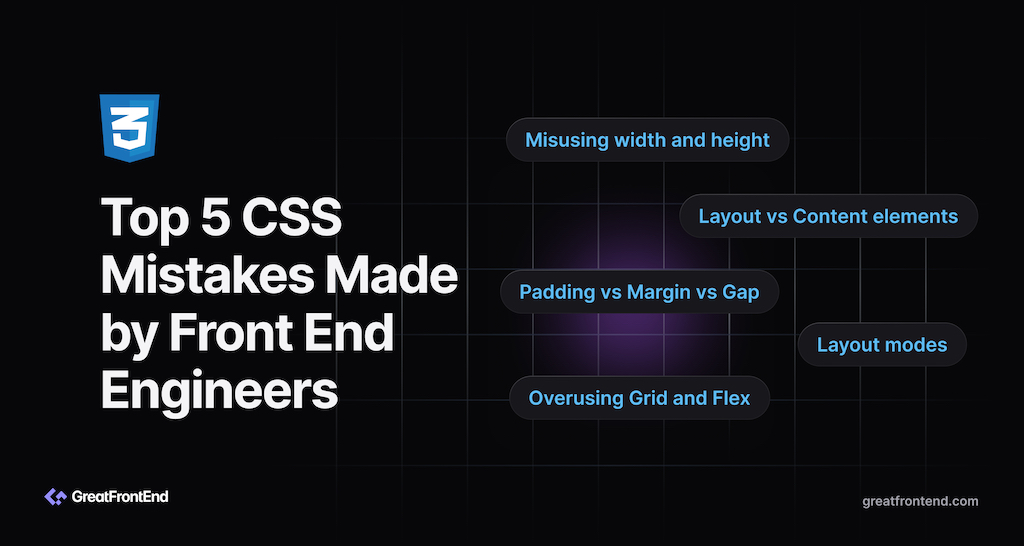
AI can suggest CSS. A frontend engineer has to know whether it is stable. If this is a weak spot, start with common CSS mistakes front end engineers make.
Accessibility requires more than adding ARIA
Accessibility is a clear example. The 2026 WebAIM Million report found detected WCAG failures on 95.9% of top home pages. It also found that pages using ARIA had significantly more detected errors on average than pages without ARIA.
That does not mean ARIA is bad. It means accessibility is easy to get wrong when people add attributes without understanding the interaction model.
A modal is not accessible because it has role="dialog". A combobox is not accessible because the markup contains aria-expanded. A menu is not accessible because the items look clickable.
You still need to test labels, focus order, keyboard behavior, escape behavior, screen reader names, error messages, contrast, reduced motion, and disabled states. Research on AI-assisted accessible coding has found similar issues: developers often fail to prompt for accessibility, skip manual validation steps, or cannot verify whether the generated UI is compliant.
UX judgment does not come from syntax
AI can generate a form. It cannot reliably decide whether the form is too long, whether the error message is useful, whether the destructive action needs confirmation, whether a dropdown should be a combobox, or whether the user should see an empty state before a loading state.
Those choices are product judgment. They come from understanding users, constraints, and trade-offs.
Production UI is stateful
Frontend bugs often live in transitions:
- A request returns after a newer request
- A modal closes while a nested async action is still running
- A disabled button becomes enabled at the wrong time
- A list reorders while focus is inside it
- A component unmounts before a timeout finishes
- A form preserves stale values after switching records
These bugs do not show up in a static screenshot. They show up when a user interacts with the UI in the wrong order, on a slow network, with real data.
The more product state a frontend owns, the more these combinations matter. Auth state, cached server data, optimistic updates, form drafts, route transitions, animations, feature flags, and WebSocket events can all interact at once. AI can generate each individual pattern. The failure usually appears in the combination.
The future of frontend development
Frontend development is becoming less about writing every line by hand and more about owning the quality of the interface.
Expect frontend roles to move in a few directions:
- Product-minded frontend engineers who work close to design and product decisions
- Design system engineers who build reusable accessible primitives
- Frontend platform engineers who improve build, performance, testing, and deployment workflows
- Full-stack product engineers who can own a feature across UI, API, and data boundaries
- Engineers building AI product interfaces who work on streaming UIs, tool-calling workflows, agent dashboards, generative editing surfaces, and interfaces that change as the system responds
This does not mean every frontend developer has to become a backend engineer. It means frontend developers need enough surrounding context to make good trade-offs.
Some simple products may move closer to chat, automation, or API-first workflows. The products that still need rich interfaces will usually need better frontend engineering, not less. If the UI is where users make decisions, coordinate work, edit content, review AI output, or recover from mistakes, the interface becomes part of the product's safety and quality layer.
The core skills still matter:
- HTML and accessibility: Semantic markup, forms, labels, focus, keyboard behavior, and ARIA patterns
- CSS and layout: Flexbox, grid, responsive constraints, overflow, stacking contexts, and design tokens
- JavaScript and TypeScript: Data structures, async behavior, events, modules, narrowing, and API contracts
- React or another UI framework: State, effects, composition, controlled components, rendering behavior, and performance
- Testing and debugging: Browser DevTools, interaction testing, edge cases, and regression prevention
- Performance: Core Web Vitals, bundle size, rendering cost, image optimization, and perceived speed
- Product judgment: Knowing what to build, what to cut, and how to communicate trade-offs
- AI fluency: Prompting, reviewing, refactoring, and testing generated code instead of accepting it blindly
The more generated code a team accepts, the more it needs engineers who can tell correct code from code that merely looks correct.
If you are choosing between roles, ask whether the company actually values frontend. A product where the browser experience is the business will give you more room to build frontend skill than a company where the UI is mostly a thin wrapper over internal data. Use the questions in How to Evaluate Companies as a Front End Engineer to separate those environments.
Should I learn frontend development in 2026?
Yes, if you are willing to learn the browser instead of only learning a framework.
Do not start with the assumption that React alone makes you a frontend developer. React is important, but it sits on top of HTML, CSS, JavaScript, browser events, accessibility rules, network behavior, and product constraints.
A practical learning path looks like this:
- Build small interfaces with plain HTML, CSS, and JavaScript.
- Learn React once you understand state, events, forms, and rendering.
- Rebuild common UI components: tabs, accordion, modal, autocomplete, data table, carousel, file explorer.
- Add edge cases: empty states, loading states, keyboard support, long content, and slow network behavior.
- Compare your solution with high-quality implementations.
- Use AI to speed up repetition, then inspect every line it writes.
- Move beyond isolated components into full product flows: auth, server data, optimistic updates, routing, errors, and recovery.
Do not let tools hide gaps. If you cannot explain why generated code works, you have not learned the skill yet.
Is frontend a good career in 2026?
Frontend can still be a good career in 2026, but it is not an easy shortcut into software engineering.
The entry-level bar is higher than it used to be. LinkedIn's 2026 software engineering report says entry pathways are tightening, and Indeed's 2026 labor-market report shows more tech postings asking for at least five years of experience. Companies have more tooling, more AI assistance, and less patience for developers who can only assemble a screen when every requirement is spelled out.
At the same time, teams still need engineers who can make product UI reliable, accessible, fast, and maintainable.
The strongest signal you can show is not a certificate or a cloned landing page. It is working software you can explain.
Build projects that prove you can handle:
- Real component state.
- Forms and validation.
- Async data fetching.
- Search, sorting, filtering, or pagination.
- Responsive layout.
- Accessibility basics.
- Error handling.
- Clear code organization.
- End-to-end ownership of a feature, not just the visible component.
Then practice explaining your decisions. In interviews and on the job, communication is part of the work.
What separates developers who get replaced from those who do not
The risk is not using AI. The risk is having no judgment after AI gives you code.
| Replaceable signal | Strong signal |
|---|---|
| Copies generated code without reading it. | Reviews generated code and can explain every trade-off. |
| Builds only the happy path. | Handles empty, loading, error, disabled, and interrupted states. |
| Treats CSS as trial and error. | Understands layout, constraints, overflow, and responsive behavior. |
| Adds ARIA by pattern matching. | Tests keyboard behavior, focus, labels, and screen reader names. |
| Waits for exact requirements. | Clarifies scope and proposes a sensible MVP. |
| Ships one-off components. | Builds maintainable components with clear boundaries. |
| Avoids debugging. | Uses DevTools, logs, tests, and reasoning to isolate the bug. |
| Treats AI as a replacement for learning. | Treats AI as a tool for speed, exploration, and review. |
So no, frontend development is not dying in 2026. The low end is being compressed, expectations are rising, and the work that survives depends more on engineering judgment.
If you want to prepare for that version of the role, practice building real UI. Start with GreatFrontEnd's user interface coding questions, review your mistakes, and push past the version that only works in the first screenshot.
相关文章