Frontend Developer Roadmap 2026: The Complete Skills and Career Guide
A detailed frontend developer roadmap for 2026 covering the skills, tools, projects, milestones, and interview practice needed for modern frontend roles.
A frontend developer roadmap in 2026 should start with the browser, then move through JavaScript, TypeScript, one major frontend framework, app architecture, accessibility, testing, performance, and interview practice. The right roadmap is not a list of every tool. It is an order of learning that keeps you employable without drowning you in optional technology.
Use this roadmap as a skills map. If you are starting from zero and need the broader beginner journey, read How to Become a Frontend Developer in 2026. This article is the detailed map of what to learn, what to skip for now, and what evidence each stage should produce.
The 2026 roadmap at a glance
| Stage | Learn | Build | You are ready to move on when |
|---|---|---|---|
| Web platform | HTML, CSS, browser behavior, DevTools | Static pages, forms, responsive layouts | You can explain layout, semantics, events, and network requests without a framework |
| JavaScript | Data structures, async code, DOM, modules | Search, filters, timers, API-backed widgets | You can debug state and async behavior from the console |
| TypeScript | Props, unions, generics, narrowing, API types | Typed forms, typed API responses, reusable components | You can remove unsafe any instead of hiding errors |
| Frontend framework | Components, state, lifecycle, composition, routing basics | Stateful UI flows, dashboards, product screens | You know where state belongs and how the framework updates the page |
| App architecture | Routing, data fetching, auth states, server/client boundaries | A multi-page product workflow | You can handle loading, empty, error, permission, and recovery states |
| Quality | Accessibility, testing, performance, security basics | Tested flows, keyboard-safe forms, measured pages | You can prove the UI works, not only that it renders |
| Interview readiness | JavaScript, framework concepts, CSS, APIs, system design | Timed exercises and explainable projects | You can solve, explain, test, and improve under time pressure |
Do not learn all rows at the same depth. A junior candidate needs broad competence and proof through projects. A senior candidate needs deeper tradeoff judgment, architecture, debugging, and mentoring evidence.
What changed for frontend roadmaps in 2026
The core order has not changed: HTML, CSS, JavaScript, and the browser still come first. The emphasis has changed.
Framework choice matters, but it should come after the platform basics. React, Angular, Vue, and Svelte can all be valid choices depending on your target companies, local market, team stack, and learning style. React is common in many frontend roles, Angular is still common in enterprise teams, Vue is popular for approachable product development, and Svelte is worth considering when you like compiler-driven UI with less runtime code. Pick one main framework and get good enough to build complete flows.
TypeScript is also harder to treat as optional. Many modern frontend teams use it for framework apps, design systems, API contracts, and shared component libraries. For frontend learning, that means TypeScript is not a senior-only skill anymore.
Build tooling has become more practical. Vite, framework CLIs, and faster bundlers mean most learners do not need to hand-configure Webpack early. Learn what frameworks solve, but do not let a framework hide weak browser knowledge.
AI belongs in the roadmap too. It can explain errors, generate test cases, suggest refactors, and compare approaches. It should not replace reading docs, debugging in DevTools, writing code by hand, or reviewing accessibility behavior.
Start with the browser, not a framework
The browser is the runtime for every frontend framework. Weak browser knowledge shows up later as layout bugs, broken forms, poor accessibility, hydration mismatches, and confusing network behavior.
Learn HTML as page structure:
- Document structure, headings, lists, buttons, links, forms, labels, tables, and landmarks
- Native controls before custom controls
- Basic metadata, image attributes, and document language
- Form submission behavior, validation behavior, and keyboard behavior
Learn CSS as layout and state:
- Box model, cascade, specificity, inheritance, and custom properties
- Flexbox for one-dimensional layout
- Grid for two-dimensional layout
- Positioning, stacking context, overflow, and containment
- Responsive layout with media queries and container queries
- Focus states, reduced motion, color contrast, and forced-colors awareness
Learn browser behavior:
- DOM tree, events, bubbling, capturing, and delegation
- Network requests, request headers, response status codes, caching, and CORS
- Storage choices such as cookies, localStorage, sessionStorage, and IndexedDB at a high level
- DevTools panels: Elements, Console, Network, Performance, Application, and Lighthouse
Practice target:
| Project | What to prove |
|---|---|
| Responsive settings page | Layout, form controls, validation text, keyboard behavior |
| Pricing page with FAQ | Semantic structure, responsive CSS, disclosure state |
| API-backed profile card | Fetch, loading state, error state, retry behavior |
Learn JavaScript deeply enough to debug UI
Frontend JavaScript is not only syntax. It is data changing over time while the user clicks, types, waits, navigates, and loses network access.
Prioritize:
- Values, references, equality, truthiness, and coercion
- Arrays, objects, maps, sets, and common transformations
- Scope, closures, modules, and imports
- Event handling and event delegation
- Promises,
async/await, timers, cancellation, and race conditions - Fetch, JSON parsing, error handling, and retries
- DOM reads and writes, layout cost, and event timing
Build small exercises that reveal mistakes:
| Exercise | Mistake it catches |
|---|---|
| Debounced search | stale closures, repeated requests, missing empty state |
| Sortable table | mutation bugs, unstable sorting, weak rendering logic |
| Todo app with persistence | storage assumptions, serialization, state recovery |
| Polling status widget | timers, cleanup, network errors, duplicate updates |
Interview practice should begin here. Start with JavaScript interview questions, then add timed practice once the basics are steady.
Add TypeScript before the codebase gets large
TypeScript helps most when it models the messy edges of UI: optional API fields, unknown JSON, reusable component props, form values, and state transitions.
Learn:
- Primitive types, arrays, objects, unions, and literals
- Interfaces and type aliases
- Optional fields and nullish values
- Narrowing with
typeof,in, discriminated unions, and custom guards - Generics for reusable functions and components
- Typing component props, event handlers, and API responses
unknownoveranywhen data comes from outside the app
Do not begin with advanced type puzzles. A frontend developer gets more value from correctly typing API boundaries and component contracts than from writing clever utility types nobody wants to maintain.
Practice target:
| Build | TypeScript skill |
|---|---|
| Typed API client | response types, error types, unknown data |
| Reusable input component | props, event handlers, controlled values |
| Filter state model | unions, literals, derived state |
| Form result type | success/error states, discriminated unions |
Use TypeScript interview questions when you can explain the types in your own words. If you choose React, read TypeScript for React Developers for framework-specific practice.
Choose one frontend framework
A frontend framework helps you organize state, components, routing, forms, data loading, and shared UI. The important skill is deciding what changes, where it lives, and how the page should respond. React is a practical default for many learners, but it is not the only correct choice.
Pick based on your goal:
| Framework | Good choice when |
|---|---|
| React | Your target jobs mention React, Next.js, design systems, dashboards, or UI coding interviews |
| Angular | Your target jobs are enterprise teams with larger applications, strict conventions, and TypeScript-heavy codebases |
| Vue | You want an approachable framework with clear templates, component structure, and a strong product-app ecosystem |
| Svelte | You prefer compiler-driven UI, less boilerplate, and a smaller mental model for reactive components |
Whichever framework you choose, learn the same core ideas:
Learn:
- Components and props
- State, derived values, and rendering
- Lists, keys, and conditional rendering
- Controlled and uncontrolled forms
- Side effects, cleanup, and common lifecycle mistakes
- Refs, focus management, and DOM escape hatches
- Context for shared data that truly belongs above many components
- Composition patterns such as slots, render props, and compound components
- Error boundaries and recovery UI
For modern frameworks, add:
- Form submission and pending status at a conceptual level
- Optimistic updates and rollback behavior
- Server-rendered UI versus client-rendered UI at a high level
- Hydration mismatch causes in frameworks that hydrate on the client
- Framework-specific routing and data loading
Do not make every project a framework project too early. A framework should clarify UI state, not compensate for weak HTML, CSS, or JavaScript.
If you choose React, practice with React interview questions, then build UI tasks such as Contact Form, Data Table, Tabs, and Image Carousel. If you choose Angular, Vue, or Svelte, build the same kinds of components in that framework: forms, tables, tabs, autocomplete, modal flows, dashboards, and data-backed product screens.
Learn app architecture after component basics
Many candidates can write components. Fewer can build a full product flow that behaves carefully under failure.
Learn:
- Routing and route state
- URL search params for filters and pagination
- Data fetching, cache invalidation, and request deduping
- Loading, empty, success, error, and partial-error states
- Authentication states, permissions, and redirects
- Server state versus client state
- Forms, validation, optimistic updates, and rollback
- File uploads, progress, cancellation, and retry
- Analytics events and privacy-sensitive data
- Feature flags and gradual rollout basics
Framework and meta-framework choice:
| Choice | When it makes sense |
|---|---|
| React with Vite | Learning React, building dashboards, practicing UI coding, smaller client-heavy apps |
| Next.js | React teams that need routing conventions, server-rendered pages, content-heavy apps, or auth-heavy products |
| Angular | Enterprise apps that benefit from built-in conventions, dependency injection, routing, forms, and TypeScript-first structure |
| Vue with Vite or Nuxt | Product apps where template clarity, component ergonomics, and progressive adoption matter |
| Svelte or SvelteKit | Smaller apps or teams that prefer compiler-driven reactivity and less runtime ceremony |
| Remix or React Router framework mode | React apps that lean heavily on routes, forms, data loading, and web-standard request handling |
Pick one main framework after the browser and JavaScript basics. Learn enough of the others to read job descriptions, not enough to split your attention across three stacks.
Learn accessibility as normal frontend work
Accessibility is not a separate phase you bolt on before launch. It affects the elements you choose, the state you expose, the keyboard behavior you support, and the way errors are announced.
Learn:
- Semantic HTML before ARIA
- Labels, names, roles, and descriptions
- Keyboard navigation and visible focus states
- Form errors and instructions
- Modal, menu, tab, accordion, and combobox behavior
- Color contrast, text scaling, and reduced motion
- Screen reader smoke testing at a practical level
Project checks:
- Can the main flow be completed without a mouse?
- Does focus move predictably after opening and closing overlays?
- Are form errors tied to the fields they describe?
- Does custom UI follow expected keyboard behavior?
- Does loading or error content announce changes when needed?
Use accessibility practice inside every project. A keyboard-broken form is not job-ready UI.
Learn testing by protecting user behavior
Testing is easier to learn when the goal is clear: protect important behavior from regressions.
Learn:
- Unit tests for pure functions and data transformations
- Component tests for form behavior, conditional UI, and interaction
- End-to-end tests for critical flows such as signup, checkout, upload, and search
- Mocking network responses without testing implementation details
- Accessibility checks as a supplement, not a replacement for manual keyboard testing
Good first tests:
| Feature | Useful test |
|---|---|
| Form | Shows validation errors, disables submit while pending, recovers after API failure |
| Data table | Applies filters, preserves sorting, handles empty results |
| Auth-gated page | Redirects unauthenticated users and preserves destination |
| Upload flow | Shows progress, handles cancellation, displays retry |
Testing should not wait until a project is finished. Add tests when behavior becomes easy to break.
Learn performance by measuring before optimizing
Frontend performance in 2026 is not only bundle size. It includes loading, rendering, images, fonts, third-party scripts, data waterfalls, server response time, and main-thread work.
Learn:
- Core Web Vitals: LCP, INP, and CLS
- Image sizing, formats, lazy loading, and priority
- Font loading and layout shift
- Code splitting and unnecessary client JavaScript
- Memoization only when it solves a measured rendering problem
- DevTools Performance traces
- Network waterfalls and request blocking
- Framework rendering modes and caching at a practical level
Performance practice:
- Measure the page before changing it
- Identify whether the bottleneck is network, server, JavaScript, rendering, or assets
- Fix one bottleneck and measure again
- Write down what changed and why it helped
Do not start with advanced micro-optimizations. A missing image size, a client-only marketing page, or a slow API waterfall usually matters more than a premature useMemo.
Learn the tools that support the work
Tools should reduce friction. They are not the roadmap.
| Tool area | Learn first | Learn later |
|---|---|---|
| Editor | VS Code or your preferred editor, debugger, TypeScript errors | custom editor automation |
| Package manager | npm or pnpm basics, scripts, lockfiles | workspace tuning |
| Build tool | Vite or framework CLI | custom bundler configuration |
| Version control | Git branches, commits, pull requests, conflict resolution | advanced rewriting workflows |
| Styling | CSS modules, Tailwind, or the team's system | design token pipelines |
| Data fetching | fetch, framework loaders/actions, TanStack Query basics | custom cache layers |
| Testing | Vitest/Jest, Testing Library, Playwright | visual regression infrastructure |
| Deployment | Vercel, Netlify, Cloudflare, or company CI basics | multi-region rollout strategy |
The best tool choice is the one that lets you build and debug more product behavior. If a tool takes a week to configure before you understand the problem it solves, postpone it.
Projects for each roadmap stage
A roadmap needs proof. Courses and notes are not enough.
| Stage | Project | Requirements |
|---|---|---|
| Platform | Accessible form flow | labels, validation, keyboard behavior, responsive layout |
| JavaScript | Searchable data table | fetch, sorting, filtering, pagination, empty state |
| TypeScript | API-backed dashboard | typed response, error model, reusable chart/list components |
| Framework | Product settings app | tabs, forms, optimistic save, dirty-state warning |
| App architecture | Mini SaaS workflow | auth states, routing, permissions, billing-like flow, tests |
| Quality | Performance and accessibility pass | measured before/after notes, keyboard audit, critical tests |
| Interview | Timed UI challenges | explainable solution, edge cases, cleanup, follow-up improvements |
Each finished project should include a short engineering note:
- What the product flow does
- What states it handles
- What tradeoffs you made
- What you tested
- What accessibility checks you ran
- What you would improve with more time
That note matters. It turns a demo into hiring evidence.
Beginner, job-ready, and senior roadmap differences
The roadmap changes by target level.
| Target | Spend more time on | Spend less time on |
|---|---|---|
| Beginner | HTML, CSS, JavaScript, one framework, portfolio projects | framework debates, advanced state libraries, microfrontends |
| Internship or junior | forms, API integration, debugging, TypeScript basics, GFE practice | complex architecture diagrams |
| Mid-level | feature ownership, state modeling, tests, accessibility, performance | copying tutorials |
| Senior | tradeoffs, system design, migrations, cross-team contracts, production debugging | isolated toy apps |
| Specialist | one depth area such as design systems, frontend infrastructure, accessibility, or performance | trying to specialize before shipping product UI |
For senior growth, pair this roadmap with Senior Frontend Developer Skills. For title progression and scope, use Frontend Developer Career Path.
Interview practice roadmap
Interview preparation should track the same skill order, but with tighter feedback loops.
| Area | Practice |
|---|---|
| JavaScript | arrays, objects, promises, closures, timers, event loop, DOM manipulation |
| CSS | layout, responsive behavior, specificity, positioning, accessible states |
| Framework | state, lifecycle, forms, rendering, component design |
| APIs | REST, status codes, pagination, caching, retries, error states |
| TypeScript | component props, unions, generics, narrowing, API data |
| UI coding | forms, tables, autocomplete, tabs, carousel, file explorer |
| System design | data flow, component boundaries, performance, accessibility, failure modes |
Start with quiz questions for fast feedback. Use user interface coding questions when you need implementation practice. Add front end system design questions once you can build product flows without getting stuck on basic component state.
Common roadmap mistakes
The most common mistake is learning tools in the order they look exciting instead of the order they remove real bottlenecks.
Avoid these traps:
- Learning a framework before forms, events, and CSS layout make sense
- Reaching for a state library before understanding local state, URL state, and server state
- Building only landing pages with no loading, error, or empty states
- Treating TypeScript as syntax instead of a way to model unsafe data
- Using AI to generate code you cannot debug
- Skipping accessibility until the end
- Writing tests only after the code is too tangled to test
- Studying system design before building enough UI to have design opinions
- Switching frameworks whenever a new tool trends
The fix is simple but not easy: build smaller complete flows, test the uncomfortable states, and explain the tradeoffs.
A practical 2026 learning plan
This timeline assumes consistent part-time study. Move faster if you already program. Move slower if the projects feel shallow.
| Timeframe | Main goal | Output |
|---|---|---|
| Weeks 1-4 | Browser, HTML, CSS, JavaScript basics | responsive form and API widget |
| Weeks 5-8 | JavaScript depth and DOM behavior | searchable table, debounced search, persisted state |
| Weeks 9-12 | TypeScript and framework basics | typed components and form flow |
| Months 4-5 | App architecture | multi-page app with routing, auth states, API data, and error handling |
| Month 6 | Quality pass | tests, accessibility fixes, performance notes, deployed portfolio |
| Months 7-12 | Interview and depth | GFE practice, system design, stronger projects, specialist exploration |
The calendar is only useful if the outputs are real. A shallow six-month checklist is weaker than three carefully built projects that show product judgment.
A good frontend developer roadmap in 2026 is selective. Learn the platform, add JavaScript depth, use TypeScript to model risk, choose one frontend framework, build full product flows, and prove quality through accessibility, tests, and performance work.
The goal is not to know every frontend tool. The goal is to become the person a team can trust with user-facing behavior.
Related articles
 Learn how to become a frontend developer in 2026 with a staged roadmap covering web foundations, React, TypeScript, production skills, projects, and expert tracks.
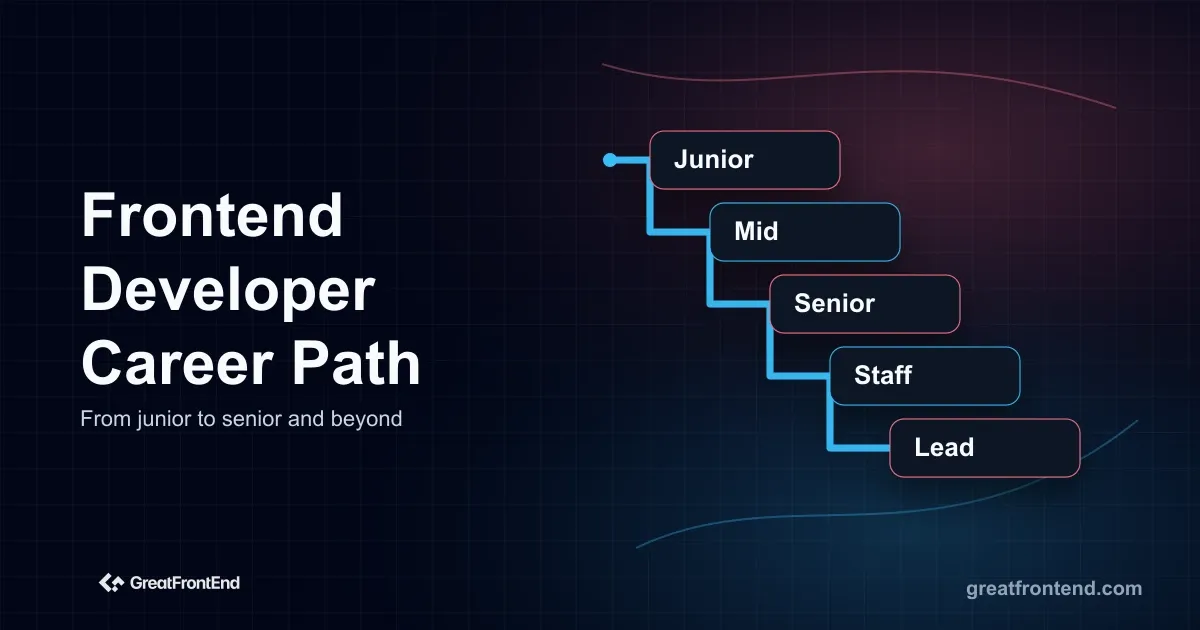 Map the frontend developer career path in 2026 from junior to mid-level, senior, staff, lead, specialist, and manager roles.
 Learn the senior frontend developer skills that matter in 2026, from UI architecture and accessibility to performance, testing, judgment, and AI verification.