Machine Coding Interview Questions for Tech Leads and Principal Engineers
Machine coding interview questions for tech leads, a full worked async autocomplete example in TypeScript covering API design, testing, and build-versus-buy.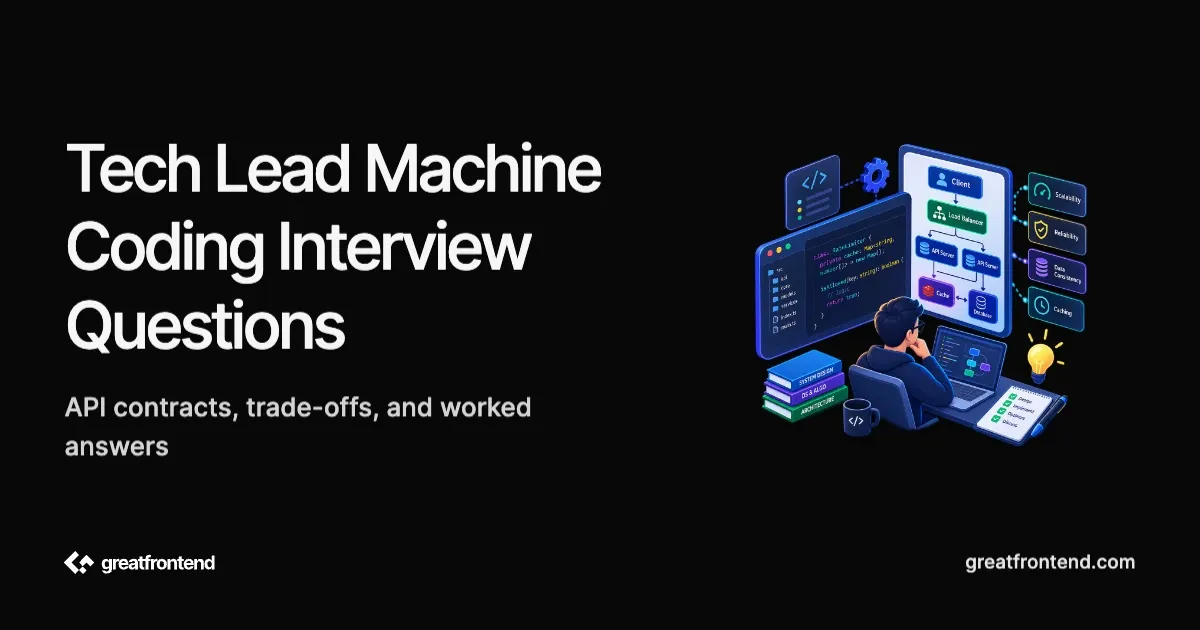
A tech-lead or principal frontend candidate may be asked to build the same small UI as a mid-level candidate. The code still has to work. At the senior level, the follow-up discussion often examines whether its boundaries will hold up across products, data sources, and teams.
This guide works through one autocomplete exercise from implementation to adoption. It covers the component contract, async failure modes, accessibility, testing, build-versus-buy decisions, code review, and a cross-team rollout. The answers show how to reason from specific constraints.
If you first need practice shipping the base component under time pressure, start with the complete machine coding round guide or the frontend LLD interview guide. This article assumes you can already build the main interaction.
Are principal engineers actually asked machine coding questions?
Yes, although the format varies by company. You may see it described as browser coding, UI coding, pair coding, or a practical coding interview.
As of August 2026, Atlassian's public Principal Frontend Engineer interview guide lists two 60-minute coding interviews. In the browser-coding round, the candidate builds a simple interactive interface in a familiar framework. Atlassian assesses coding skill, code quality, conceptual thinking, adaptability, communication, and testing during that exercise.
Other Staff+ loops use different formats. Monzo's May 2025 description of its Senior Staff+ interview process includes pair coding or a take-home alongside separate system-design, behavioral, and impact-and-leadership interviews. Amazon's software-development interview topics and Microsoft's technical interviewing guide describe still different combinations of coding, design, and competency assessment.
Before preparing, ask the recruiter what the coding round contains, which tools are allowed, and which competencies it evaluates. A principal interview does not always turn a UI exercise into a system-design discussion. Be ready to write working code and discuss its broader implications when prompted.
What changes at tech-lead and principal level?
A familiar prompt can reveal different evidence depending on the expected scope of the role.
| Area | Baseline implementation signal | Tech-lead or principal signal |
|---|---|---|
| Requirements | Covers the requested happy path | Finds the ambiguity that changes the architecture and deliberately scopes the first release |
| State | Keeps the component working | Separates interaction, product, and server state so consumers are not coupled accidentally |
| Component API | Passes the needed props | Defines ownership, extension points, invariants, and unsupported use cases |
| Accessibility | Adds labels and click handlers | Implements the established widget interaction model and explains how it will be tested |
| Performance | Avoids obvious waste | Identifies the likely bottleneck, sets a constraint, measures it, and chooses the smallest effective fix |
| Testing | Tests the main behavior | Chooses tests based on user and release risk |
| Adoption | Finishes the local feature | Plans ownership, compatibility, migration, observability, and rollback for shared code |
| Communication | Narrates the implementation | Explains assumptions and trade-offs concisely |
A tech lead usually applies this judgment within a team or related set of consumers. A principal engineer is more likely to be probed on organizational scope: competing requirements, long-lived contracts, staged migrations, and how several teams reach and maintain a decision. Titles vary, so use the job description and recruiter guidance as the source of truth. GitLab's Principal Engineer framework, for example, emphasizes organizational scope and cross-team technical decisions.
The worked prompt: build an async autocomplete
Assume the interviewer gives you 60 minutes and this brief:
Build an autocomplete input that loads suggestions from an asynchronous data source. Users must be able to type a query, see loading and empty states, move through suggestions with the keyboard, and select a result.
Before coding, clarify the decisions that change the implementation:
- Can users submit arbitrary text, or must they choose a suggestion?
- What identifies a result, and can two results have the same label?
- Is the data source local, remote, paginated, or rate-limited?
- How many results can be displayed?
- What should happen when the request fails?
- Is the component used inside a form?
- May you use an accessibility or data-fetching library?
- Which browsers and assistive technologies matter?
Spend the first few minutes on decisions that affect the state model or component contract. State what you will defer, then start building.
A practical 60-minute plan is:
- 0 to 5 minutes: clarify selection behavior, data source, result identity, and minimum accessible interaction.
- 5 to 10 minutes: write the state model and component boundary.
- 10 to 35 minutes: ship typing, loading, results, empty state, and selection.
- 35 to 48 minutes: handle stale requests and keyboard interaction.
- 48 to 56 minutes: add the highest-value tests and fix issues they expose.
- 56 to 60 minutes: demonstrate the flow and explain the next production step.
Leave enough time at the end to run and inspect the result.
Question 1: What would you build first, and what would you defer?
How to approach it
Start with one complete user path: type a query, load results, render them, and select one. Add visible loading, empty, and error states before optional polish because each state changes what the user can do.
For the first pass, cap the result set and support one selection. Leave caching, virtualization, request prefetching, animation, and a general design-system API for later unless the prompt requires them. Write down those follow-ups so the interviewer can see that the scope is deliberate.
The state should make contradictory screens difficult to represent. A discriminated union is clearer than unrelated loading and error booleans:
type SuggestionsState<Item> =| { status: "idle"; items: readonly [] }| { status: "loading"; items: readonly Item[] }| { status: "success"; items: readonly Item[] }| { status: "error"; items: readonly []; message: string };
Why this is a useful first pass
- You choose a demonstrable slice before investing in infrastructure.
- Your state model reflects user-visible states.
- You can name deferred work and the condition that would make it necessary.
Question 2: How would you design the component API for more than one consumer?
Start by deciding which layer owns the data and its product meaning. The number of props is secondary.
How to approach it
Keep the reusable interaction component independent of fetching and product navigation. Let it receive items and emit user intent. A search wrapper can fetch remote results and navigate when an item is chosen; a form wrapper can integrate validation; a command palette can execute actions and support grouping. The wrappers share combobox behavior while retaining their own domain contracts.
One possible controlled contract is:
type AutocompleteProps<Item> = {inputValue: string;items: readonly Item[];selectedItem: Item | null;getItemKey: (item: Item) => string;itemToString: (item: Item) => string;onInputValueChange: (value: string) => void;onSelectedItemChange: (item: Item | null) => void;renderItem?: (item: Item) => React.ReactNode;isLoading?: boolean;errorMessage?: string | null;disabled?: boolean;};
Other ownership models can also work. React's documentation notes that controlled and uncontrolled are not strict categories; components commonly mix props with local state. In the interview, explain which state a consumer must coordinate and which state remains an implementation detail. See Sharing State Between Components.
Principal-level follow-up
If three products need similar autocomplete behavior, compare their semantics before consolidating them into one product component:
- Search results navigate and may include rich previews.
- Form options represent a value with validation rules.
- Command-palette items execute actions, use shortcuts, and may be grouped.
Share the lowest stable behavior and build product-specific wrappers. A single component with dozens of flags transfers product complexity into a contract every consumer must understand.
Question 3: How do you prevent stale async results?
Debouncing reduces request frequency. It does not guarantee that responses arrive in order.
How to approach it
Clear the pending debounce timer when the query changes, abort the previous request when possible, and ignore its result if the data source does not honor cancellation. Reset to idle for an empty query. Keep fetching outside the presentation primitive so a product can substitute its framework or client-cache mechanism.
type LoadSuggestions<Item> = (query: string,signal: AbortSignal,) => Promise<readonly Item[]>;function useSuggestions<Item>(query: string,loadSuggestions: LoadSuggestions<Item>,) {const [state, setState] = React.useState<SuggestionsState<Item>>({status: "idle",items: [],});React.useEffect(() => {const normalizedQuery = query.trim();if (normalizedQuery === "") {setState({ status: "idle", items: [] });return;}const controller = new AbortController();const timerId = window.setTimeout(async () => {setState({status: "loading",items: [],});try {const items = await loadSuggestions(normalizedQuery, controller.signal);if (!controller.signal.aborted) {setState({ status: "success", items });}} catch (error) {if (!controller.signal.aborted) {setState({status: "error",items: [],message:error instanceof Error? error.message: "Unable to load suggestions",});}}}, 250);return () => {window.clearTimeout(timerId);controller.abort();};}, [loadSuggestions, query]);return state;}
The contract assumes loadSuggestions has a stable function identity. In an application, define it outside the component, memoize it when necessary, or let the framework's data layer own the request lifecycle.
React's Effect documentation explicitly calls out out-of-order responses and recommends aborting a fetch or ignoring its result during cleanup. A production application may use a framework data API or client cache for deduplication and caching, but the race still needs a defined owner.
Details worth mentioning
- A debounce alone does not solve response ordering.
- Aborting a request is insufficient if the data source ignores the signal.
- A global store does not automatically make server data fresh.
- Loading, error, and empty are product states, not incidental booleans.
Question 4: What does an accessible autocomplete require?
Keyboard support covers only part of the accessibility contract.
How to approach it
Start with the established combobox interaction model. The current WAI-ARIA Authoring Practices combobox pattern describes the expected semantics and keyboard behavior.
For a list autocomplete:
- Give the input an accessible name.
- Expose
role="combobox",aria-expanded,aria-controls, and the appropriatearia-autocompletevalue. - Give the popup
role="listbox"and each suggestionrole="option". - Keep DOM focus on the input while using
aria-activedescendantto identify the active option. - Set
aria-selectedon the visually selected option. - Support Down Arrow, Up Arrow, Enter, and Escape without breaking normal text-editing keys.
- Preserve a predictable Tab sequence.
- Ensure pointer selection and keyboard selection update the same state.
- Announce loading, errors, and result-count changes without making every keystroke excessively verbose.
Use stable IDs for options that can be filtered, reordered, or replaced by a new response. An array index cannot preserve that identity.
In a timed round, implement the core pattern and say exactly what remains to be tested. For production, test keyboard-only use, zoom and high-contrast presentation, and representative browser and screen-reader combinations. Use the WAI-ARIA guide as a starting point, then test the actual implementation.
Question 5: Review this implementation before it ships
A review prompt may start with working but flawed code:
function SearchBox({ search }) {const [query, setQuery] = React.useState("");const [results, setResults] = React.useState([]);React.useEffect(() => {window.setTimeout(async () => {const nextResults = await search(query);setResults(nextResults);}, 250);}, [query, search]);return (<div><input onChange={(event) => setQuery(event.target.value)} /><div>{results.map((result, index) => (<div key={index} onClick={() => setQuery(result.label)}>{result.label}</div>))}</div></div>);}
How to approach it
Review the problems in order of user risk. Style preferences can wait.
1. Fix async correctness. Every query creates a timer, none are cleared, and a slower old request can replace newer results. Empty queries also call the data source. Add timer cleanup, cancellation or result invalidation, and explicit loading and error states.
2. Fix interaction and accessibility. The input has no label or combobox state. Suggestions are clickable div elements with no option semantics or keyboard model. Implement the combobox pattern and define selection separately from input editing.
3. Fix identity and types. Array indexes do not preserve result identity across responses. Require a stable key and type the search result and callback contracts.
4. Define product behavior. Decide whether choosing a result only changes the input, submits a form, or navigates. Closing the popup, clearing results, and handling arbitrary input are currently unspecified.
5. Add risk-based tests. Cover a newer response winning over an older one, keyboard selection, Escape behavior, empty results, and a failed request. Tests for class names or internal hook calls would provide less confidence.
A useful review also explains the order. A stale response and an unusable keyboard path can harm users. Renaming a variable can wait.
Question 6: How would you test the component?
How to approach it
Test observable contracts at the lowest level that provides enough confidence.
| Test level | High-value coverage for this prompt |
|---|---|
| Unit | Query normalization, result identity helpers, and any extracted state transitions |
| Component | Typing, loading, successful and empty results, selection, keyboard navigation, Escape, and error recovery |
| Integration | Wrapper behavior such as form validation, navigation, analytics, or a client cache |
| End-to-end | One critical product journey using the real route, network boundary, and browser focus behavior |
Use fake timers only where they make the debounce deterministic. Resolve promises in a deliberately reversed order to prove that an older response cannot overwrite a newer query. Query the DOM by role and accessible name so the test exercises the public interface.
An automated accessibility scan can catch missing roles or names. It cannot validate the full focus and announcement experience, so the widget still needs manual keyboard and assistive-technology testing.
If the interviewer only leaves time for two tests, choose the main keyboard selection path and the stale-response failure. They cover more product risk than several snapshots.
Question 7: When would you optimize this autocomplete?
How to approach it
First identify whether the delay is network time, JavaScript work, rendering, or input handling. Each has a different fix.
- Too many requests: adjust the minimum query length, debounce interval, caching, or server API.
- Slow responses: improve the service, cancel obsolete work, prefetch only when evidence supports it, and design a useful loading state.
- Expensive local matching: normalize or index the data outside the keystroke path and measure the cost with representative input.
- Too many DOM nodes: cap results, paginate, or virtualize only when the result count justifies the added keyboard and accessibility complexity.
- Expensive row rendering: stabilize props and profile before adding memoization.
State the constraint you are optimizing. For example: "The API returns at most 20 suggestions, so virtualization would add complexity without addressing a measured bottleneck." That answer is more useful than a general promise to use virtualization at scale.
For a shared component, publish a representative performance test or budget. Measure with realistic result shapes, slow-network conditions, and the oldest supported device class.
Question 8: Would you build this component or adopt a library?
How to approach it
Separate the behavior layer from the product presentation. For a combobox, dialog, date picker, data grid, or rich-text editor, an established accessible primitive can remove substantial interaction work. The team still has to verify the result in its product context.
Work through the decision with concrete constraints:
| Question | Evidence favoring adoption | Evidence favoring an in-house implementation |
|---|---|---|
| Interaction complexity | Focus management, internationalization, or assistive-technology behavior is extensive | The behavior is narrow and mostly covered by native HTML |
| Product differentiation | Standard behavior is acceptable | The interaction is central to the product and existing contracts fight it |
| Compatibility | The package supports the framework, rendering model, browser policy, and design system | Required behavior depends on unsupported internals or a conflicting architecture |
| Maintenance | The project has responsive maintainers, releases, tests, and a credible upgrade path | The dependency is inactive, difficult to patch, or expensive to upgrade |
| Cost | Bundle and runtime cost fit measured budgets | The application would ship a large subsystem for a small behavior |
| Risk | License, provenance, transitive dependencies, and security posture are acceptable | Policy or supply-chain risk cannot be mitigated |
| Exit | The library can be wrapped behind a stable product contract | Its types and assumptions would leak through the entire application |
OWASP's 2025 guidance on software supply-chain failures covers maintenance, transitive dependencies, trusted sources, patching, and change management. API ergonomics is only one part of a dependency review.
In the interview, separate the exercise constraints from your production recommendation. You can build the interaction during a no-library round and still recommend an established primitive for the product.
Question 9: How would five teams adopt this without forking it?
This question tests ownership beyond the initial implementation.
How to approach it
First confirm that the teams share behavior. Similar appearance alone is not enough. Document the stable primitive contract and the product-specific wrappers. Assign an owner and use a visible proposal process for changes that affect several consumers.
For a shared package:
- Publish supported behavior, browser policy, accessibility expectations, and explicit non-goals.
- Keep product data shapes out of the primitive; adapt them at the wrapper boundary.
- Use semantic versioning, a deprecation window, and migration examples for breaking changes.
- Add contract, accessibility, and representative integration tests.
- Test prereleases with a small set of consumers before broad rollout.
- Track adoption and errors so the owner knows whether migration is working.
- Provide an exit path if a team has genuinely different semantics.
A product with different interaction semantics may deserve a separate component. Problems begin when copied implementations diverge without an owner, shared fixes, or a documented reason for remaining separate.
Principal-level follow-up
At principal scope, explain how you would resolve conflicting team requirements. Gather concrete use cases, identify the smallest shared invariant, record the decision, and decide who owns the migration cost. Adding more flags may preserve every team's old behavior, but it also leaves every consumer with a larger contract to understand and test.
Connect the component decision to an organizational result, such as fewer accessibility regressions, faster delivery, a smaller maintenance surface, or a safer migration. A single shared component has little value if it does not improve one of those outcomes.
Question 10: What would you change if the requirements doubled after launch?
How to approach it
Future requirements may fall outside the original API. Explain how you would decide whether a change belongs in the existing component, a new wrapper, or a separate component.
Suppose the original form autocomplete now needs grouped command actions, shortcuts, recent history, and nested pages. Those requirements change the selection semantics and focus model. Keep the accessible list-navigation primitives if they still fit, but create a command-palette contract rather than turning Autocomplete into a collection of mode flags.
If the new requirement is smaller, such as custom result rendering or a controlled open state, extend the existing contract with a backward-compatible prop, test existing consumers, and document the new invariant.
A clear answer identifies what remains stable, what now has different semantics, and who pays the migration cost.
Common mistakes in senior machine coding rounds
Designing the platform before the feature works
The first deliverable is executable code. Ship a narrow path, then use the running code to explain the production boundary. Architecture discussion cannot rescue a broken core interaction.
Treating flexibility as the number of options
Every new boolean creates combinations someone must understand and test. Prefer a small contract with clear ownership and composable wrappers.
Saying "performance" without naming a bottleneck
Debouncing, memoization, caching, and virtualization solve different problems. State which work is slow, how you know, and what threshold triggers the optimization.
Calling server data "global state"
Remote data can become stale independently of the current component. Define who owns fetching, cancellation, caching, invalidation, and mutation instead of moving every value into one store.
Treating accessibility as a final polish pass
Focus ownership, option identity, keyboard interaction, and selection semantics affect the component architecture. Retrofitting them in the final two minutes is harder than choosing the pattern during planning.
Reviewing every issue at the same priority
A senior review distinguishes user-facing correctness, accessibility, and security problems from maintainability improvements and style preferences.
Pretending the title changes the coding bar completely
Principal candidates may still be expected to write correct, readable code under time pressure. The broader role scope appears in how decisions are framed and in separate design and leadership interviews; it does not replace implementation ability.
A practice set for experienced frontend engineers
Use different base components to expose different risks:
| Practice problem | Base implementation | Senior follow-up |
|---|---|---|
| Autocomplete | Async results and selection | Request ownership, combobox accessibility, product wrappers |
| Data table | Sorting, filtering, and pagination | Column contract, URL state, server data, virtualization threshold |
| Modal dialog | Open, close, and submit | Focus trapping, restoration, nested dialogs, portal ownership |
| File explorer | Recursive expand and select | Keyboard tree pattern, lazy children, optimistic rename, permissions |
| Toast system | Queue and dismiss | Timing accessibility, deduplication, priority, application-wide ownership |
| Tabs | Active panel and keyboard navigation | Lazy loading, preserving state, routing, analytics, controlled API |
After each implementation, answer these questions aloud:
- Which state belongs to the primitive, product wrapper, server-data layer, and URL?
- What user-visible race or invalid state can occur?
- Which established accessibility pattern applies?
- What would you measure before optimizing?
- Which two tests cover the most risk?
- Where would you draw the build-versus-buy boundary?
- How would you change the contract without breaking existing consumers?
- Who owns the component after launch?
Practice one scenario where the interviewer changes a requirement halfway through. State what remains valid, what must change, and what you will stop building to protect the core deliverable. This prepares you to revise a design under pressure instead of reciting a memorized API.
How to prepare for your specific interview
Before the round, ask the recruiter:
- Is this browser UI coding, JavaScript coding, pair programming, or code review?
- How long is the round?
- Can you use your own IDE and documentation?
- Are frameworks and third-party libraries allowed?
- Are automated tests expected?
- Is the exercise evaluated independently or leveled for the role?
Then prepare the environment you will actually use. Verify that it starts, renders a page, runs tests, and does not depend on credentials or network access. Atlassian's principal guide explicitly recommends a familiar environment and says debugger use is welcome; follow the instructions for your own company rather than copying another company's setup.
For implementation fluency, use GreatFrontEnd's user-interface coding questions. For the architecture follow-ups, work through the Front End System Design Playbook. If you are moving into the role as well as interviewing for it, the frontend developer to tech lead guide explains how technical direction, review, and risk ownership change the job.
What to remember
A lead-level machine coding answer begins with a working component. Senior judgment shows up in the boundaries around that code: explicit state ownership, correct async behavior, an established accessibility model, tests chosen by risk, measured performance decisions, and a credible plan for adoption and change.
Finish the user path and make your assumptions visible. Use the follow-up discussion to show how the local implementation fits into a system other engineers can safely operate. That is where organizational scope becomes relevant.
相关文章
 A frontend-focused guide to machine coding round questions, including what is machine coding round, how to prepare for machine coding round interviews, and how to practice in React.
 Practice frontend LLD questions and React machine coding interview questions with requirements, planning steps, code solutions, and common mistakes.
 Move from frontend developer to tech lead with a practical frontend playbook for technical direction, reviews, planning, mentoring, and promotion evidence.