190+ JavaScript interview questions and answers in quiz-style format, answered by ex-FAANG interviewers
Questions and solutions by ex-interviewers
Covers critical topics
Tired of scrolling through low-quality JavaScript interview questions? You’ve found the right place!
Our JavaScript interview questions are crafted by experienced ex-FAANG senior / staff engineers, not random unverified sources or AI.
With over 190+ questions covering everything from core JavaScript concepts to advanced JavaScript features (async / await, promises, etc.), you’ll be fully prepared.
Each quiz question comes with:
Concise answers (TL;DR): Clear and to-the-point solutions to help you respond confidently during interviews.
Comprehensive explanations: In-depth insights to ensure you fully understand the concepts and can elaborate when required. Don’t waste time elsewhere. Start practicing with the best!
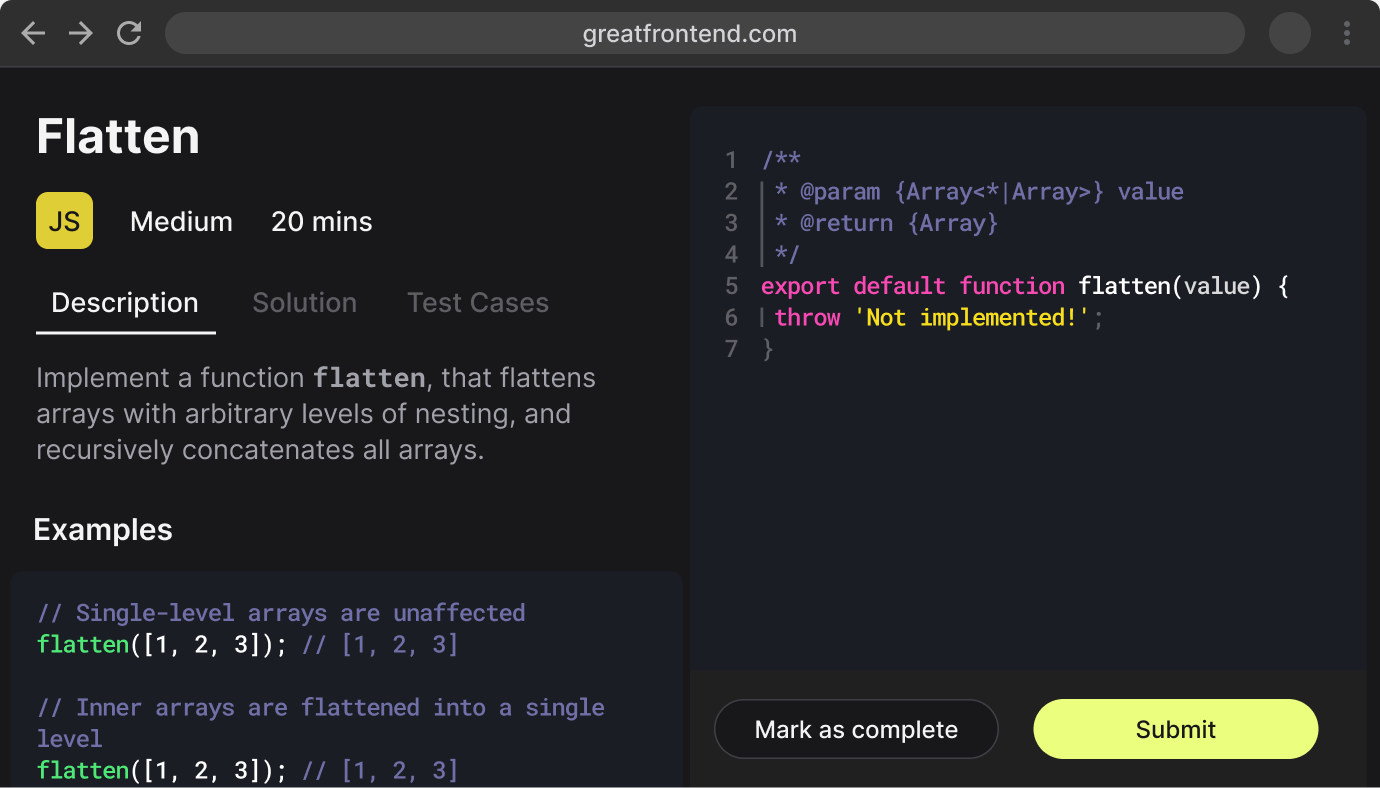
If you're looking for JavaScript coding questions -We've got you covered as well, with:
280+ JavaScript coding questions
In-browser coding workspace similar to real interview environment
Hoisting é um termo usado para explicar o comportamento de declarações variáveis em seu código. Variáveis declaradas ou inicializadas com a palavra-chave var terão sua declaração "movida" até o topo do escopo do módulo/função do escopo, a que chamamos de hoisting. No entanto, apenas a declaração está hoisted, a atribuição (se houver uma), ficará onde está.
Observe que a declaração não é realmente movida - o motor de JavaScript analisa as declarações durante a compilação e torna-se ciente das declarações e dos seus âmbitos. É mais fácil compreender este comportamento, visualizando as declarações como sendo hoisted até ao topo do seu escopo. Vamos explicar com alguns exemplos.
console.log(foo);// indefinido
var foo =1;
console.log(foo);// 1
As declarações de função têm o corpo hoisted enquanto as expressões da função (escritas na forma de declarações variáveis) só tem a declaração da variável hoisted.
// Declaração de função
console.log(foo);// [Function: foo]
foo();// 'FOOOOO'
functionfoo(){
console.log('FOOOOO');
}
console.log(foo);// [Function: foo]
// Function Expression
console.log(bar);// undefined
bar();// Uncaught TypeError: bar is not a function
varbar=function(){
console.log('BARRRR');
};
console.log(bar);// [Function: bar]
Variáveis declaradas via let e const também sofrem o hoisted. No entanto, ao contrário de var e function, eles não são inicializados e acessá-los antes que a declaração resulte em uma exceção ReferenceError. A variável está em uma "zona temporária morta" desde o início do bloco até que a declaração seja processada.
x;// undefined; // Erro de referência: y não está definido
var x ='local';
let y ='local';
Exercícios
Verifique seu entendimento
Exercício 11 de 3Beta
Verifique seu entendimento Exercício 1 de 3
Quais são as diferenças entre as variáveis criadas usando `let`, `var` ou `const`?
Topics
JavaScript
Variáveis declaradas usando a palavra-chave var têm escopo à função na qual foram criadas, ou se criadas fora de qualquer função, ao objeto global. let and const são block scoped, o que significa que eles só são acessíveis dentro do conjunto mais próximo de chaves (função, bloco if-else ou for-loop).
functionfoo(){
// Todas as variáveis são acessíveis dentro de funções.
var bar ='bar';
let baz ='baz';
const qux ='qux';
console.log(bar);// bar
console.log(baz);// baz
console.log(qux);// qux
}
console.log(bar);// ReferenceError: bar não é o console
console.log(baz);// ReferenceError: baz não é definido
console.log(qux);// ReferenceError: qux não é definido
if(true){
var bar ='bar';
let baz ='baz';
const qux ='qux';
}
// var variáveis declaradas são acessíveis em qualquer lugar do escopo da função.
console.log(bar);// bar
// let e const defined variáveis não são acessíveis fora do bloco no qual eles foram definidos.
console.log(baz);// Referência: baz não está definido
console.log(qux);// Referência: qux não está definido
'var' permite que as variáveis sejam hoisted, o que significa que elas podem ser referenciadas no código antes de serem declaradas. 'let' e 'const' não permitirão isso, em vez disso, será lançado um erro.
console.log(foo);// undefined
var foo ='foo';
console.log(baz);// ReferenceError: não pôde acessar o console da declaração léxico 'baz' antes da inicialização
let baz ='baz';
console.log(bar);// ReferenceError: não é possível acessar a declaração léxico 'bar' antes da inicialização
const bar ='bar';
Redeclarar uma variável com var não causará um erro, mas let e const irá.
var foo ='foo';
var foo ='bar';
console.log(foo);// "bar"
let baz ='baz';
let baz ='qux';// Uncaught SyntaxError: Identifier 'baz' já foi declarado
let e const diferem que let permite reatribuir o valor da variável enquanto const não.
// Tudo bem.
let foo ='foo';
foo ='bar';
// Isso causa uma exceção.
const baz ='baz';
baz ='qux';
Notas
Como a maioria dos navegadores suportam let e const atualmente, usar var não é mais recomendado. Se você precisa dar suporte a navegadores mais antigos, escreva seu código usando let e use um transpiler como o Babel para compilar seu código para uma sintaxe mais antiga.
Exercícios
Verifique seu entendimento
ExercícioBeta
Verifique seu entendimento Exercício
Qual é a diferença entre `==` e `===`?
Topics
JavaScript
== é o operador de igualdade abstrato enquanto === é o operador de igualdade rigoroso. O operador == será comparado para a igualdade após fazer quaisquer conversões de tipo necessárias. O operador === não fará conversão de tipo, então se dois valores não forem do mesmo tipo === simplesmente retornará false. Ao usar ==, coisas engraçadas podem acontecer, tais como:
1=='1';// true
1==[1];// true
1==true;// true
0=='';// true
0=='0';// true
0==false;// true
Como regra geral, nunca use o operador ==, exceto por conveniência ao comparar com null ou undefined, onde a == null retornará true se a for null ou undefined.
var a =null;
console.log(a ==null);// true
console.log(a ==undefined);// true
Exercícios
Verifique seu entendimento
ExercícioBeta
Verifique seu entendimento Exercício
O que é o loop de eventos?
Qual é a diferença entre call stack e task queue?
Topics
JavaScript
O loop de eventos é um laço de execução única (single-threaded) que monitora a pilha de chamadas e verifica se há algum trabalho a ser feito na fila de tarefas. Se a pilha de chamadas estiver vazia e houver funções de retorno de chamada (callback) na fila de tarefas, uma função é desenfileirada e colocada na pilha de chamadas para ser executada.
A delegação de eventos é um conceito fundamental no desenvolvimento web que permite gerenciar e tratar eventos eficientemente em vários elementos filhos, anexando um único ouvinte de eventos a um elemento ancestral comum. Em vez de atribuir ouvintes de eventos a cada elemento filho individualmente, você delega a responsabilidade de lidar com eventos ao elemento pai ou ancestral, que intercepta os eventos à medida que eles sobem na árvore DOM e identifica o alvo do evento.
Benefícios da delegação de eventos
Eficiência: A delegação de eventos reduz significativamente o número de ouvintes de eventos em seu código, tornando-o mais eficiente em termos de memória e melhorando o desempenho, especialmente ao lidar com um grande número de elementos semelhantes. Isso resulta em um código mais limpo e de fácil manutenção.
Elementos Dinâmicos: A delegação de eventos funciona perfeitamente com elementos gerados ou removidos dinamicamente no DOM. Você não precisa anexar ou remover ouvintes de eventos toda vez que novos elementos são adicionados ou removidos. O ouvinte de eventos delegado os trata automaticamente.
Exemplo
Vamos ilustrar a delegação de eventos com um exemplo moderno usando a sintaxe do ES6:
console.log(`Clicou em ${event.target.textContent}`);
}
});
Neste exemplo, um único ouvinte de eventos de clique é anexado ao elemento <ul>. Quando ocorre um evento de clique em um elemento <li>, o evento se propaga até o elemento <ul>, onde o ouvinte de eventos verifica o nome da tag do alvo para identificar qual item da lista foi clicado.
Casos de uso
A delegação de eventos é comumente usada em várias situações, incluindo:
Gerenciamento de listas, menus ou tabelas com muitos itens ou linhas.
Manipulação de conteúdo dinâmico em aplicativos de página única.
Simplificação do código, evitando a necessidade de anexar e remover ouvintes de eventos para elementos que mudam.
Não há uma explicação simples para this; ela é um dos conceitos mais confusos do JavaScript. Uma explicação superficial é que o valor do this depende de como a função é chamada. Tendo lido muitas explicações sobre this online, Arnav Aggrawal é a explicação que foi mais clara. As seguintes regras se aplicam:
Se a palavra-chave new é usada ao chamar a função, new dentro da função é um objeto totalmente novo.
Se apply, call, ou bind forem usados para chamar/criar uma função, this dentro da função é o objeto passado como o argumento.
Se uma função é chamada como um método, como obj.method() — this é o objeto do qual a função é uma propriedade.
Se uma função é chamada como uma chamada de função livre, significando que ele foi invocado sem nenhuma das condições presentes acima, this é o objeto global. Em um navegador, é o objeto window. Se em modo estrito ('use strict'), this será undefined em vez do objeto global.
Se se aplicarem múltiplas das regras acima, a regra que é maior ganha e definirá o valor this.
Se a função é uma arrow function ES2015, ela ignora todas as regras acima e recebe o valor this do seu escopo circundante no momento em que ele é criado.
Você pode dar um exemplo de uma das maneiras como o trabalho com "this" mudou no ES2015?
ES2015 permite que você use arrow functions que usa o enclosing lexical scope. Isso geralmente é conveniente, mas impede quem chamou de controlar o contexto através de .call ou .apply—as consequências são que uma biblioteca como jQuery não irá vincular corretamente o this em suas funções de manipulador de eventos. Portanto, é importante ter isso em mente ao refatorar grandes aplicações legadas.
Exercícios
Verifique seu entendimento
ExercícioBeta
Verifique seu entendimento Exercício
Descreva a diferença entre cookie, `sessionStorage` e `localStorage`.
Topics
Web APIsJavaScript
Local storage is useful for storing data that the user will need to access later, such as offline data, because it stores the data in the browser and the system. This data will persist even if the user closes and reopens the browser and is accessible by other sites.
Session storage is a great way to improve the performance of your web applications. It stores data locally on the browser but is specific to (and only accessible by) the respective site/browser tab and is only available while the user is on the site/tab. This is a more secure storage method due to the restrictive access and promotes better site performance due to reduced data transfer between server and client.
Cookies are a good choice for storing data that should not be persisted for a long time, such as session IDs. Cookies allow you to set an expiry time at which point it would be deleted. Cookies can only be smaller sized data compared to the other two storage methods.
Similaridades
Cookies, localStorage, and sessionStorage, são todos:
Mecanismos de armazenamento no lado do cliente. Isso significa que os clientes podem ler e modificar os valores.
Armazenamento baseado em chave-valor.
Eles só são capazes de armazenar valores como strings. Objetos terão que ser serializados em uma string (JSON.stringify()) a fim de serem armazenados.
Diferenças
Propriedade
Cookie
localStorage
sessionStorage
Iniciador
Cliente ou servidor. O servidor pode usar o cabeçalho Set-Cookie
Cliente
Cliente
Vencimento
Definir manualmente
Para sempre
Ao fechar a aba
Persistente através de sessões do navegador
Depende se a expiração está definida
Sim
Não
Enviado para o servidor com cada solicitação HTTP
Os cookies são automaticamente enviados via cabeçalho Cookie
Não
Não
Limite típico de armazenamento
Cerca de 4 KB por cookie
Cerca de 5 MB por origem (varia conforme o navegador)
Cerca de 5 MB por origem (varia conforme o navegador)
Acesso
Quqlquer Janela
Quqlquer Janela
Mesma Guia
Também existem outros mecanismos de armazenamento do lado do cliente, como IndexedDB que é mais poderoso do que as tecnologias acima mencionadas, mas mais complicado de usar.
Exercícios
Verifique seu entendimento
Exercício 11 de 2Beta
Verifique seu entendimento Exercício 1 de 2
Descreva a diferença entre `<script>`, `<script async>` e `<script defer>`
Topics
HTMLJavaScript
tags <script> são usadas para incluir JavaScript em uma página da web. Os atributos async e defer são usados para mudar como/quando o carregamento e a execução do script acontecem.
Simples <script>
Para tags normais <script> sem qualquer async ou defer, quando forem encontrados, a análise do HTML é bloqueada, o script é buscado e executado imediatamente. A análise do HTML é retomada após a execução do script.
<script async>
No <script async>, o script será buscado em paralelo à análise do HTML e será executado assim que estiver disponível (potencialmente antes da conclusão da análise do HTML) e não será necessariamente executado na ordem em que aparece no documento HTML. Use async quando o script é independente de quaisquer outros scripts na página, por exemplo, analytics.
<script defer>
No <script defer>, o script será buscado em paralelo à análise HTML e executado quando o documento tiver sido totalmente analisado, mas antes de disparar DOMContentLoaded. Se houver múltiplos, cada script adiado é executado na ordem em que eles apareceram no documento HTML.
Se um script depende de um DOM totalmente analisado, o atributo defer será útil para garantir que o HTML seja totalmente analisado antes de ser executado.
Notas
Geralmente, o atributo async deve ser usado para scripts que não são críticos para a renderização inicial da página e não dependem um do outro. enquanto o atributo defer deve ser usado para scripts que dependem de / é dependente de outro script.
Os atributos async e defer são ignorados para scripts que não têm o atributo src.
<script>s com defer ou async que contêm document.write() serão ignorados com uma mensagem como "Uma chamada para o documento.write() de um script externo carregado de forma assíncrona foi ignorada".
Qual é a diferença entre uma variável que é: `null`, `undefined` ou não declarada?
Como você checaria cada um destes estados?"
Topics
JavaScript
Variáveis não declaradas são criadas quando você atribui um valor a um identificador que não foi criado anteriormente usando var, let ou const. Variáveis não declaradas serão definidas globalmente, fora do escopo atual. No modo estrito, um ReferenceError será lançado quando você tentar atribuir a uma variável não declarada. Variáveis não declaradas são ruins assim como as variáveis globais são ruins. Evite elas a todo custo! Para verificá-las, envolva o uso delas em um bloco try/catch.
functionfoo(){
x =1;// Lança um erro de referência em modo strict
}
foo();
console.log(x);// 1
Uma variável que é undefined é uma variável que foi declarada, mas não atribuída um valor. É do tipo 'undefined'. Se uma função não retornar nenhum valor como resultado de sua execução, e se for atribuída a uma variável, a variável também terá o valor de undefined. Para verificar isso, compare usando o operador de igualdade estrita (===) ou typeof, que retornará a string undefined. Note que você não deve usar o operador de igualdade abstrata para verificar, pois também retornará true se o valor for null.
var foo;
console.log(foo);// undefined
console.log(foo ===undefined);// true
console.log(typeof foo ==='undefined');// true
console.log(foo ==null);// verdadeiro. Errado, não use isso para verificar!
functionbar(){}
var baz =bar();
console.log(baz);// undefined
Uma variável que é null terá sido explicitamente atribuída ao valor null. Ele não representa nenhum valor e é diferente de undefined no sentido de que foi explicitamente atribuído. Para verificar se é null, simplesmente compare usando o operador de igualdade estrita. Observe que, assim como acima, você não deve usar o operador de igualdade abstrata (==) para verificar, pois também retornará true se o valor for undefined.
var foo =null;
console.log(foo ===null);// verdadeiro
console.log(typeof foo ==='object');// verdadeiro
console.log(foo ==undefined);// true. Errado, não use isto para verificar!
Como bom hábito, nunca deixe suas variáveis não declaradas ou não atribuídas. Atribua explicitamente null a elas depois de declará-las, se você não pretende usá-las ainda. Se você usa alguma ferramenta de análise estática em seu fluxo de trabalho (por exemplo, ESLint, TypeScript Compiler), geralmente ela também pode verificar se você está referenciando variáveis não declaradas.
Exercícios
Verifique seu entendimento
ExercícioBeta
Verifique seu entendimento Exercício
Qual é a diferença entre `.call` e `.apply`?
Topics
JavaScript
.call e .apply são usados para invocar funções e o primeiro parâmetro será usado como o valor de this dentro da função. No entanto, .call recebe argumentos separados por vírgulas como os próximos argumentos enquanto .apply recebe um array de argumentos como o próximo argumento. Uma maneira fácil de lembrar este é C para chamada e parâmetros separados por vírgulas e A para 'apply' e um array de argumentos.
functionadd(a, b){
return a + b;
}
console.log(add.call(null,1,2));// 3
console.log(add.apply(null,[1,2]));// 3
Exercícios
Verifique seu entendimento
ExercícioBeta
Verifique seu entendimento Exercício
Explique `Function.prototype.bind`
Topics
JavaScriptOOP
O método bind() cria uma nova função que, quando chamada, tem sua palavra-chave this definida para o valor fornecido, com uma determinada sequência de argumentos precedendo qualquer um fornecido quando a nova função é chamada.
bind() é mais útil para vincular o valor do this em métodos de classes que você quer passar para outras funções. Isso foi frequentemente feito em métodos de classe de componente React que não foram definidos usando arrow functions.
const john ={
age:42,
getAge:function(){
returnthis.age;
},
};
console.log(john.getAge());// 42
const unboundGetAge = john.getAge;
console.log(unboundGetAge());// undefined
const boundGetAge = john.getAge.bind(john);
console.log(boundGetAge());// 42
const mary ={age:21};
const boundGetAgeMary = john.getAge.bind(mary);
console.log(boundGetAgeMary());// 21
No exemplo acima, quando o método getAge é chamado sem um objeto chamado (como unboundGetAge), o valor é 'indefinido' porque o valor 'this' dentro de getAge() se torna o objeto global. boundGetAge() tem seu this ligado a john, portanto pode obter o idade de john.
Podemos até usar getAge em outro objeto que não é john! boundGetAgeMary retorna o age (idade) de mary.
Qual é a vantagem de usar a sintaxe de seta para um método em um constructor?
Topics
JavaScript
A principal vantagem de usar uma arrow function como um método dentro de um construtor é que o valor de this é definido no momento da criação da função e não pode mudar depois disso. Então, quando o construtor é usado para criar um novo objeto, this sempre irá referir-se ao objeto. Por exemplo, digamos que temos um construtor Person que toma o primeiro nome como um argumento tem dois métodos para dar um console.log nesse nome, um como uma função normal e um como uma função de seta:
constPerson=function(firstName){
this.firstName= firstName;
this.sayName1=function(){
console.log(this.firstName);
};
this.sayName2=()=>{
console.log(this.firstName);
};
};
const john =newPerson('John');
const dave =newPerson('Dave');
john.sayName1();// John
john.sayName2();// John
// A função regular pode ter seu valor 'this' alterado, mas a arrow function não pode
john.sayName1.call(dave);// Dave (porque "this" é agora o objeto dave)
john.sayName2.call(dave);// John
john.sayName1.apply(dave);// Dave (porque 'this' é agora o objeto dave)
john.sayName2.apply(dave);// João
john.sayName1.bind(dave)();// Dave (porque 'this' é agora o dave object)
john.sayName2.bind(dave)();// João
var sayNameFromWindow1 = john.sayName1;
sayNameFromWindow1();// undefined (porque 'this' agora é o objeto da window)
var sayNameFromWindow2 = john.sayName2;
sayNameFromWindow2();// John
O principal tirada aqui é que this pode ser alterado para uma função normal, mas o contexto sempre permanece o mesmo para uma arrow function. Então, mesmo que você esteja passando pela arrow function para diferentes partes do seu aplicativo, você não precisaria se preocupar com a mudança de contexto.
Isso pode ser particularmente útil em componentes de classe React. Se você definir um método de classe para algo como um manipulador de cliques usando uma função normal, e, em seguida, você passa que clica manipulando em um componente filho como uma propriedade, você também precisará vincular o this no construtor do componente pai. Se você ao invés disso usar uma arrow function, não há necessidade de vincular também "this", como o método irá automaticamente obter seu valor "this" no contexto léxico que está encapsulado. (Veja esse artigo para uma excelente demonstração e código de amostra: https://medium.com/@machnicki/handle-events-in-react-with-arrow-functions-ede88184bbb)
Exercícios
Verifique seu entendimento
ExercícioBeta
Verifique seu entendimento Exercício
Explique como funciona a herança de protótipos
Topics
JavaScriptOOP
Essa é uma pergunta extremamente comum em entrevistas de JavaScript. Todos os objetos JavaScript têm uma propriedade __proto__ com exceção de objetos criados com object.create(null), ou seja, uma referência a outro objeto, que é chamado de "protótipo" do objeto. Quando uma propriedade é acessada em um objeto e se a propriedade não é encontrada nesse objeto, o motor de JavaScript olha para o objeto __proto__, e o __proto__ do __proto__ e assim por diante, até que encontre a propriedade definida em um dos __proto__s ou até chegar ao final da cadeia de protótipos. Este comportamento simula a herança clássica, mas é realmente mais de delegação do que herança.
Exemplo de Herança de Protótipos
// Construtor de objeto pai.
functionAnimal(name){
this.name= name;
}
// Adiciona um método ao protótipo do objeto pai.
Animal.prototype.makeSound=function(){
console.log('O '+this.constructor.name+' faz um som.');
};
// Construtor filho.
functionDog(name){
Animal.call(this, name);// Chama o construtor pai.
}
// Set the child object's prototype to be the parent's prototype.
Diferença entre: `function Person(){}`, `var person = Person()`, e `var person = new Person()`?
Topics
JavaScriptOOP
Esta pergunta é muito vaga. Nossa melhor suposição sobre a intenção dessa pergunta é que ela está perguntando sobre construtores em JavaScript. Tecnicamente falando, function Person(){} é apenas uma declaração de função normal. A convenção é usar PascalCase para funções que se destinam a ser usadas como construtores.
var person = Person() invoca o Person como uma função, e não como um construtor. Invocar como tal é um erro comum se a função pretende ser usada como um construtor. Normalmente, o construtor não devolve nada. Assim, invocando o construtor como uma função normal retornará undefined e que será atribuído à variável pretendida como a instância.
var person = new Person() cria uma instância do objeto Person usando o operador new, que herda de Person.prototype. Uma alternativa seria usar Object.create, tais como: Object.create(Person.prototype).
functionPerson(name){
this.name= name;
}
var person =Person('John');
console.log(person);// undefined
console.log(person.name);// Uncaught TypeError: Cannot read property 'name' of undefined
var person =newPerson('John');
console.log(person);// Person { name: "John" }
console.log(person.name);// "john"
Exercícios
Verifique seu entendimento
ExercícioBeta
Verifique seu entendimento Exercício
Explique as diferenças no uso de `foo` entre `function foo() {}` e `var foo = function() {}`
Topics
JavaScript
O primeiro é uma declaração de funções, enquanto o segundo é uma expressão de funções. A diferença chave é que as declarações de funções tem seu corpo hoisted, mas os corpos das expressões de função não são (elas têm o mesmo comportamento hoisting que as variáveis). Para obter mais explicações sobre o hoisting, consulte a pergunta sobre hoisting. Se você tentar invocar uma expressão de função antes de ela ser definida, você receberá um erro Uncaught TypeError: XXX não é um erro de função.
Declaração de Função
foo();// 'FOOOO'
functionfoo(){
console.log('FOOOOO');
}
Expressão de Função
foo();// Uncaught TypeError: foo não é uma função
varfoo=function(){
console.log('FOOOOO');
};
Exercícios
Verifique seu entendimento
Exercício 11 de 2Beta
Verifique seu entendimento Exercício 1 de 2
Qual é um caso típico de uso para funções anônimas?
Topics
JavaScript
Eles podem ser usados em IIFEs (funções autoexecutáveis) para encapsular algum código dentro de um escopo local, para que as variáveis declaradas nele não vazem para o escopo global.
(function(){
// Algum código aqui.
})();
Como uma função de callback que é usada apenas uma vez e não precisa ser usada em nenhum outro lugar. O código parecerá mais autônomo e legível quando os manipuladores forem definidos dentro do próprio código que os chama, em vez de ter que procurar em outro lugar para encontrar o corpo da função.
setTimeout(function(){
console.log('Olá mundo!');
},1000);
Argumentos para construtos de programação funcional ou Lodash (semelhantes a funções de retorno de chamada).
const arr =[1,2,3];
const double = arr.ap(function(el){
return el *2;
});
console.log(double);// [2, 4, 6]
Exercícios
Verifique seu entendimento
ExercícioBeta
Verifique seu entendimento Exercício
What are the various ways to create objects in JavaScript?
Topics
JavaScript
TL;DR
Creating objects in JavaScript offers several methods:
Object literals ({}): Simplest and most popular approach. Define key-value pairs within curly braces.
Object() constructor: Use new Object() with dot notation to add properties.
Object.create(): Create new objects using existing objects as prototypes, inheriting properties and methods.
Constructor functions: Define blueprints for objects using functions, creating instances with new.
ES2015 classes: Structured syntax similar to other languages, using class and constructor keywords.
Objects in JavaScript
There are several methods for creating objects in JavaScript. Here are the various ways to do so:
Object literals ({})
This is the simplest and most popular way to create objects in JavaScript. It involves defining a collection of key-value pairs within curly braces ({}). It can be used when you need to create a single object with a fixed set of properties.
This method involves using the new keyword with the built-in Object constructor to create an object. You can then add properties to the object using dot notation. It can be used when you need to create an object from a primitive value or to create an empty object.
This method allows you to create a new object using an existing object as a prototype. The new object inherits properties and methods from the prototype object. It can be used when you need to create a new object with a specific prototype.
// Object.create() Method
const personPrototype ={
greet(){
console.log(
`Hello, my name is ${this.name} and I'm ${this.age} years old.`,
);
},
};
const person =Object.create(personPrototype);
person.name='John';
person.age=30;
person.greet();// Output: Hello, my name is John and I'm 30 years old.
An object without a prototype can be created by doing Object.create(null).
ES2015 classes
Classes provide a more structured and familiar syntax (similar to other programming languages) for creating objects. They define a blueprint and use methods to interact with the object's properties. It can be used when you need to create complex objects with inheritance and encapsulation.
classPerson{
constructor(name, age){
this.name= name;
this.age= age;
}
greet=function(){
console.log(
`Hello, my name is ${this.name} and I'm ${this.age} years old.`,
);
};
}
const person1 =newPerson('John',30);
const person2 =newPerson('Alice',25);
person1.greet();// Output: Hello, my name is John and I'm 30 years old.
person2.greet();// Output: Hello, my name is Alice and I'm 25 years old.
Constructor functions
Constructor functions are used to create reusable blueprints for objects. They define the properties and behaviors shared by all objects of that type. You use the new keyword to create instances of the object. It can be used when you need to create multiple objects with similar properties and methods.
ES2015 class syntax is often clearer for constructor-and-prototype patterns, but constructor functions remain part of the language and are still encountered in older code and function-oriented APIs.
// Constructor function
functionPerson(name, age){
this.name= name;
this.age= age;
this.greet=function(){
console.log(
`Hello, my name is ${this.name} and I'm ${this.age} years old.`,
);
};
}
const person1 =newPerson('John',30);
const person2 =newPerson('Alice',25);
person1.greet();// Output: Hello, my name is John and I'm 30 years old.
person2.greet();// Output: Hello, my name is Alice and I'm 25 years old.
Em JavaScript, um closure é uma função que captura o escopo léxico no qual foi declarada, permitindo que ela acesse e manipule variáveis de um escopo externo mesmo depois que esse escopo foi fechado.
Aqui está como os closures funcionam:
Escopo léxico: JavaScript utiliza o escopo léxico, o que significa que o acesso de uma função às variáveis é determinado pela sua localização física no código-fonte.
Criação de função: Quando uma função é criada, ela mantém uma referência ao seu escopo léxico. Este escopo contém todas as variáveis locais que estavam em escopo no momento em que o closure foi criado.
Manutenção de estado: Closures são frequentemente usados para manter o estado de uma forma segura, porque as variáveis capturadas pelo closure não são acessíveis fora da função.
Sintaxe do ES6 e closures
Com o ES6, closures podem ser criados usando funções de seta (arrow functions), que proporcionam uma sintaxe mais concisa e vinculam lexicalmente o valor de this. Aqui está um exemplo:
constcriarContador=()=>{
let contador =0;
return()=>{
contador +=1;
return contador;
};
};
const contador =criarContador();
console.log(contador());// Saída: 1
console.log(contador());// Saída: 2
Por que usar closures?
Encapsulamento de dados: Closures fornecem uma maneira de criar variáveis e funções privadas que não podem ser acessadas fora do closure. Isso é útil para ocultar detalhes de implementação e manter o estado de forma encapsulada.
Programação funcional: Closures são fundamentais em paradigmas de programação funcional, onde são usados para criar funções que podem ser passadas e invocadas posteriormente, mantendo o acesso ao escopo em que foram criadas, por exemplo, aplicações parciais ou currying.
Manipuladores de eventos e callbacks: Em JavaScript, closures são frequentemente usados em manipuladores de eventos e callbacks para manter o estado ou acessar variáveis que estavam em escopo quando o manipulador ou callback foi definido.
Padrões de módulo: Closures permitem o uso do padrão de módulo em JavaScript, possibilitando a criação de módulos com partes privadas e públicas.
Exercícios
Verifique seu entendimento
Exercício 11 de 2Beta
Verifique seu entendimento Exercício 1 de 2
Qual é a definição de uma função de ordem superior?
Topics
JavaScript
TL;DR
Uma função de ordem superior é qualquer função que recebe uma ou mais funções como argumentos, as quais ela usa para operar sobre alguns dados, e/ou retorna uma função como resultado.
Funções de ordem superior são destinadas a abstrair alguma operação que é executada repetidamente. O exemplo clássico disso é o Array.prototype.map(), que recebe um array e uma função como argumentos. O Array.prototype.map() então usa essa função para transformar cada item do array, retornando um novo array com os dados transformados. Outros exemplos populares em JavaScript são Array.prototype.forEach(), Array.prototype.filter() e Array.prototype.reduce(). Uma função de ordem superior não precisa apenas manipular arrays, pois existem muitos casos de uso para retornar uma função de outra função. Function.prototype.bind() é um exemplo que retorna outra função.
Vamos supor que temos um array de nomes no qual precisamos transformar cada string em maiúsculas.
Uma função de ordem superior é uma função que recebe outra função como argumento ou retorna uma função como resultado.
Funções como argumentos
Uma função de ordem superior pode receber outra função como argumento e executá-la.
functiongreet(name){
return`Hello, ${name}!`;
}
functiongreetName(greeter, name){
console.log(greeter(name));
}
greetName(greet,'Alice');// Hello, Alice!
Neste exemplo, a função greetName é uma função de ordem superior porque ela recebe outra função (greet) como argumento e a usa para gerar uma saudação para o nome fornecido.
Funções como valores de retorno
Uma função de ordem superior pode retornar outra função.
functionmultiplier(factor){
returnfunction(num){
return num * factor;
};
}
const double =multiplier(2);
const triple =multiplier(3);
console.log(double(5));// 10
console.log(triple(5));// 15
Neste exemplo, a função multiplier retorna uma nova função que multiplica qualquer número pelo fator especificado. A função retornada é uma closure que lembra o valor de factor da função externa. A função multiplier é uma função de ordem superior porque retorna outra função.
Exemplos práticos
Decorador de logging: Uma função de ordem superior que adiciona funcionalidade de logging a outra função:
functionwithLogging(fn){
returnfunction(...args){
console.log(`Calling ${fn.name} with arguments`, args);
return fn.apply(this, args);
};
}
functionadd(a, b){
return a + b;
}
const loggedAdd =withLogging(add);
console.log(loggedAdd(2,3));
// Saída
// Chamando add com argumentos [2, 3]
// 5
A função withLogging é uma função de ordem superior que recebe uma função fn como argumento e retorna uma nova função que registra a chamada da função antes de executar a função original.
Memoization: Uma função de ordem superior que armazena em cache os resultados de uma função para evitar computações redundantes:
A função memoize é uma função de ordem superior que recebe uma função fn como argumento e retorna uma nova função que armazena em cache os resultados da função original com base em seus argumentos.
Lodash: Lodash é uma biblioteca utilitária que fornece uma ampla variedade de funções para trabalhar com arrays, objetos, strings e muito mais, sendo a maioria delas funções de ordem superior.
import_from'lodash';
const numbers =[1,2,3,4,5];
// Filtrar o array
const evenNumbers = _.filter(numbers,(n)=> n %2===0);// [2, 4]
Quais são as diferenças entre a classe ES2015 e os construtores de função ES5?
Topics
JavaScriptOOP
Vamos primeiro olhar o exemplo de cada um deles:
// Constructor de função ES5
functionPerson(name){
this.name= name;
}
// ES2015 Class
classPerson{
constructor(name){
this.name= name;
}
}
Para construtores simples, eles parecem bem semelhantes.
A principal diferença no construtor vem quando se usa herança. Se quisermos criar uma classe Student que seja uma subclasse de Person e adicionar um campo studentId, é isso que devemos fazer além do que foi mostrado acima.
// Construtor de função ES5
functionStudent(name, studentId){
// Chamar o construtor da superclasse para inicializar membros derivados da superclasse.
É muito mais verboso usar a herança na ES5 e a versão ES2015 é mais fácil de entender e lembrar.
Exercícios
Verifique seu entendimento
ExercícioBeta
Verifique seu entendimento Exercício
Descreva a propagação de eventos
Topics
Web APIsJavaScript
A propagação de eventos é um mecanismo na DOM (Modelo de Objetos do Documento) em que um evento, como um clique ou um evento de teclado, é primeiro acionado no elemento de destino que iniciou o evento e, em seguida, se propaga para cima (bolhas) pela árvore da DOM até a raiz do documento.
Fase de bolha
Durante a fase de bolha, o evento começa no elemento de destino e se propaga pelos seus ancestrais na hierarquia da DOM. Isso significa que os manipuladores de eventos associados ao elemento de destino e aos seus ancestrais podem potencialmente receber e responder ao evento.
Aqui está um exemplo usando a sintaxe moderna do ES6 para demonstrar a propagação de eventos:
// HTML:
// <div id="pai">
// <button id="filho">Clique em mim!</button>
// </div>
const pai =document.getElementById('pai');
const filho =document.getElementById('filho');
pai.addEventListener('click',()=>{
console.log('Cliquei no elemento pai');
});
filho.addEventListener('click',()=>{
console.log('Cliquei no elemento filho');
});
Quando você clica no botão "Clique em mim!", devido à propagação de eventos, os manipuladores de eventos do filho e do pai serão acionados.
Parando a propagação
A propagação de eventos pode ser interrompida durante a fase de bolha usando o método stopPropagation(). Se um manipulador de eventos chamar stopPropagation(), ele impedirá que o evento continue a se propagar pela árvore da DOM, garantindo que apenas os manipuladores dos elementos até aquele ponto na hierarquia sejam executados.
Delegação de eventos
A propagação de eventos é a base para uma técnica chamada "delegação de eventos", onde você anexa um único manipulador de eventos a um ancestral comum de vários elementos e usa a delegação de eventos para lidar eficientemente com os eventos desses elementos. Isso é particularmente útil quando você tem um grande número de elementos semelhantes, como uma lista de itens, e deseja evitar a adição de manipuladores de eventos individuais a cada item.
Describe event capturing in JavaScript and browsers
Topics
Web APIsJavaScript
TL;DR
Event capturing is a lesser-used counterpart to event bubbling in the DOM event propagation mechanism. During capture, the event travels along its event path from ancestors toward the target, and capture listeners run in that order.
Event capturing is used less often than event bubbling, but it is useful when an ancestor needs to observe an event before it reaches the target. DOM events still travel through the capture phase; what defaults to false is the capture option when registering a listener with addEventListener().
What is event capturing?
Event capturing is a propagation mechanism in the DOM (Document Object Model) where an event, such as a click or a keyboard event, is first triggered at the root of the document and then flows down through the DOM tree to the target element.
Capture listeners run before bubble listeners because capture is the first phase of DOM event propagation:
Capturing phase: The event moves down towards the target element
Target phase: The event reaches the target element
Bubbling phase: The event bubbles up from the target element
Listeners are registered for the bubbling phase by default. Pass true as the third argument, or { capture: true }, to register a capture listener.
Capturing phase
During the capturing phase, the event travels from the top of the event path down toward the target. Capture listeners on ancestors in this path run before the target's listeners. The propagation phase exists regardless of whether any capture listeners are registered.
Here's an example demonstrating event capturing:
// HTML:
// <div id="parent">
// <button id="child">Click me!</button>
// </div>
const parent =document.getElementById('parent');
const child =document.getElementById('child');
parent.addEventListener(
'click',
()=>{
console.log('Parent element clicked (capturing)');
},
true,// Set third argument to true for capturing
);
child.addEventListener('click',()=>{
console.log('Child element clicked');
});
When you click the "Click me!" button, it will trigger the parent element's capturing handler first, followed by the child element's handler.
Stopping propagation
Event propagation can be stopped during the capturing phase using the stopPropagation() method. This prevents the event from traveling further down the DOM tree.
// HTML:
// <div id="parent">
// <button id="child">Click me!</button>
// </div>
const parent =document.getElementById('parent');
const child =document.getElementById('child');
parent.addEventListener(
'click',
(event)=>{
console.log('Parent element clicked (capturing)');
event.stopPropagation();// Stop event propagation
},
true,
);
child.addEventListener('click',()=>{
console.log('Child element clicked');
});
As a result of stopping event propagation, only the parent event listener will be called when you click the "Click me!" button, and the child event listener will never be called because event propagation has stopped at the parent element.
Predict the output: capture, target, bubble in order
The complete event flow is the part candidates most often get wrong. The same click event passes through every ancestor on the way down (capture), arrives at the target, then walks back up (bubble). Here is the full sequence in one runnable example:
The full picture: events go down, then up. Capture handlers fire from the root toward the target; bubble handlers fire from the target back toward the root. The target's own handler runs in the middle. (Listeners on the target itself fire in registration order regardless of the capture argument; the capture/bubble distinction only applies to ancestors.)
Most click, input, and change handlers; event delegation
When to use the capture phase in real apps
In practice, the capture phase is the right tool for three specific situations:
Delegating non-bubbling events.focus, blur, scroll, and mouseenter/mouseleave do not bubble, but they are visible to ancestors during the capture phase. Adding addEventListener('focus', handler, true) to a form gives you a delegated focus listener for every input inside it.
form.addEventListener(
'focus',
(event)=>{
highlightField(event.target);
},
true,// capture: catches focus events before they stop at the input
);
Pre-empting child handlers for analytics or feature gates. The capture phase runs before any child's bubble handler, so a region-wide "intercept clicks" listener can record the click (or block the action with stopPropagation()) before component code sees it.
Modal libraries that need first-look at clicks. A modal dialog often listens at the document level with capture: true for outside-click dismissal. Using the bubble phase would let inner handlers call stopPropagation() and accidentally prevent the modal from closing.
stopPropagation() in capture vs bubble
stopPropagation() blocks all subsequent phases, not just the next ancestor.
// The target handler and bubble handler are both skipped.
Calling stopPropagation() during the capture phase prevents the target's own handlers and every bubble-phase ancestor from running. This is useful for an "intercept and replace" pattern, but if the target needs to keep working, listen during the bubble phase instead.
There is also event.stopImmediatePropagation(), which additionally prevents other listeners on the same element (registered in the same phase) from firing. Use it when multiple scripts add listeners to the same element and only one of them should run.
What is the difference between `mouseenter` and `mouseover` event in JavaScript and browsers?
Topics
Web APIsHTMLJavaScript
TL;DR
The main difference lies in the bubbling behavior of mouseenter and mouseover events. mouseenter does not bubble while mouseover bubbles.
mouseenter events do not bubble. The mouseenter event is triggered only when the mouse pointer enters the element itself, not its descendants. If a parent element has child elements, and the mouse pointer enters child elements, the mouseenter event will not be triggered on the parent element again; it is only triggered once upon entry of the parent element, without regard for its contents. If both parent and child have mouseenter listeners attached and the mouse pointer moves from the parent element to the child element, mouseenter will only fire for the child.
mouseover events bubble up the DOM tree. The mouseover event is triggered when the mouse pointer enters the element or one of its descendants. If a parent element has child elements, and the mouse pointer enters child elements, the mouseover event will be triggered on the parent element again as well. If the parent element has multiple child elements, this can result in multiple event callbacks fired. If there are child elements, and the mouse pointer moves from the parent element to the child element, mouseover will fire for both the parent and the child.
Property
mouseenter
mouseover
Bubbling
No
Yes
Trigger
Only when entering itself
When entering itself and when entering descendants
Moving from a parent into its child
The behavioral difference is clearest when the pointer crosses an internal descendant boundary.
mouseenter and mouseover across nested elements
mouseenter models entry into an element as a whole and does not bubble, while mouseover fires for descendant crossings and bubbles.
mouseenter event:
Does not bubble: The mouseenter event does not bubble. It is only triggered when the mouse pointer enters the element to which the event listener is attached, not when it enters any child elements.
Triggered once: The mouseenter event is triggered only once when the mouse pointer enters the element, making it more predictable and easier to manage in certain scenarios.
A use case for mouseenter is when you want to detect the mouse entering an element without worrying about child elements triggering the event multiple times.
mouseover event:
Bubbles up the DOM: The mouseover event bubbles up through the DOM. This means that if you have an event listener on a parent element, it will also trigger when the mouse pointer moves over any child elements.
Triggered multiple times: The mouseover event is triggered every time the mouse pointer moves over an element or any of its child elements. This can lead to multiple triggers if you have nested elements.
A use case for mouseover is when you want to detect when the mouse enters an element or any of its children and are okay with the events triggering multiple times.
Example
Here's an example demonstrating the difference between mouseover and mouseenter events:
'use strict' é uma declaração usada para habilitar o modo estrito em scripts inteiros ou funções individuais. O modo estrito é uma maneira de optar por uma variante restrita do JavaScript.
Vantagens
Faz com que seja impossível criar variáveis globais acidentalmente.
Faz com que as atribuições que falhariam silenciosamente disparem uma exceção.
Faz tentativas de excluir propriedades não deletáveis lançam uma exceção (onde antes da tentativa simplesmente não teria efeito).
Exige que os nomes dos parâmetros de função sejam exclusivos.
this é undefined no contexto global.
Ele captura alguns erros comuns de programação, lançando exceções.
Ele desabilita recursos que são confusos ou mal concebidos.
Desvantagens
Muitos recursos faltantes que alguns desenvolvedores podem estar acostumados.
Não há mais acesso a function.caller e function.arguments.
Concatenação de scripts escritos em diferentes modos estritos pode causar problemas.
No geral, os benefícios superam as desvantagens e não há realmente a necessidade de depender dos recursos que o modo estrito proíbe. Todos nós deveríamos estar usando o modo estrito por padrão.
Exercícios
Verifique seu entendimento
ExercícioBeta
Verifique seu entendimento Exercício
Explique a diferença entre funções síncronas e assíncronas
Topics
AsyncJavaScript
Funções síncronas são bloqueadoras enquanto funções assíncronas não são. Em funções síncronas, as instruções são concluídas antes que a próxima instrução seja executada. Nesse caso, o programa é avaliado exatamente na ordem das instruções, e a execução do programa é pausada se uma das instruções demorar muito tempo.
Funções assíncronas geralmente aceitam uma função de retorno de chamada como parâmetro e a execução continua na próxima linha imediatamente após a invocação da função assíncrona. A callback só é invocada quando a operação assíncrona é concluída e a pilha de chamadas está vazia. Operações pesadas, como carregar dados de um servidor web ou consultar um banco de dados, devem ser feitas de forma assíncrona para que a thread principal possa continuar executando outras operações em vez de bloquear até que aquela operação longa seja concluída (no caso dos navegadores, a interface do usuário ficará congelada).
Exercícios
Verifique seu entendimento
Exercício 11 de 2Beta
Verifique seu entendimento Exercício 1 de 2
Quais são os prós e contras de usar Promises em vez de callbacks?
Topics
AsyncJavaScript
Prós
Evite o "callback hell", que pode ser ilegível.
Facilita a escrita de código assíncrono sequencial que é legívell com .then().
Facilita a escrita paralela de código assíncrono com Promise.all().
Com promessas, esses cenários que estão presentes em código somente com retorno de chamada não ocorrerão:
Chamar a função de retorno de chamada muito cedo
Chamar a função de retorno de chamada tarde demais (ou nunca)
Chamar a função de retorno de chamada poucas ou muitas vezes
Falhar em passar qualquer ambiente/parâmetros necessários para a função de retorno de chamada
Ignorar quaisquer erros/exceções que possam ocorrer
Contras
O código pode se tornar ligeiramente mais complexo (isso pode ser discutível).
Em navegadores mais antigos onde ES2015 não é suportado, é necessário carregar um polyfill para poder usá-lo.
Exercícios
Verifique seu entendimento
ExercícioBeta
Verifique seu entendimento Exercício
Explique o Ajax com o máximo de detalhes possível.
Topics
JavaScriptNetworking
Ajax (asynchronous JavaScript and XML) é um conjunto de técnicas de desenvolvimento web que utilizam diversas tecnologias web no lado do cliente para criar aplicações web assíncronas. Com o Ajax, as aplicações web podem enviar dados para e receber do servidor de forma assíncrona (em segundo plano) sem interferir na exibição e comportamento da página existente. Ao separar a camada de intercâmbio de dados da camada de apresentação, o Ajax permite que páginas web, e por extensão, aplicações web, alterem o conteúdo dinamicamente sem precisar recarregar toda a página. Na prática, implementações modernas comumente usam JSON em vez de XML, devido às vantagens de o JSON ser nativo ao JavaScript.
A API XMLHttpRequest é frequentemente usada para a comunicação assíncrona ou hoje em dia, a API fetch.
Exercícios
Verifique seu entendimento
ExercícioBeta
Verifique seu entendimento Exercício
Quais são as vantagens e desvantagens de usar o Ajax?
Topics
JavaScriptNetworking
Vantagens
Melhor interatividade. O novo conteúdo do servidor pode ser alterado dinamicamente sem a necessidade de recarregar a página inteira.
Reduzir conexões para o servidor, pois scripts e folhas de estilo só precisam ser solicitados uma vez.
O State pode ser mantido em uma página. As variáveis do JavaScript e o estado do DOM persistirão porque a página principal do contêiner não foi recarregada.
Basicamente, a maioria das vantagens de um SPA.
Desvantagens
Páginas dinâmicas da web são mais difíceis de favoritar.
Não funciona se o JavaScript foi desativado no navegador.
Alguns rastreadores web não executam JavaScript e não veem o conteúdo que foi carregado pelo JavaScript.
Páginas web que usam Ajax para buscar dados provavelmente terão que combinar os dados remotos com modelos do lado cliente para atualizar o DOM. Para que isso aconteça, o JavaScript terá que ser analisado e executado no navegador, e dispositivos móveis de baixo custo podem ter problemas com isso.
Basicamente, a maioria das vantagens de um SPA.
Exercícios
Verifique seu entendimento
ExercícioBeta
Verifique seu entendimento Exercício
What are the differences between `XMLHttpRequest` and `fetch()` in JavaScript and browsers?
Topics
JavaScriptNetworking
TL;DR
XMLHttpRequest (XHR) and fetch() API are both used for asynchronous HTTP requests in JavaScript (AJAX). fetch() offers a cleaner syntax, promise-based approach, and more modern feature set compared to XHR. However, there are some differences:
XMLHttpRequest uses event callbacks, while fetch() utilizes promise chaining.
Both APIs support request headers and common body types; Fetch exposes Headers, Request, and Response abstractions and integrates with streams.
A Fetch promise rejects for network, CORS, and abort failures but fulfills for HTTP error statuses, so callers must check response.ok or response.status.
Both APIs use the browser's HTTP cache. Fetch additionally exposes a cache request option.
fetch() requires an AbortController for cancelation, while XMLHttpRequest provides an abort() method.
XHR exposes convenient upload and download progress events. Fetch response bodies are streams, so download progress can be measured manually, but browsers still lack an equally convenient standard Fetch upload-progress API.
XHR is a browser API. Fetch is a web standard also implemented by current Node.js and several other runtimes; check the target runtime rather than assuming universal support.
These days fetch() is preferred for its cleaner syntax and modern features.
XMLHttpRequest vs fetch()
Both XMLHttpRequest (XHR) and fetch() are ways to make asynchronous HTTP requests in JavaScript. However, they differ significantly in syntax, promise handling, and feature set.
Syntax and usage
XMLHttpRequest is event-driven and requires attaching event listeners to handle response/error states. The basic syntax for creating an XMLHttpRequest object and sending a request is as follows:
xhr is an instance of the XMLHttpRequest class. The open method is used to specify the request method, URL, and whether the request should be asynchronous. The onload event is used to handle the response, and the send method is used to send the request.
fetch() provides a more straightforward and intuitive way of making HTTP requests. It is Promise-based and returns a promise that resolves with the response or rejects with an error. The basic syntax for making a GET request using fetch() is as follows:
Both APIs can set permitted request headers. Fetch also provides a dedicated Headers abstraction; browsers restrict certain headers for security regardless of which API is used.
XMLHttpRequest supports setting request headers using the setRequestHeader method:
Both XMLHttpRequest and fetch() support sending request bodies. However, fetch() provides more flexibility in terms of sending request bodies, as it supports sending JSON data, form data, and more.
XMLHttpRequest supports sending request bodies using the send method:
XMLHttpRequest provides a responseType property to set the response format that we are expecting. responseType is 'text' by default but it supports types like 'text', 'arraybuffer', 'blob', 'document' and 'json'.
The APIs expose errors differently. XHR uses events and status fields. Fetch uses promises, but a fulfilled Fetch promise can still contain an HTTP error response.
XMLHttpRequest supports error handling using the onerror event:
const xhr =newXMLHttpRequest();
xhr.open('GET','https://jsonplaceholder.typicod.com/todos/1',true);// Typo in URL
xhr.responseType='json';
xhr.onload=function(){
if(xhr.status===200){
console.log(xhr.response);
}
};
xhr.onerror=function(){
console.error('Error occurred');
};
xhr.send();
fetch() supports error handling using the catch() method on the returned Promise:
fetch('https://jsonplaceholder.typicod.com/todos/1')// Typo in URL
Both APIs participate in normal HTTP caching. With Fetch, the cache request option gives code an explicit way to choose how the request interacts with the browser cache:
const res =awaitfetch('https://jsonplaceholder.typicode.com/todos/1',{
method:'GET',
cache:'default',
});
Other values for the cache option include default, no-store, reload, no-cache, force-cache, and only-if-cached.
Cancelation
In-flight XMLHttpRequests can be canceled by running the XMLHttpRequest's abort() method. An abort handler can be attached by assigning to the .onabort property if necessary:
Aborting a fetch() requires creating an AbortController object and passing its signal as the signal property of the options object when calling fetch().
const controller =newAbortController();
const signal = controller.signal;
fetch('https://jsonplaceholder.typicode.com/todos/1',{ signal })
XMLHttpRequest supports tracking the progress of requests by attaching a handler to the XMLHttpRequest object's progress event. This is especially useful when uploading large files such as videos to track the progress of the upload.
The callback assigned to onprogress is passed a ProgressEvent:
The loaded field on the ProgressEvent is a 64-bit integer indicating the amount of work already performed (bytes uploaded/downloaded) by the underlying process.
The total field on the ProgressEvent is a 64-bit integer representing the total amount of work that the underlying process is in the progress of performing. When downloading resources, this is the Content-Length value of the HTTP response.
Fetch response bodies are readable streams, so download progress can be measured by reading chunks and comparing their total size with Content-Length when that header is present. Browser Fetch does not yet provide XHR's straightforward upload.onprogress equivalent for upload progress.
Choosing between XMLHttpRequest and fetch()
For new promise-based code, Fetch is usually the default. XHR remains useful when straightforward browser upload-progress events are a requirement. Neither API bypasses CORS, and Fetch's HTTP-status handling must be implemented explicitly.
How do you abort a web request using `AbortController` in JavaScript?
Topics
JavaScriptNetworking
TL;DR
Create an AbortController, pass its signal to fetch(), and call controller.abort() when the result is no longer needed. fetch() and response-body consumption reject when aborted. Treat cancellation as an expected control-flow outcome, clean up any related timers or listeners, and create a new controller for the next operation because an aborted signal stays aborted.
Aborting releases the client from waiting and may cancel network activity, but it does not guarantee that the server stops or rolls back work already started. Make important writes idempotent or provide an application-level cancellation protocol.
One cancellation signal, multiple consumers
An AbortSignal can coordinate cancellation across every operation that was started with that signal.
AbortController signal fan-out
Aborting rejects pending fetches with an abort-related error; it does not roll back work that the server has already completed.
A timeout is not a retry policy. Retry only operations that are safe to repeat, use backoff and limits, and preserve the original deadline or caller cancellation requirements.
Important details
One signal can cancel a group of operations, listeners, or streams that accept it. After it aborts, it cannot be reset.
abort(reason) can supply a reason in supporting APIs. Checking signal.aborted is more robust than assuming every cancellation rejects with an error named exactly AbortError.
Aborting after fetch() fulfills can still interrupt reading response.json(), response.text(), or a streamed body.
Cancellation is cooperative for APIs that merely receive a signal; custom operations must listen for abort, stop work, and remove their listener.
In Node.js, many built-in asynchronous APIs also accept AbortSignal, but support is API-specific.
Polyfills implement a missing JavaScript or Web API in environments that do not provide it. Choose them from an explicit support matrix and feature tests, load only the required modules, and prefer maintained implementations because matching specification edge cases is difficult. A transpiler rewrites syntax; it does not by itself add runtime objects such as Promise, URL, or new array methods.
They can be implemented manually or included through libraries and are often used in conjunction with feature detection.
Common use cases include:
New JavaScript Methods: For example, Array.prototype.includes(), Object.assign(), etc.
New APIs: Such as fetch(), Promise, IntersectionObserver, etc. Modern browsers support these now, but for a long time they had to be polyfilled.
A commonly used polyfill library is:
core-js: A modular standard library for JavaScript which includes polyfills for a wide range of ECMAScript features.
import'core-js/actual/array/flat-map';// With this, Array.prototype.flatMap is available to be used.
[1,2].flatMap((it)=>[it, it]);// => [1, 1, 2, 2]
Prefer installing maintained polyfills as project dependencies and bundling them with your application instead of loading executable code from a third-party polyfill service at runtime.
Polyfills in JavaScript
Polyfills in JavaScript are pieces of code (usually JavaScript) that provide modern functionality on older browsers that do not natively support it. They enable developers to use newer features of the language and APIs while maintaining compatibility with older environments.
How polyfills work
Polyfills detect if a feature or API is missing in a browser and provide a custom implementation of that feature using existing JavaScript capabilities. This allows developers to write code using the latest JavaScript features and APIs without worrying about browser compatibility issues.
For example, an application can conditionally load a maintained ResizeObserver fallback before starting code that needs it:
if(!('ResizeObserver'in globalThis)){
awaitimport('./resize-observer-polyfill.js');
}
This runs in an ES module because it uses top-level await. The fallback still needs tests in the actual target browsers; feature presence alone does not prove identical behavior for every edge case.
Implementing polyfills
Identify the missing feature: Determine if the feature is compatible with the target browsers or detect its presence using feature detection methods like typeof, in, or window.
Write the fallback implementation: Develop the fallback implementation that provides similar functionality, either using a pre-existing polyfill library or pure JavaScript code.
Test the polyfill: Thoroughly test the polyfill to ensure it functions as intended across different contexts and browsers.
Implement the polyfill: Enclose the code that uses the missing feature in an if statement that checks for feature support. If not supported, run the polyfill code instead.
Considerations
Selective loading: Load only the features required by the application's supported environments. Conditional loading can save bytes for newer clients but adds another request and code path.
Feature detection: Perform feature detection before applying a polyfill to avoid overwriting native implementations or applying unnecessary polyfills.
Size and performance: Polyfills can increase the JavaScript bundle size, so minification and compression techniques should be used to mitigate this impact.
Existing libraries: Consider using existing libraries and tools that offer comprehensive polyfill solutions for multiple features, handling feature detection, conditional loading, and fallbacks efficiently.
Global mutation: Many polyfills patch globals or prototypes. A “pure” library helper may be safer for embeddable code that must not change its host page.
Unpolyfillable behavior: Some syntax, security properties, rendering behavior, and platform capabilities cannot be reproduced faithfully with JavaScript alone. Use progressive enhancement or an alternative experience.
Libraries for polyfills
core-js: A modular standard library for JavaScript which includes polyfills for a wide range of ECMAScript features.
import'core-js/actual/array/flat-map';// With this, Array.prototype.flatMap is available to be used.
[1,2].flatMap((it)=>[it, it]);// => [1, 1, 2, 2]
Prefer installing maintained polyfills as project dependencies and bundling them with your application instead of loading executable code from a third-party polyfill service at runtime.
Por que estender objetos JavaScript nativos não é uma boa ideia?
Topics
JavaScriptOOP
Estender um objeto nativo/embutido do JavaScript significa adicionar propriedades/funções ao seu prototype. Embora isso possa parecer uma boa ideia a princípio, é perigoso na prática. Imagine que seu código use algumas bibliotecas que estendem o Array.prototype adicionando o mesmo método contains. As implementações se sobrescreverão e seu código quebrará se o comportamento desses dois métodos não for o mesmo.
A única vez que você pode querer estender um objeto nativo é quando deseja criar um polyfill, essencialmente fornecendo sua própria implementação para um método que faz parte da especificação do JavaScript, mas pode não existir no navegador do usuário devido a ser um navegador mais antigo.
Exercícios
Verifique seu entendimento
ExercícioBeta
Verifique seu entendimento Exercício
Por que, em geral, é uma boa ideia deixar o escopo global de um site como está e nunca modificá-lo?
Topics
JavaScript
JavaScript que é executado no navegador tem acesso ao escopo global, e se todos usarem o namespace global para definir suas variáveis, as colisões provavelmente ocorrerão. Use o padrão do módulo (IIFES) para encapsular suas variáveis dentro de um namespace local.
Exercícios
Verifique seu entendimento
ExercícioBeta
Verifique seu entendimento Exercício
Explain the differences between CommonJS modules and ES modules in JavaScript
Topics
JavaScript
TL;DR
In JavaScript, modules are reusable pieces of code that encapsulate functionality, making it easier to manage, maintain, and structure your applications. Modules allow you to break down your code into smaller, manageable parts, each with its own scope.
CommonJS is an older module system that was initially designed for server-side JavaScript development with Node.js. It uses the require() function to load modules and the module.exports or exports object to define the exports of a module.
// my-module.js
const value =42;
module.exports={ value };
// main.js
const myModule =require('./my-module.js');
console.log(myModule.value);// 42
ES Modules (ECMAScript Modules) are the standardized module system introduced in ES6 (ECMAScript 2015). They use the import and export statements to handle module dependencies.
// my-module.js
exportconst value =42;
// main.js
import{ value }from'./my-module.js';
console.log(value);// 42
CommonJS vs ES modules
Feature
CommonJS
ES modules
Module Syntax
require() for importing module.exports for exporting
import for importing export for exporting
Environment
Primarily used in Node.js for server-side development
Designed for both browser and server-side JavaScript (Node.js)
Loading and linking
require() is synchronous
Static imports are linked before evaluation; import() returns a promise, and top-level await can make evaluation asynchronous
Structure
require() calls can be conditional
Static import/export declarations are top-level; dynamic loading uses import()
File extensions
.js (default)
.mjs or .js (with type: "module" in package.json)
Browser support
Not natively supported in browsers
Natively supported in modern browsers
Optimization
Limited optimization due to dynamic nature
Allows for optimizations like tree-shaking due to static structure
Compatibility
Widely used in existing Node.js codebases and libraries
JavaScript standard supported by browsers and modern server runtimes
Loading model at a glance
CommonJS discovers dependencies while code executes, whereas ES modules expose a static graph that hosts can link before evaluation.
CommonJS and ES module loading models
This static structure enables native asynchronous loading and build-time analysis such as tree shaking, while CommonJS remains convenient in legacy Node.js code.
Modules in JavaScript
Modules in JavaScript are a way to organize and encapsulate code into reusable and maintainable units. They allow developers to break down their codebase into smaller, self-contained pieces, promoting code reuse, separation of concerns, and better organization. There are two main module systems in JavaScript: CommonJS and ES modules.
CommonJS
CommonJS is an older module system that was initially designed for server-side JavaScript development with Node.js. It uses the require() function to load modules and the module.exports or exports object to define the exports of a module.
Syntax: Modules are included using require() and exported using module.exports.
Environment: Primarily used in Node.js.
Execution: require() returns synchronously.
Modules are loaded dynamically at runtime.
// my-module.js
const value =42;
module.exports={ value };
// main.js
const myModule =require('./my-module.js');
console.log(myModule.value);// 42
ES Modules
ES Modules (ECMAScript Modules) are the standardized module system introduced in ES6 (ECMAScript 2015). They use the import and export statements to handle module dependencies.
Syntax: Modules are imported using import and exported using export.
Environment: Can be used in both browser environments and Node.js (with certain configurations).
Loading and execution: Static dependencies are discovered and linked before a module evaluates. Dynamic import() is asynchronous, and top-level await can suspend evaluation.
Support: Introduced in ES2015, now widely supported in modern browsers and Node.js.
Static import and export syntax can be analyzed without executing the module, which enables tools such as tree shakers. It does not guarantee a faster runtime or a smaller bundle.
// my-module.js
exportconst value =42;
// main.js
import{ value }from'./my-module.js';
console.log(value);// 42
Summary
ES modules are the language standard and are usually the best default for new cross-runtime code. CommonJS remains widely used in Node.js packages and existing applications. Interoperability is runtime-specific: current Node.js can synchronously require() an eligible ES module only when its graph contains no top-level await, while import() can load either system through Node's ES module loader.
In JavaScript, data types can be categorized into primitive and non-primitive types:
Primitive data types
Number: Represents both integers and floating-point numbers.
String: Represents sequences of characters.
Boolean: Represents true or false values.
Undefined: A variable that has been declared but not assigned a value.
Null: Represents the intentional absence of any object value.
Symbol: A unique and immutable value used as object property keys. Read more in our deep dive on Symbols.
BigInt: Represents integers with arbitrary precision.
The remaining ECMAScript language type is Object. Arrays, functions, dates, regular expressions, maps, and sets are all kinds of objects rather than additional language types. Functions are callable objects and receive the special typeof result "function".
Data types in JavaScript
JavaScript values belong to primitive language types or the Object language type.
Primitive data types
Number: Represents both integer and floating-point numbers. JavaScript only has one type of number.
let age =25;
let price =99.99;
console.log(price);// 99.99
String: Represents sequences of characters. Strings can be enclosed in single quotes, double quotes, or backticks (for template literals).
let myName ='John Doe';
let greeting ='Hello, world!';
let message =`Welcome, ${myName}!`;
console.log(message);// "Welcome, John Doe!"
Boolean: Represents logical entities and can have two values: true or false.
let isActive =true;
let isOver18 =false;
console.log(isOver18);// false
Undefined: A variable that has been declared but not assigned a value is of type undefined.
let user;
console.log(user);// undefined
Null: Represents the intentional absence of any object value. It is a primitive value and is treated as a falsy value.
let user =null;
console.log(user);// null
if(!user){
console.log('user is a falsy value');
}
Symbol: A unique and immutable primitive value, typically used as the key of an object property.
let sym1 =Symbol();
let sym2 =Symbol('description');
console.log(sym1);// Symbol()
console.log(sym2);// Symbol(description)
BigInt: Used for representing integers with arbitrary precision, useful for working with very large numbers.
let bigNumber =BigInt(9007199254740991);
let anotherBigNumber =1234567890123456789012345678901234567890n;
The entries below are common kinds of objects, not separate ECMAScript language types.
Ordinary object: Often used to store keyed data. Object literals are created using curly braces {}.
let person ={
name:'Alice',
age:30,
};
console.log(person);// {name: "Alice", age: 30}
Array: A special type of object used for storing ordered collections of data. Arrays are created using square brackets [].
let numbers =[1,2,3,4,5];
console.log(numbers);
Function: Functions in JavaScript are objects. They can be defined using function declarations or expressions.
functiongreet(){
console.log('Hello!');
}
letadd=function(a, b){
return a + b;
};
greet();// "Hello!"
console.log(add(2,3));// 5
Date: Represents dates and times. The Date object is used to work with dates.
let today =newDate().toLocaleTimeString();
console.log(today);
RegExp: Represents regular expressions, which are patterns used to match character combinations in strings.
let pattern =/abc/;
let str ='123abc456';
console.log(pattern.test(str));// true
Map: A collection of keyed data items, similar to an object but allows keys of any type.
let map =newMap();
map.set('key1','value1');
console.log(map);
Set: A collection of unique values.
let set =newSet();
set.add(1);
set.add(2);
console.log(set);// Set(2) {1, 2}
Determining data types
JavaScript is a dynamically-typed language, which means variables can hold values of different data types over time. The typeof operator can be used to determine the data type of a value or variable.
console.log(typeof42);// "number"
console.log(typeof'hello');// "string"
console.log(typeoftrue);// "boolean"
console.log(typeofundefined);// "undefined"
console.log(typeofnull);// "object" (this is a historical bug in JavaScript)
console.log(typeofSymbol());// "symbol"
console.log(typeofBigInt(123));// "bigint"
console.log(typeof{});// "object"
console.log(typeof[]);// "object"
console.log(typeoffunction(){});// "function"
Pitfalls
Type coercion
JavaScript often performs type coercion, converting values from one type to another, which can lead to unexpected results.
In the first example, since strings can be concatenated with the + operator, the number is converted into a string and the two strings are concatenated together. In the second example, strings cannot work with the minus operator (-), but two numbers can be subtracted, so the string is first converted into a number and the result is the difference.
Que construções de idioma você usa para iterar sobre propriedades de objeto e itens de matriz?
Topics
JavaScript
Objetos
declaração for...in
for(const property in obj){
console.log(property);
}
A declaração for...in itera sobre todas as propriedades enumeráveis do objeto (incluindo as propriedades enumeráveis herdadas). Portanto, na maioria das vezes, você deve verificar se a propriedade existe diretamente no objeto por meio de Object.hasOwn(object, property) antes de usá-la.
for(const property in obj){
if(Object.hasOwn(obj, property)){
console.log(property);
}
}
Observe que obj.hasOwnProperty() não é recomendado porque não funciona para objetos criados usando Object.create(null). É recomendado usar Object.hasOwn() nos navegadores mais recentes, ou use o bom Object.prototype.hasOwnProperty.call(object, key).
Object.keys()
Object.keys(obj).forEach((property)=>{
console.log(property);
});
Object.keys() é um método estático que retornará um array com todos os nomes de propriedade enumerados do objeto que você passa. Uma vez que Object.keys() retorna um array, você também pode usar as abordagens de iteração de matriz listadas abaixo para iterar através dele.
Object.getOwnPropertyNames() é um método estático que listará todas as propriedades enumeradas e não-enumeráveis do objeto que você passou. Uma vez que Object.getOwnPropertyNames() retorna uma matriz, você também pode usar as abordagens de iteração de matriz listadas abaixo para percorrer a matriz.
Uma armadilha comum aqui é que var está no escopo da função e não no escopo de bloco, e na maioria das vezes você desejará uma variável de iterador com escopo de bloco. ES2015 introduz o let que tem escopo de bloco e é recomendado usar let em vez de var.
for(let i =0; i < arr.length; i++){
console.log(arr[i]);
}
Array.prototype.forEach()
arr.forEach((element, index)=>{
console.log(element, index);
});
O método Array.prototype.forEach() pode ser mais conveniente em algumas situações se você não precisar usar o índice e só precisar dos elementos individuais do array. No entanto, o lado negativo é que não se pode parar a iteração a meio do caminho e a função fornecida será executada uma vez nos elementos. Um laço for ou uma declaração for...of são mais relevantes quando é necessário um controle mais preciso sobre a iteração.
ES2015 introduz uma nova forma de iterar, o laço para, que permite repetir o loop sobre objetos que estejam em conformidade com o protocolo iterável como String, Array, Set, etc. Ele combina as vantagens do loop for e do método forEach(). A vantagem do laço para é que você pode parar dele, e a vantagem de forEach() é que ele é mais conciso que o laço for porque você não precisa de uma variável contadora. Com a declaração for...of, você obtém a capacidade de quebrar de um laço e uma sintaxe mais concisa.
A maioria das vezes, prefira o método .forEach, mas realmente depende do que você está tentando fazer. Antes do ES2015, usamos laços for quando precisávamos encerrar prematuramente o laço usando break. Mas agora com ES2015, podemos fazer isso com a declaração for...of. Use laços for quando você precisar de mais flexibilidade, como incrementar o iterador mais de uma vez por laço.
Além disso, ao usar o for...of declaração, se você precisar acessar o índice e o valor de cada elemento de matriz, você pode fazer isso com ES2015 Array.prototype.entries():
Quais são os benefícios de usar a sintaxe de spread e como ela é diferente da sintaxe de rest?
Topics
JavaScript
A sintaxe spread do ES2015 é muito útil quando programando em um paradigma funcional, pois podemos facilmente criar cópias de arrays ou objetos sem recorrer a Object.create, slice, ou uma função de biblioteca. Esse recurso de linguagem é frequentemente utilizado em projetos Redux e RxJS.
functionputDookieInAnyArray(arr){
return[...arr,'dookie'];
}
const result =putDookieInAnyArray(['I','really',"don't",'like']);// ["I", "really", "don't", "like", "dookie"]
const person ={
name:'Todd',
age:29,
};
const copyOfTodd ={...person };
A sintaxe rest do ES2015 oferece uma maneira mais fácil de incluir um número arbitrário de argumentos para serem passados para uma função. É como uma inversão da sintaxe spread, pegando dados e colocando-os em um array em vez de desempacotar um array de dados, e funciona em argumentos de função, bem como em atribuições de desconstrução de arrays e objetos.
functionaddFiveToABunchOfNumbers(...numbers){
return numbers.map((x)=> x +5);
}
const result =addFiveToABunchOfNumbers(4,5,6,7,8,9,10);// [9, 10, 11, 12, 13, 14, 15]
Generators are special functions that can pause execution and resume at a later point. They use the function* syntax and the yield keyword to control the flow of execution. When you call a generator function, it doesn't execute completely like a regular function. Instead, it returns an iterator object. Calling the next() method on the returned iterator advances the generator to the next yield statement, and the value after yield becomes the return value of next().
Generators are useful for creating iterators on demand, especially for infinite sequences or complex iteration logic. They can be used for:
Lazy evaluation – processing elements only when needed, improving memory efficiency for large datasets.
Implementing iterators for custom data structures.
Creating asynchronous iterators for handling data streams.
Generator-backed iteration lifecycle
A generator implements the iterator protocol by pausing at each yield and resuming only when its consumer asks for another result.
Generator and iterator lifecycle
Every next() call returns an iterator result with value and done; once completed, the iterator cannot resume normal execution.
Iterators
Iterators are objects that define a sequence and provide a next() method to access the next value in the sequence. They are used to iterate over data structures like arrays, strings, and custom objects. The key use cases of iterators include:
Implementing the iterator protocol to make custom objects iterable, allowing them to be used with for...of loops and other language constructs that expect iterables.
Providing a standard way to iterate over different data structures, making code more reusable and maintainable.
Creating a custom iterator for a range of numbers
In JavaScript, we can provide a default implementation for an iterator by implementing [Symbol.iterator]() in any custom object.
// Define a class named Range
classRange{
// The constructor takes two parameters: start and end
constructor(start, end){
// Assign the start and end values to the instance
this.start= start;
this.end= end;
}
// Define the default iterator for the object
[Symbol.iterator](){
// Initialize the current value to the start value
let current =this.start;
const end =this.end;
// Return an object with a next method
return{
// The next method returns the next value in the iteration
next(){
// If the current value is less than or equal to the end value...
if(current <= end){
// ...return an object with the current value and done set to false
return{value: current++,done:false};
}
// ...otherwise, return an object with value set to undefined and done set to true
return{value:undefined,done:true};
},
};
}
}
// Create a new Range object with start = 1 and end = 3
const range =newRange(1,3);
// Iterate over the range object
for(const number of range){
// Log each number to the console
console.log(number);// 1, 2, 3
}
Built-in objects using the iterator protocol
In JavaScript, several built-in objects implement the iterator protocol, meaning they have a default @@iterator method. This allows them to be used in constructs like for...of loops and with the spread operator. Here are some of the key built-in objects that implement iterators:
Arrays: Arrays have a built-in iterator that allows you to iterate over their elements.
console.log(node);// Logs each <div> element, in this case only div1
}
Maps and Sets also have built-in iterators.
Generators
Generators are a special kind of function that can pause and resume their execution, allowing them to generate a sequence of values on-the-fly. They are commonly used to create iterators but have other applications as well. The key use cases of generators include:
Creating iterators in a more concise and readable way compared to manually implementing the iterator protocol.
Implementing lazy evaluation, where values are generated only when needed, saving memory and computation time.
Simplifying asynchronous programming by allowing code to be written in a synchronous-looking style using yield and await.
Generators provide several benefits:
Lazy evaluation: They generate values on the fly and only when required, which is memory efficient.
Pause and resume: Generators can pause execution (via yield) and can also receive new data upon resuming.
Asynchronous iteration: With the advent of async/await, generators can be used to manage asynchronous data flows.
Creating an iterator using a generator function
We can rewrite our Range example to use a generator function:
// Define a class named Range
classRange{
// The constructor takes two parameters: start and end
constructor(start, end){
// Assign the start and end values to the instance
this.start= start;
this.end= end;
}
// Define the default iterator for the object using a generator
*[Symbol.iterator](){
// Initialize the current value to the start value
let current =this.start;
// While the current value is less than or equal to the end value...
while(current <=this.end){
// ...yield the current value
yield current++;
}
}
}
// Create a new Range object with start = 1 and end = 3
const range =newRange(1,3);
// Iterate over the range object
for(const number of range){
// Log each number to the console
console.log(number);// 1, 2, 3
}
Iterating over data streams
Generators are well-suited for iterating over data streams, such as fetching data from an API or reading files. This example demonstrates using a generator to fetch data from an API in batches:
This generator function fetchDataInBatches fetches data from an API in batches of a specified size. It yields each batch of data, allowing you to process it before fetching the next batch. This approach can be more memory-efficient than fetching all data at once.
Implementing asynchronous iterators
Generators can be used to implement asynchronous iterators, which are useful for working with asynchronous data sources. This example demonstrates an asynchronous iterator for fetching data from an API:
asyncfunction*fetchDataAsyncIterator(url, pagesToFetch =3,{ signal }={}){
The generator function fetchDataAsyncIterator is an asynchronous iterator that fetches data from an API in pages. It yields each page of data, allowing you to process it before fetching the next page. This approach can be useful for handling large datasets or long-running operations.
Generators are also used extensively in JavaScript libraries and frameworks, such as Redux-Saga and RxJS, for handling asynchronous operations and reactive programming.
Summary
Iterators and generators provide a flexible way to work with collections of data in JavaScript. Iterators define a standardized way to traverse data sequences, while generators offer a more expressive and efficient way to create iterators, handle asynchronous operations, and compose complex data pipelines.
Explique a diferença entre objetos mutáveis e imutáveis
Topics
JavaScript
A imutabilidade é um princípio central na programação funcional e também tem muito a oferecer para programas orientados para objetos. Um objeto mutável é um objeto cujo estado pode ser modificado depois de criado. Um objeto mutável é um objeto cujo estado pode ser modificado depois de criado.
O que é um exemplo de um objeto imutável em JavaScript?
Em JavaScript, alguns tipos internos (números, strings) são imutáveis, mas objetos personalizados geralmente são mutáveis.
Alguns objetos JavaScript imutáveis integrados são Math, Date.
Aqui estão algumas maneiras de adicionar/simular imutabilidade em objetos JavaScript simples.
Propriedades Constante de Objeto
Ao combinar gravável: falso e configurável: falso, você pode criar uma constante (não pode ser alterada, redefinida ou apagada) como uma propriedade do objeto, como:
let myObject ={};
Object.defineProperty(myObject,'number',{
value:42,
writable:false,
configurable:false,
});
console.log(myObject.number);// 42
myObject.number=43;
console.log(myObject.number);// 42
Evitar Extensões
Se você quiser evitar que um objeto tenha novas propriedades adicionadas, mas deixando o resto das propriedades do objeto sozinhas, chame Object.preventExtensions(...):
let myObject ={
a:2,
};
Object.preventExtensions(myObject);
myObject.b=3;
myObject.b;// undefined
No modo não restrito, a criação de b falha silenciosamente. No modo estrito, ele lança um TypeError.
Proteção
Object.seal() cria um objeto "selado", o que significa que recebe um objeto existente e basicamente chama Object.preventExtensions() nele, mas também marca todas as suas propriedades existentes como configurable: false.
Então, não só você não pode adicionar mais propriedades, mas você também não pode reconfigurar ou apagar quaisquer propriedades existentes (embora você ainda possa modificar seus valores).
Travamento
Object.freeze() cria um objeto congelado, o que significa que é preciso um objeto existente e basicamente chama objeto.seal() nele, mas também marca todas as propriedades do tipo "acesso a dados" como writable:false, para que seus valores não possam ser alterados.
Essa abordagem é o maior nível de imutabilidade que você pode alcançar para um objeto em si, pois impede quaisquer mudanças no objeto ou em qualquer uma de suas propriedades diretas (embora, como mencionado acima, o conteúdo de quaisquer outros objetos referenciados não seja afetado).
let immutableObject =Object.freeze({});
Congelar um objeto não permite que novas propriedades sejam adicionadas a um objeto e impede que os usuários removam ou modifiquem as propriedades existentes. Object.freeze() preserva a enumerabilidade, configurabilidade, gravabilidade e protótipo do objeto. Ele retorna o objeto passado e não cria uma cópia congelada.
Quais são os prós e os contras da imutabilidade?
Prós
Detecção de mudanças mais fácil: A igualdade de objetos pode ser determinada de maneira eficiente e fácil por meio da igualdade referencial. Isso é útil para comparar diferenças de objetos no React e Redux.
Menos complicado: Programas com objetos imutáveis são menos complicados de se pensar, já que você não precisa se preocupar sobre como um objeto pode evoluir ao longo do tempo.
Compartilhamento fácil por referências: Uma cópia de um objeto é tão boa quanto outra, então você pode armazenar objetos em cache ou reutilizar o mesmo objeto várias vezes.
Seguro para threads: Objetos imutáveis podem ser usados com segurança entre threads em um ambiente multi-threaded, já que não há risco de serem modificados em outras threads que estão sendo executadas simultaneamente.
Menos necessidade de memória: Usando bibliotecas como Immer e Immutable.js, objetos são modificados usando compartilhamento estrutural e menos memória é necessária para ter vários objetos com estruturas semelhantes.
Não há necessidade de cópias defensivas: cópias defensivas não são mais necessárias quando objetos imutáveis são retornados ou passados para funções, uma vez que não há possibilidade de um objeto imutável ser modificado por ela.
Contras
Complexo para criar por si mesmo: Implementações ingênuas de estruturas de dados imutáveis e suas operações podem resultar em desempenho extremamente pobre porque novos objetos são criados cada vez. É recomendado o uso de bibliotecas para estruturas de dados imutáveis e operações eficientes que utilizam compartilhamento estrutural.
Potencial impacto negativo na performance: Alocação (e desalocação) de muitos objetos pequenos ao invés de modificar objetos existentes pode causar um impacto na performance. A complexidade do alocador ou do coletor de lixo geralmente depende do número de objetos no heap.
Complexidade para estruturas de dados cíclicas: estruturas de dados cíclicas como grafos são difíceis de construir. Se você tiver dois objetos que não podem ser modificados após a inicialização, como você pode fazer com que eles apontem um para o outro?
Exercícios
Verifique seu entendimento
ExercícioBeta
Verifique seu entendimento Exercício
What is the difference between a `Map` object and a plain object in JavaScript?
Topics
JavaScript
TL;DR
Both Map objects and plain objects in JavaScript can store key-value pairs, but they have several key differences:
Feature
Map
Plain object
Key type
Any data type
String (or Symbol)
Key order
Insertion order
Defined own-key order; integer-index keys come first, then other strings by insertion order, then symbols
Size property
Yes (size)
None
Iteration
forEach, keys(), values(), entries()
for...in, Object.keys(), etc.
Prototype interaction
User keys do not collide with Map.prototype methods
Object literals inherit from Object.prototype unless created with a null prototype
Performance
Designed for frequent keyed additions/removals; measure for the actual workload
Often convenient for fixed records; measure for the actual workload
JSON
Entries need an explicit conversion or replacer
Own enumerable string-keyed data is handled by JSON.stringify(), subject to JSON's normal limitations
Map vs plain JavaScript objects
In JavaScript, Map objects and plain objects (also known as a "POJO" or "plain old JavaScript object") are both used to store key-value pairs, but they have different characteristics, use cases, and behaviors.
Plain JavaScript objects (POJO)
A plain object is a basic JavaScript object created using the {} syntax. It is a collection of key-value pairs, where each key is a string (or a symbol, in modern JavaScript) and each value can be of any type, including strings, numbers, booleans, arrays, objects, and more.
const person ={name:'John',age:30,occupation:'Developer'};
console.log(person);
Map objects
A Map object, introduced in ECMAScript 2015 (ES6), is a more advanced data structure that allows you to store key-value pairs with additional features. A Map is an iterable, which means you can use it with for...of loops, and it provides methods for common operations like get, set, has, and delete.
const person =newMap([
['name','John'],
['age',30],
['occupation','Developer'],
]);
console.log(person);
Key differences
Here are the main differences between a Map object and a plain object:
Key types: In a plain object, keys are always strings (or symbols). In a Map, keys can be any type of value, including objects, arrays, and even other Maps.
Key ordering: Both have specified ordering rules. Map iteration follows insertion order. Object own keys put integer-index keys first in numeric order, then other string keys in insertion order, then symbol keys in insertion order; individual enumeration APIs select different subsets of those keys.
Iteration: A Map is iterable, which means you can use for...of loops to iterate over its key-value pairs. A plain object is not iterable by default, but you can use Object.keys() or Object.entries() to iterate over its properties.
Performance: Map is designed for dynamic keyed collections and frequent additions and removals. Plain objects can be excellent for fixed-shape records. Performance depends on the engine and workload, so benchmark before choosing solely for speed.
Methods: A Map object provides additional methods, such as get, set, has, and delete, which make it easier to work with key-value pairs.
Serialization: JSON.stringify() does not serialize a Map's entries; it produces an empty object ({}) because the entries are not own enumerable properties. A plain object, on the other hand, is serialized to a JSON object with the same structure.
When to use which
Use a plain object (POJO) when:
You need a simple, lightweight object with string keys.
The keys describe a record with a known shape.
You need to serialize the object to JSON (e.g. to send over the network).
Use a Map object when:
You need to store key-value pairs with non-string keys (e.g., objects, arrays).
You need to preserve the order of key-value pairs.
You need to iterate over the key-value pairs in a specific order.
You frequently add or remove arbitrary keys and the measured workload favors Map.
Use plain objects for record-like data and Map for general-purpose keyed collections. Neither is universally faster or more capable; key types, iteration, prototype behavior, and serialization are usually better decision criteria.
Notes
JSON.stringify(new Map([['a', 1]])) produces {} because map entries are not enumerable object properties. Convert with Object.fromEntries(map) when keys are JSON-safe strings, serialize an entry array with [...map], provide a replacer, or use a library with explicit Map support.
What are the differences between `Map`/`Set` and `WeakMap`/`WeakSet` in JavaScript?
Topics
JavaScript
TL;DR
The primary difference between Map/Set and WeakMap/WeakSet in JavaScript lies in how they handle keys. Here's a breakdown:
Map vs. WeakMap
Maps allow any JavaScript value as a key and hold their keys and values strongly while the Map remains reachable. They are suitable for general-purpose key-value storage and are iterable in insertion order.
WeakMaps allow objects and non-registered symbols as keys. These keys are held weakly: an entry does not by itself keep its key reachable. WeakMaps are useful for associating metadata with a key without controlling that key's lifetime. Garbage collection timing is not observable or guaranteed.
Caching data based on objects without preventing garbage collection of the objects themselves.
Storing private data associated with DOM nodes without affecting their lifecycle.
Set vs. WeakSet
Similar to Map, Sets allow any data type as elements. The elements within a Set must be unique. Sets are useful for storing unique values and checking for membership efficiently. Common use cases include removing duplicates from arrays or keeping track of completed tasks.
WeakSet allows objects and non-registered symbols as elements. Like WeakMap keys, they are held weakly. WeakSets are useful when membership should not keep an object alive.
Tracking DOM nodes that have been interacted with without affecting their memory management.
Implementing custom object weak references for specific use cases.
Here's a table summarizing the key differences:
Feature
Map
WeakMap
Set
WeakSet
Key Types
Any JavaScript value
Objects and non-registered symbols
Any JavaScript value (unique)
Objects and non-registered symbols (unique)
References
Strong keys and values
Weak keys; values are associated with the key's lifetime
Strong elements
Weak elements
Use Cases
General-purpose key-value storage
Caching, private DOM node data
Removing duplicates, membership checks
Object weak references, custom use cases
Choosing between them
Use Map and Set for most scenarios where you need to store key-value pairs or unique elements and want to maintain references to both the keys/elements and the values.
Use WeakMap and WeakSet when membership should not keep an object or non-registered symbol alive. They are intentionally non-iterable, so use Map or Set if entries must be listed or counted.
Strong and weak reachability
Ordinary collections retain their entries strongly, while weak collections do not keep object keys or values alive by themselves.
Reachability in Map and WeakMap
That non-observable collection behavior is why WeakMap and WeakSet are not enumerable and accept only garbage-collectable values as weakly held entries.
Map/Set vs WeakMap/WeakSet
The key differences between Map/Set and WeakMap/WeakSet in JavaScript are:
Key types: Map and Set accept any JavaScript value. WeakMap keys and WeakSet elements must be objects or non-registered symbols; strings, numbers, registered symbols from Symbol.for(), and most other primitives are rejected by set()/add().
Memory management: Map and Set hold entries strongly. WeakMap keys and WeakSet elements do not prevent otherwise unreachable keys from being reclaimed. A WeakMap value is not weak independently; it can be reclaimed when its key becomes unreachable.
Key enumeration: Keys in Map and Set are enumerable (can be iterated over), while keys in WeakMap and WeakSet are not enumerable. This means you cannot get a list of keys or values from a WeakMap or WeakSet.
size property: Map and Set have a size property that returns the number of elements, while WeakMap and WeakSet do not have a size property because their size can change due to garbage collection.
Use cases: Map and Set are general-purpose collections. WeakMap and WeakSet are primarily for metadata, caching, and membership tied to another object's lifetime.
Map and Set are regular data structures that maintain strong references to their keys and values, while WeakMap and WeakSet are designed for scenarios where you want to associate data with objects without preventing those objects from being garbage collected when they are no longer needed.
Use cases of WeakMap and WeakSet
Tracking active users
In a chat application, you might want to track which user objects are currently active without preventing garbage collection when the user logs out or the session expires. We use a WeakSet to track active user objects. When a user logs out or their session expires, the user object can be garbage-collected if there are no other references to it.
const activeUsers =newWeakSet();
// Function to mark a user as active
functionmarkUserActive(user){
activeUsers.add(user);
}
// Function to check if a user is active
functionisUserActive(user){
return activeUsers.has(user);
}
// Example usage
let user1 ={id:1,name:'Alice'};
let user2 ={id:2,name:'Bob'};
markUserActive(user1);
markUserActive(user2);
console.log(isUserActive(user1));// true
console.log(isUserActive(user2));// true
// Simulate user logging out
user1 =null;
// user1 is now eligible for garbage collection
console.log(isUserActive(user1));// false
Detecting circular references
WeakSet provides a way of guarding against circular data structures by tracking which objects have already been processed.
Por que você pode querer criar membros de classe estáticos?
Topics
JavaScriptOOP
Os membros estáticos de classe (propriedades/métodos) não estão ligados a uma instância específica de uma classe e têm o mesmo valor independentemente da instância que está se referindo a ele. Propriedades estáticas geralmente são variáveis de configuração e métodos estáticos são normalmente funções utilitárias puras que não dependem do estado da instância.
Exercícios
Verifique seu entendimento
ExercícioBeta
Verifique seu entendimento Exercício
What are `Symbol`s used for in JavaScript?
Topics
JavaScript
TL;DR
Symbols are primitive values commonly used as collision-resistant object property keys and protocol hooks such as Symbol.iterator. Each call to Symbol(description) creates a distinct value, while Symbol.for(key) uses a shared registry. Symbol-keyed properties are skipped by for...in, Object.keys(), and JSON serialization, but they are not private: code can retrieve them with Object.getOwnPropertySymbols() or Reflect.ownKeys().
let sym1 =Symbol();
let sym2 =Symbol('myKey');
console.log(typeof sym1);// "symbol"
console.log(sym1 === sym2);// false, because each symbol is unique
let obj ={};
let sym =Symbol('uniqueKey');
obj[sym]='value';
console.log(obj[sym]);// "value"
Note: The Symbol() function must be called without the new keyword. It is not exactly a constructor because it can only be called as a function instead of with new Symbol().
Symbols in JavaScript
Symbols in JavaScript are a unique and immutable data type used primarily for object property keys to avoid name collisions.
Key characteristics
Uniqueness: Each Symbol value is unique, even if they have the same description.
Immutability: Symbol values are immutable, meaning their value cannot be changed.
Non-enumerable: Symbol properties are not included in for...in loops or Object.keys().
Creating Symbols
Symbols can be created using the Symbol() function:
const sym1 =Symbol();
const sym2 =Symbol('uniqueKey');
console.log(typeof sym1);// "symbol"
console.log(sym1 === sym2);// false, because each symbol is unique
The Symbol(..) function must be called without the new keyword.
Using Symbols as object property keys
Symbols can be used to add properties to an object without risk of name collision:
const obj ={};
const sym =Symbol('uniqueKey');
obj[sym]='value';
console.log(obj[sym]);// "value"
Symbols are not enumerable
Symbol properties are not included in for...in loops or Object.keys().
This can hide implementation details from ordinary string-key iteration, but it does not provide privacy.
Use Object.getOwnPropertySymbols(obj) to get all symbol properties on an object.
const mySymbol =Symbol('privateProperty');
const obj ={
name:'John',
[mySymbol]:42,
};
console.log(Object.keys(obj));// Output: ['name']
console.log(obj[mySymbol]);// Output: 42
Global Symbol registry
You can create global Symbols using Symbol.for('key'), which creates a new Symbol in the global registry if it doesn't exist, or returns the existing one. This allows you to reuse Symbols across different parts of your code base or even across different code bases.
const globalSym1 =Symbol.for('globalKey');
const globalSym2 =Symbol.for('globalKey');
console.log(globalSym1 === globalSym2);// true
const key =Symbol.keyFor(globalSym1);
console.log(key);// "globalKey"
Well-known Symbols
JavaScript includes several built-in Symbols, referred to as well-known Symbols.
Symbol.iterator: Defines the default iterator for an object.
Symbol.toStringTag: Used to create a string description for an object.
Symbol.hasInstance: Used to determine if an object is an instance of a constructor.
Symbols are useful for collision-resistant object properties and for customizing built-in protocols. Symbol-keyed properties are not necessarily non-enumerable—their property descriptor can have enumerable: true—but string-key enumeration APIs still skip them. Use class #private fields or closures when true access control is required.
Server-sent events (SSE) is the text/event-stream format for a server-to-client stream over HTTP. Browsers expose the EventSource API for a long-lived GET connection with built-in reconnection and last-event-ID support. A Fetch response body can also consume an SSE-formatted stream when an application needs a different HTTP method, request body, or custom headers, but reconnection and parsing then become application responsibilities.
Property
WebSocket
EventSource
Direction
Bi-directional – both client and server can exchange messages
Unidirectional – only server sends data
Data type
Binary and text data
Only text
Protocol
WebSocket protocol (ws://)
Regular HTTP (http://)
Browser API request shape
Custom handshake
EventSource issues GET; no request body and limited request-header control
Creating an event source
const eventSource =newEventSource('/sse-stream');
Listening for events
// Fired when the connection is established.
eventSource.addEventListener('open',()=>{
console.log('Connection opened');
});
// Fired when a message is received from the server.
eventSource.addEventListener('message',(event)=>{
console.log('Received message:', event.data);
});
// Fired when an error occurs.
eventSource.addEventListener('error',(error)=>{
console.error('Error occurred:', error);
});
Sending events from server
const express =require('express');
const app =express();
app.get('/sse-stream',(req, res)=>{
// `Content-Type` need to be set to `text/event-stream`.
app.listen(3000,()=>console.log('Server started on port 3000'));
In this example, the server sends a "Hello from server" message initially, and then sends the current date every second. The connection is kept alive until the client closes it.
One-way event stream
EventSource maintains a long-lived HTTP connection through which the server sends framed events to the browser.
Server-Sent Events connection and reconnection
SSE is server-to-client only; client-to-server messages still use another HTTP request or a bidirectional protocol such as WebSocket.
What are Server-Sent Events?
Server-Sent Events (SSE) is a standard that allows a server to push updates to a web client over a single, long-lived HTTP connection. It enables real-time updates without the client having to constantly poll the server for new data.
How SSE works
The client creates a new EventSource object, passing the URL of the server-side script that will generate the event stream:
The server-side script sets the appropriate headers to indicate that it will be sending an event stream (Content-Type: text/event-stream), and then starts sending events to the client.
Each event sent by the server follows a specific format, with fields like event, data, and id. For example:
event: message
data:Hello, world!
event: update
id:123
data:{"temperature":25,"humidity":60}
On the client-side, the EventSource object receives these events and dispatches them as browser events, which can be handled using event listeners or the onmessage event handler:
The EventSource object automatically handles reconnection if the connection is lost, and it can resume the event stream from the last received event ID using the Last-Event-ID HTTP header.
SSE features
Unidirectional: Only the server can send data to the client. For bidirectional communication, web sockets would be more appropriate.
Retry mechanism: The client will retry the connection if it fails, with the retry interval specified by the retry: field from the server.
Text-only data: SSE can only transmit text data, which means binary data needs to be encoded (e.g., Base64) before transmission. This can lead to increased overhead and inefficiency for applications that need to transmit large binary payloads.
Built-in browser support: Supported by most modern browsers without additional libraries.
Event types: SSE supports custom event types using the event: field, allowing categorization of messages.
Last-Event-ID: The client sends the Last-Event-ID header when reconnecting, allowing the server to identify the last received event. The server must implement storage and replay of missed events.
Connection limitations: Browsers have a limit on the maximum number of concurrent SSE connections, typically around 6 per domain. This can be a bottleneck if you need to establish multiple SSE connections from the same client. Using HTTP/2 will mitigate this issue.
Implementing SSE in JavaScript
The following code demonstrates a minimal implementation of SSE on the client and the server:
The server sets the appropriate headers to establish an SSE connection.
Messages are sent to the client every 5 seconds.
The server cleans up the interval and ends the response when the client disconnects.
On the client:
// Create a new EventSource object
const eventSource =newEventSource('/sse');
// Event listener for receiving messages
eventSource.onmessage=function(event){
console.log('New message:', event.data);
};
// Event listener for errors
eventSource.onerror=function(error){
console.error('Error occurred:', error);
};
// Optional: Event listener for open connection
eventSource.onopen=function(){
console.log('Connection opened');
};
On the server:
const http =require('http');
http
.createServer((req, res)=>{
if(req.url==='/sse'){
// Set headers for SSE
res.writeHead(200,{
'Content-Type':'text/event-stream',
'Cache-Control':'no-cache',
Connection:'keep-alive',
});
// Function to send a message
constsendMessage=(message)=>{
res.write(`data: ${message}\n\n`);// Messages are delimited with double line breaks.
Most interview discussions of SSE start with the WebSockets comparison. To pick the right tool, you also need to know how SSE compares to the older long-polling pattern it largely replaced.
Property
Long Polling
Server-Sent Events
WebSockets
Direction
Server to client (response per request)
Server to client (one connection, many messages)
Bidirectional
Transport
Plain HTTP
Plain HTTP (text/event-stream)
Upgraded TCP (ws:// or wss://)
Reconnect handling
Manual (reissue request)
Built-in (EventSource retries automatically)
Manual (write your own backoff)
Message format
Anything (JSON, etc.)
Text only (UTF-8)
Text or binary (frames)
Browser support
Universal
All evergreen browsers
All evergreen browsers
Server cost per connection
Low; connection closes between messages
Moderate; one TCP connection held open per client
Moderate; one TCP connection held open per client
Works through corporate proxies and firewalls
Yes (regular HTTP)
Usually yes (regular HTTP)
Sometimes blocked (Upgrade: websocket is rejected by some proxies)
Resume after disconnect
Manual
Built-in via Last-Event-ID
Manual
A useful decision rule:
For bidirectional, low-latency, frequent client-to-server messages (chat, multiplayer, collaborative editing), use WebSockets.
For one-way notifications, dashboards, LLM streaming, or server progress updates, use SSE.
To support very old clients or restrictive networks where neither works, fall back to long polling.
Modern uses of SSE: streaming responses and beyond
SSE is a common format for streaming generated text and other incremental server responses. The fit is straightforward: chunks flow from server to client over ordinary HTTP. APIs differ, however: some use SSE, while others use newline-delimited JSON or another streaming format, so clients must follow the protocol documented by the service.
OpenAI is one concrete example: the Responses API emits server-sent events when stream: true, including typed incremental events such as response.output_text.delta. See the OpenAI streaming events reference.
Beyond AI, SSE fits most "server has new data, push it to the user" use cases:
Live notifications such as new messages, mentions, and alerts.
Long-running job progress (deploys, exports, batch processing), where the server emits progress events as work proceeds.
Live status pages and dashboards for build status or server health.
Stock tickers and sports scores, where the client does not push data back.
When the use case is "client subscribes, server sends updates", SSE is usually simpler than WebSockets: you get auto-reconnect, message IDs, and HTTP/2 multiplexing for free.
Production gotchas with SSE
A few practical issues to be aware of:
HTTP/1.1 connection limits. Browsers cap concurrent connections per origin to roughly 6 over HTTP/1.1. A tab that opens an SSE stream and also makes regular API calls can hit the limit quickly, especially when the user opens multiple tabs (each tab opens its own SSE). Running over HTTP/2 or HTTP/3 multiplexes streams over a single connection (typically up to 100 concurrent streams by default), avoiding the per-origin limit.
Buffering proxies break streaming. Nginx, AWS ALB, and many reverse proxies buffer responses by default, so data: chunks accumulate on the proxy and arrive in one large piece. Disable buffering on SSE routes:
Nginx: send X-Accel-Buffering: no from the server, or set proxy_buffering off in the location block.
AWS ALB: response buffering is generally on; send data more frequently or use API Gateway with HTTP integration.
Cloudflare: usually streams correctly, but check that the route is not behind "Auto Minify" or response transformations.
Last-Event-ID on reconnect. When EventSource reconnects after a drop, it sends the last id: it received in a Last-Event-ID request header. The server should use this to resume from the right point. Otherwise, reconnects either replay everything (causing duplicates) or skip events the client missed.
Authentication.EventSource does not let you set custom request headers, so there is no Authorization header. Common workarounds: pass the token as a query string parameter (be careful, since this is visible in server logs), or use cookie-based auth (which EventSource does send). The newer fetch + ReadableStream approach lets you set headers if you need them.
Server timeouts. Many platforms (Heroku, App Engine, AWS Lambda via API Gateway) cap request duration. SSE connections can last for hours, which exceeds those limits. Either run on a platform that supports long-lived connections (Fly.io, Render, a self-hosted VPS) or have the client reconnect periodically.
Summary
Server-sent events provide an efficient and straightforward way to push updates from a server to a client in real-time. They are well-suited for applications that require continuous data streams but do not need full bidirectional communication, including the common pattern of streaming LLM responses. With built-in support in modern browsers, SSE is a reliable choice for many real-time web applications.