Get started
While working on project
After completion
1/2
Project brief
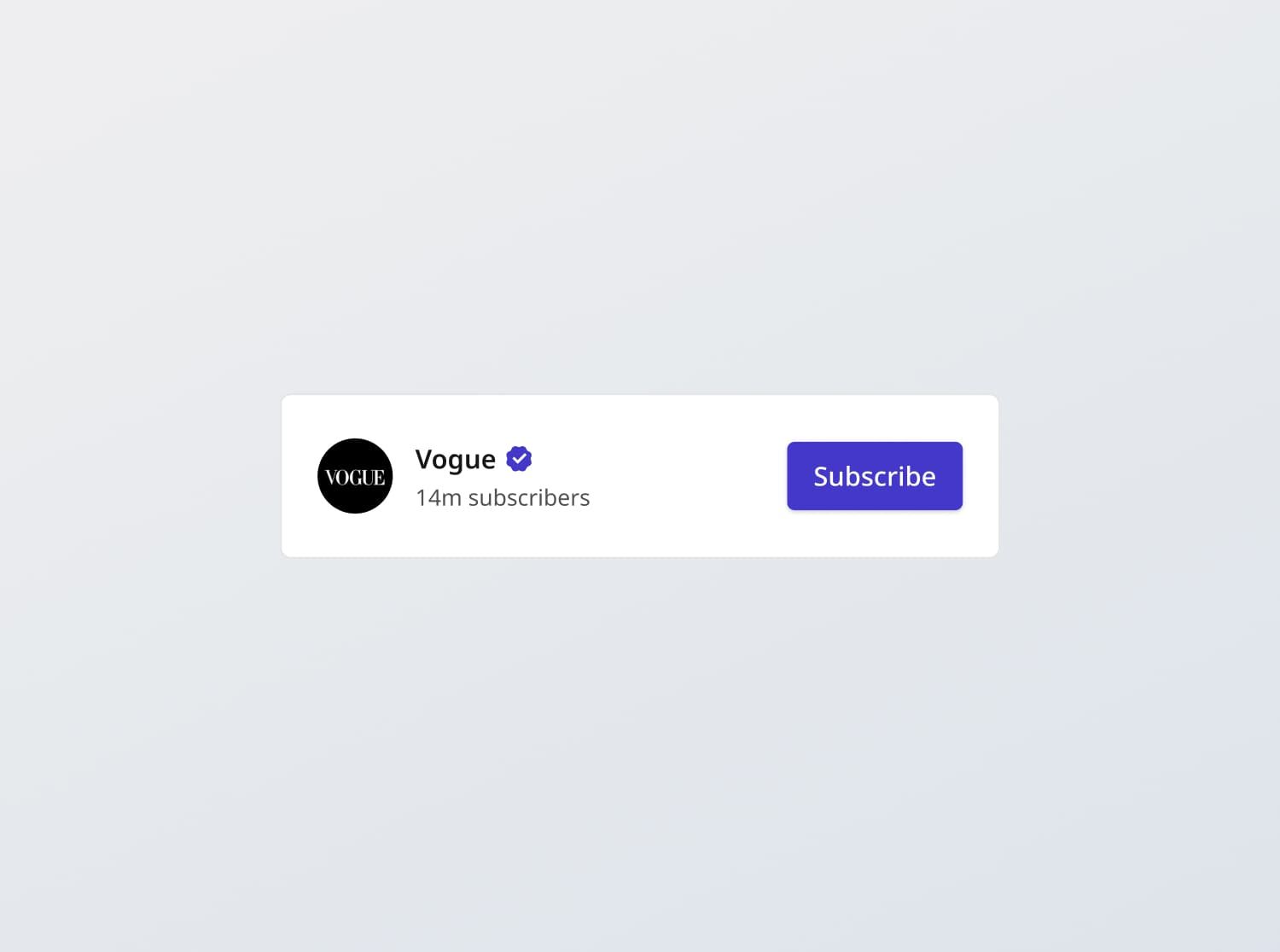
In this challenge, you are tasked with creating a subscribe card component that adheres to the design specifications provided. The component should include the following features where users can:
- View service information
- Subscribe to or unsubscribe from the service (locally stored user state for now)
- View subscription status
This card is used in the MeTube challenge, for users to subscribe to video channels. In the full MeTube challenge, users can authenticate with Google OAuth and use the YouTube API to manage subscription status.
Functional Requirements
1. Subscribe Card
- Display the subscribe card along with service information:
- Service profile picture: Display the service's profile picture.
- Service name: Display the service name. If the service is verified, display a verification tick next to the name.
- Subscriber count: Display the number of subscribers, using big number rounding and truncation (e.g., 500,000 to 500K, 5,000,000 to 5M).
- Subscribe button: Display a subscribe button that users can click to subscribe to the service.
2. Subscribe Button
- Implement and style to reflect different states - normal, hover, focus and disabled.
- Click action:
- When clicked, the button's text changes from "Subscribe" to "Subscribed". A success toast should be given that says "Subscription added".
- On hover, "Subscribed" will turn to "Unsubscribe", to inform the user that they will be unsubscribed on click
- Clicking the button again will unsubscribe the user, reverting the text back to "Subscribe." A toast should be given that says "Subscription removed"
General Requirements
- Design fidelity: Aim to follow the design as closely as possible. All elements in the design should be present, using the specified text color, font size, font weight, spacing, dimensions, etc.
- Link / Button states: Implement and style links and buttons to reflect different states - normal, hover, focus and disabled.
- Cross-browser compatibility: Check that your solution works for major browsers including Chrome, Firefox, and Safari.
- [Stretch goal] Performance optimization: Code for fast load times with efficient CSS and JavaScript techniques.
- [Stretch goal] Accessibility and semantics: Follow best practices for web accessibility, such as using semantic HTML and ARIA roles where necessary and using proper
alttags for images.
1/2
Resources provided
Design files for desktop, tablet and mobile
High resolution image assets
README file
Starter code with content copy
Style guide for typography, colors and spacing
Support you can expect
Official guides & resources
Development guides written & curated by Sr engineers at Big tech, such as:
Learn from good code
We recommend well-rated submissions using the same stack for your reference

Ask any questions in community
Have any doubts or need help? Ask in the community and discuss with others.