Get started
While working on project
After completion
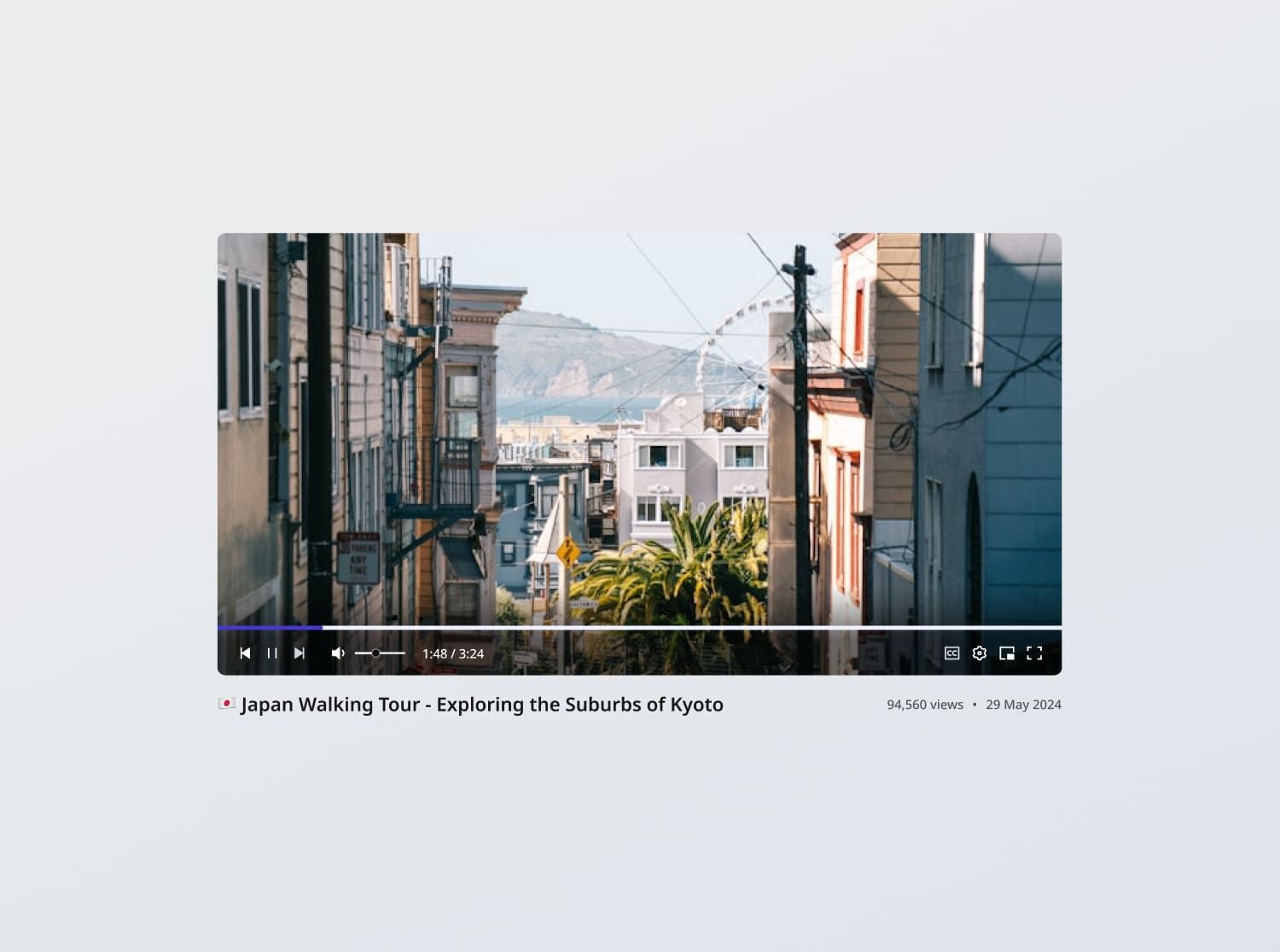
Project brief
In this challenge, you are tasked with creating a fully functional, responsive video player component that adheres to the design specifications provided. The component should allow users to watch a video, control playback, adjust player settings, and view key video metadata.
For this challenge, you will integrate with the YouTube API and work with this specific video for a start, before ensuring the player works with other videos as well.
Functional Requirements
1. Standard functions
- Hovering over the player shows the video control panel
- Play, pause, next, previous
- Clicking anywhere on the video above the video control panel should cause it to play or pause
- If there are no next or previous videos, show disabled states for the buttons accordingly
- Volume control: Allow users to mute, unmute, and set volume using a slider (default middle setting for the initial state)
2. Video progress
- Current progress: Display the video's current playback time and the total duration of the video e.g. 0:08 / 1:03:31
- Jumping video frames:
- Upon hover on the video progress bar (at any point), display the playback time of that point
- Upon hover on the video progress bar at the tip of the current progress, display the current playback time and the progress knob, signaling to users they can interact with it
- Allow the user to jump to any part of the video by clicking or dragging on the video progress bar.
3. Other controls
- Caption toggle: Allow users to turn captions on and off (default off)
- Video settings: Allow users to set
- Subtitles/CC: Select a caption language from the list of options available for the video (default English)
- Playback speed: Allow users to select a playback speed out of options 0.25, 0.5, 0.75, Normal, 1.25, 1.5, 1.75, 2 (default Normal)
- Quality: Allow users to select a quality option available for the video (default Auto)
- Miniplayer mode: Allow users to play the video in picture-in-picture mode
- Full screen toggle: Allow users to toggle full screen on and off
4. YouTube player integration
- Integrate with the YouTube API and ensure that the custom controls stay in sync with the embedded player state
- Load videos by ID and display video metadata such as the title, view count, and upload date
- Handle player settings such as captions, playback speed, and quality options when they are available for the loaded video
5. Local state persistence:
- Video settings: Save the user's video preferences locally, and restore those preferences when they revisit the video
- Progress: Save the user's progress on the video locally, and resume that state if they revisit the video
6. Error states
- Video load errors: Show an empty state message titled "Error" with the description "An error occurred, please try again later."
General Requirements
- Design fidelity: Aim to follow the design as closely as possible. All elements in the design should be present, using the specified text color, font size, font weight, spacing, dimensions, etc.
- Responsive behavior:
- Text size: Should be responsive; font size is larger for wider devices, smaller for narrow devices.
- Responsive layout: The content should stack vertically on smaller screens and align horizontally as the screen width increases.
- Interactivity:
- Link / Button states: Implement and style links and buttons to reflect different states - normal, hover, focus and disabled.
- Cross-browser compatibility: Check that your solution works for major browsers including Chrome, Firefox, and Safari.
- [Stretch goal] Performance optimization: Code for fast load times with efficient CSS and JavaScript techniques.
- [Stretch goal] Accessibility and semantics: Follow best practices for web accessibility, such as using semantic HTML and ARIA roles where necessary and using proper
alttags for images.
Resources provided
Design files for desktop, tablet and mobile
High resolution image assets
README file
Starter code with content copy
Style guide for typography, colors and spacing
API specifications and sample data
Support you can expect
Official guides & resources
Development guides written & curated by Sr engineers at Big tech, such as:
Learn from good code
We recommend well-rated submissions using the same stack for your reference
Responsive solution built with React
React
Tailwind
Nextjs
Ask any questions in community
Have any doubts or need help? Ask in the community and discuss with others.
18
Anna Gilbert ·
Software Engineer @ Stripe
4 YOE