Get started
While working on project
After completion
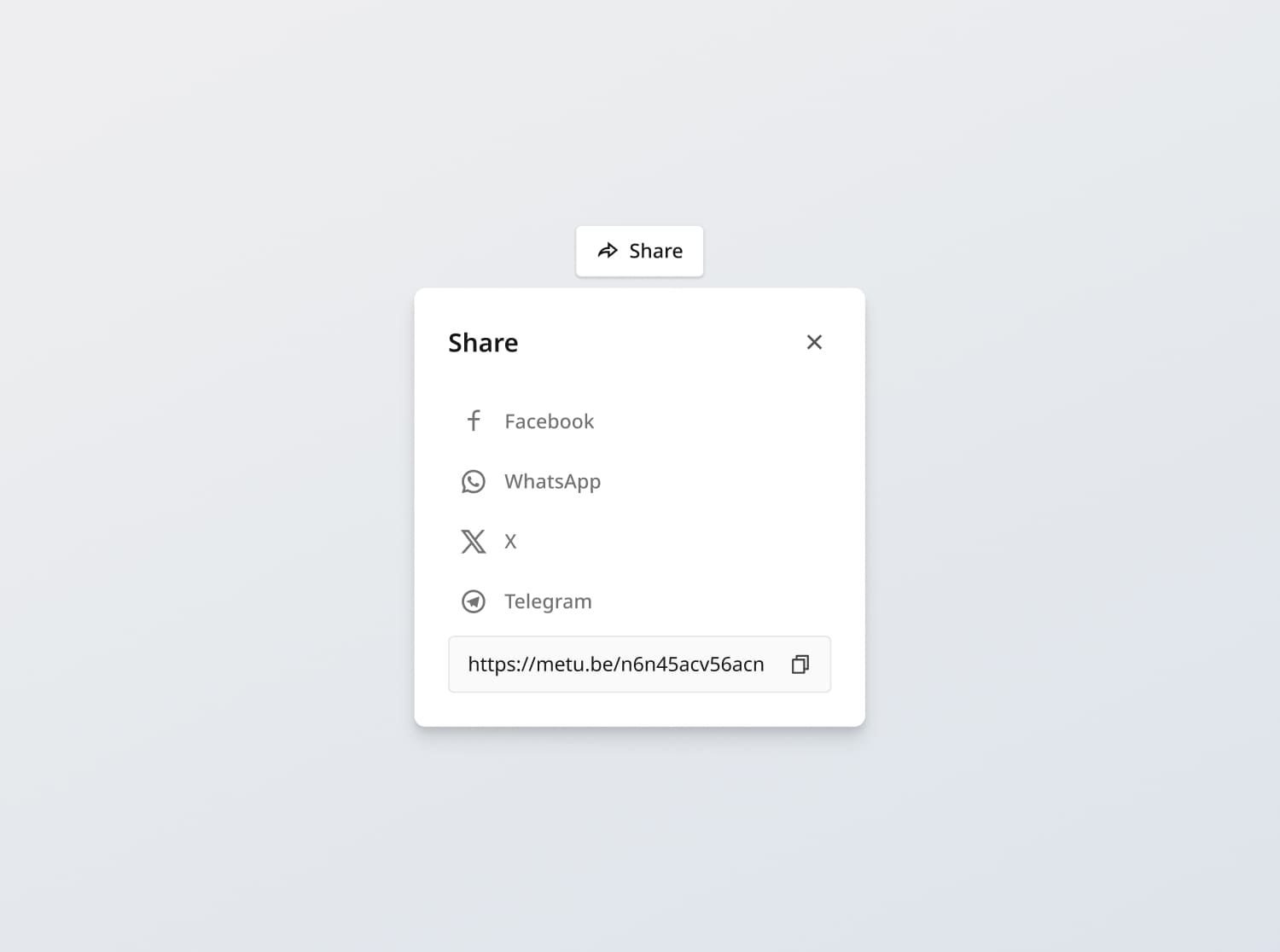
Project brief
In this challenge, you are tasked with creating a share button and share card component that adheres to the design specifications provided. Users should be able to open the share card, choose a social sharing option, copy the current video link, and dismiss the card.
Functional Requirements
Share button
- Button / link states: Implement and style buttons / links to reflect different states - normal, hover, and disabled
- Functionality: Upon clicking "Share", open the Share Card component
Share card
- Show social media share options: Facebook, WhatsApp, X and Telegram
- Copy to clipboard: Allow users to copy the share link to their clipboard
- [Stretch goal] Integrate each social media platform's sharing functionality
- Dismiss: Allow users to dismiss by clicking outside of the card, or through the close button
General Requirements
- Design fidelity: Aim to follow the design as closely as possible. All elements in the design should be present, using the specified text color, font size, font weight, spacing, dimensions, etc.
- Link / Button states: Implement and style links and buttons to reflect different states - normal, hover, focus and disabled.
- Cross-browser compatibility: Check that your solution works for major browsers including Chrome, Firefox, and Safari.
- [Stretch goal] Performance optimization: Code for fast load times with efficient CSS and JavaScript techniques.
- [Stretch goal] Accessibility and semantics: Follow best practices for web accessibility, such as using semantic HTML and ARIA roles where necessary and using proper
alttags for images.
Resources provided
Design files for desktop, tablet and mobile
High resolution image assets
README file
Starter code with content copy
Style guide for typography, colors and spacing
Support you can expect
Official guides & resources
Development guides written & curated by Sr engineers at Big tech, such as:
Learn from good code
We recommend well-rated submissions using the same stack for your reference

Ask any questions in community
Have any doubts or need help? Ask in the community and discuss with others.